Pub. 42004-550C
Elemec3 Console Manual—Version 3 Page 63 of 109
P:\Standard IOMs - Current Release\42004 Instr. Manuals\42004-550C.docx
07/21
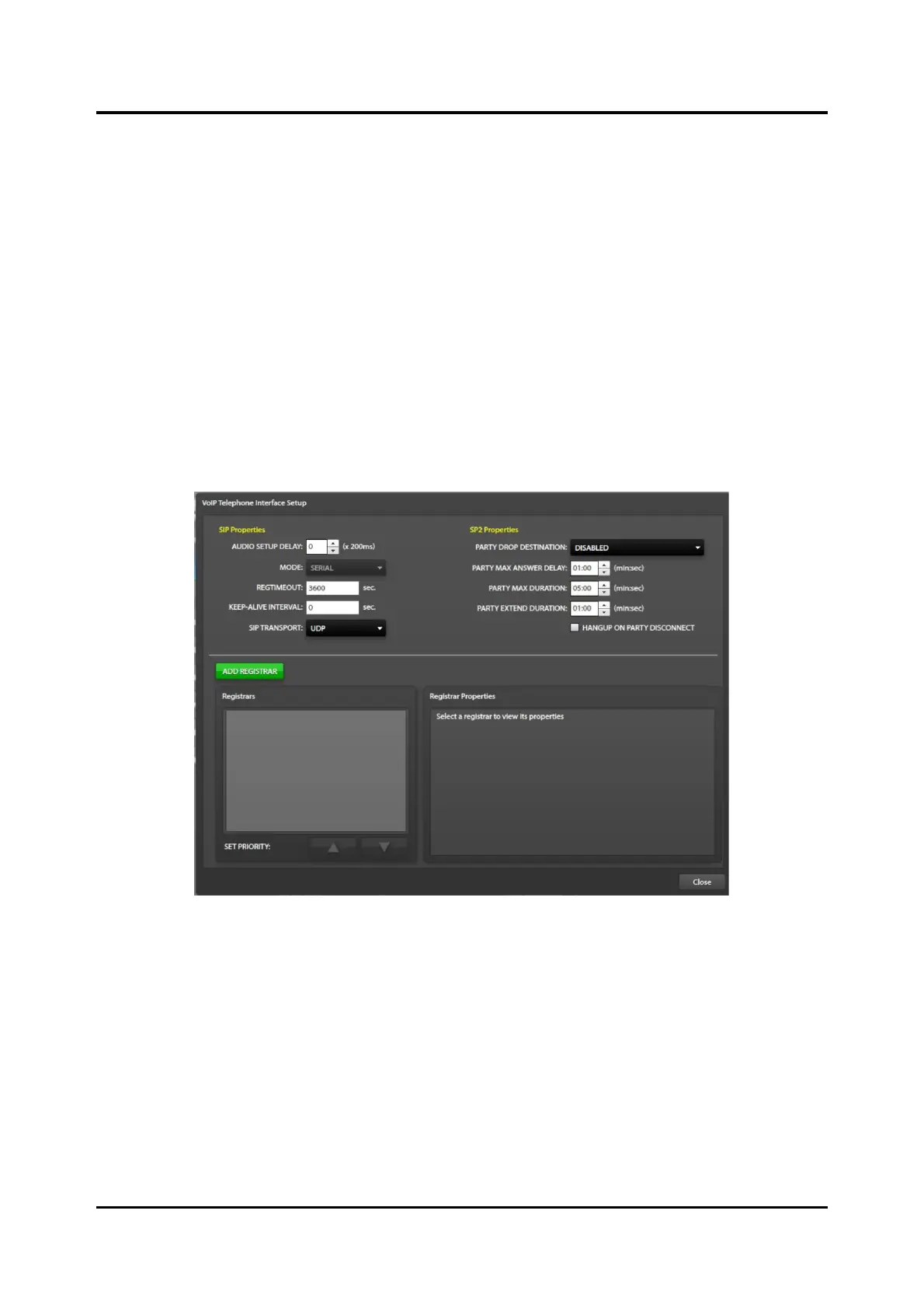
SIP Properties
Audio Setup Delay—provides compensation for varying call set-up times between different IP PABXs
that result in lost audio at the beginning of a voice page. Enter the value to delay the talk-now
confirmation tone that the caller hears. This prevents the caller from talking to allow the IP PABX
additional time to set up the call. Multiply the value by 200 milliseconds to determine the actual delay
time.
Regtimeout—time interval (seconds) for the E3 controller to re-register with the SIP Registrar (IP
PABX)
The SIP Registrar and the E3 controller negotiate this parameter, so the actual registration interval
may be different than the value entered.
Keep-Alive Interval—time (seconds) that the E3 controller sends keep alive messages to ensure the port
remains open. Set this number to zero (0) to disable.
SIP Transport—protocol used for sending data packets over the network. TCP guarantees the recipient
will receive the packets in the order sent. UDP packets provide no guarantee of delivery.
Figure 70. Configure SIP Registrar Properties
Description—text description for the IP PABX (Registrar).
Username—username for the E3 controller (as configured in the IP PABX).
Password—password for the E3 controller username (as configured in the IP PABX).
IP Address—IP address of the IP PABX.
Port—IP port number of the IP PABX.
NOTE: SIP clients typically use TCP or UDP on port numbers 5060 or 5061 to connect to SIP servers
and other SIP endpoints. Use port 5060 for non-encrypted signaling traffic and port 5061 for
traffic encrypted with TLS (Transport Layer Security).



 To Next Page