Pub. 42004-550C
Elemec3 Console Manual—Version 3 Page 94 of 109
P:\Standard IOMs - Current Release\42004 Instr. Manuals\42004-550C.docx
07/21
Profiles Screen
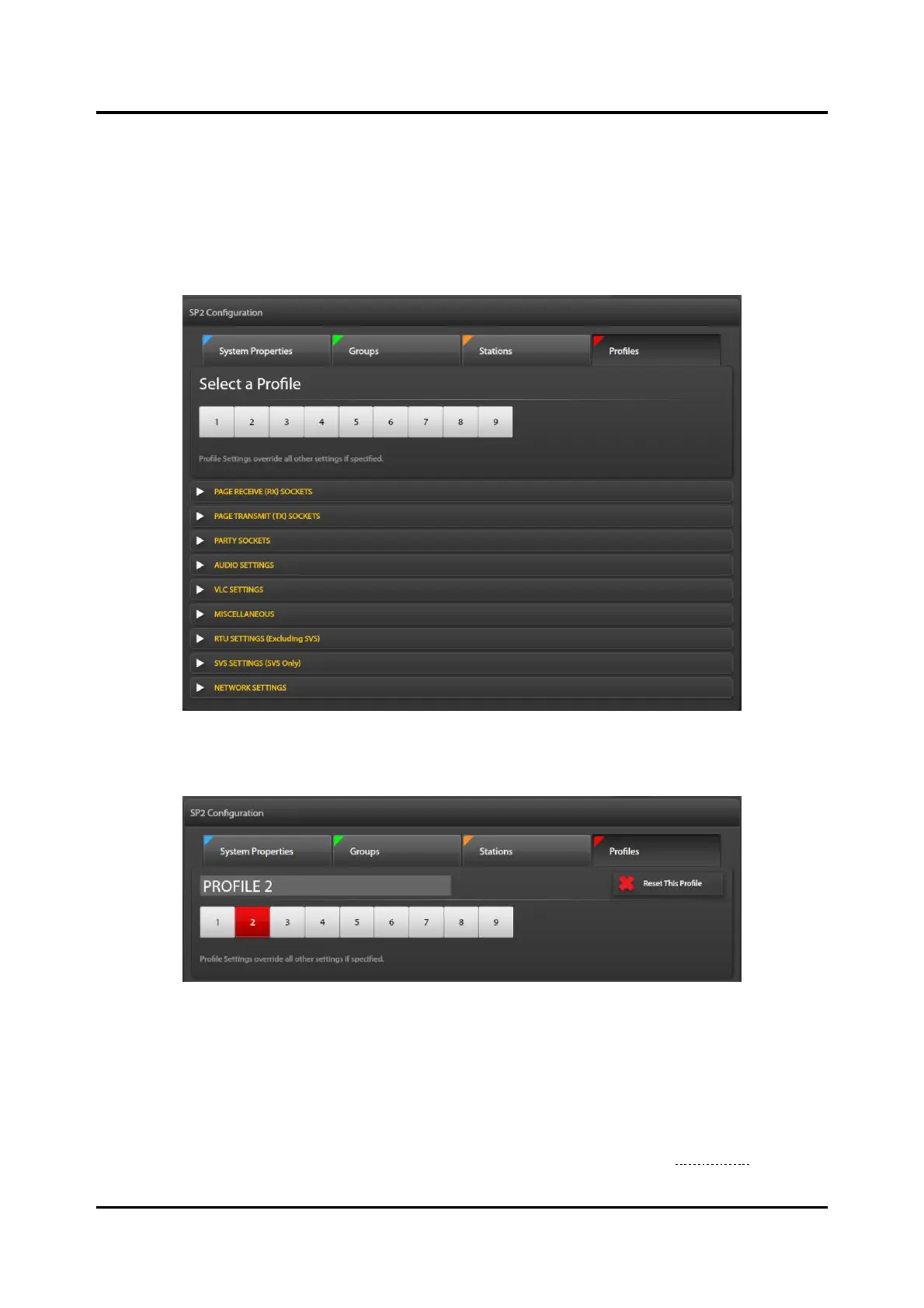
Click the PROFILES button, at the top of the screen, to access the parameter panes at the profile level.
Assign profiles to groups and stations. Apply profile settings to a station or group of stations on the
GROUPS and/or STATIONS screens in the configuration.
NOTE: Configuration changes to parameters implemented in a profile override the previously set value
for all parameters assigned in the profile.
Figure 107. Manage Profiles Screen
Select a Profile—Click on a profile number to select it.
Figure 108. Profile Selected
Profile 2—The currently selected profile, at the top of the MANAGE PROFILES pane. The box selected
containing the profile number is red.
Reset This Profile—removes all changes made to this profile.
Collapsed Parameter Panes—Collapsed parameter panes display below the selected profile. Click the
expand arrow to open the pane containing parameters needing modification (see the Parameter section
for information on the settings in each parameter group).



 To Next Page