Pub. 42004-550C
Elemec3 Console Manual—Version 3 Page 41 of 109
P:\Standard IOMs - Current Release\42004 Instr. Manuals\42004-550C.docx
07/21
APLite HUBBCOM
APLite HUBBCOM is a HUBBCOM station configured as a mini access panel. Configure APLite
profile PINs (Panel Identification Numbers) for HUBBCOM stations to load an access panel button
screen. Use the GUDA (GAI-Tronics Universal Device Application) software to configure the
HUBBCOM station(s) with a profile PIN that matches an APLite profile PIN. HUBBCOM stations with
a profile PIN matching a profile PIN in the Elemec3 configuration load that profile’s button screen.
Configure multiple HUBBCOM stations with the same profile PIN to load a common screen on multiple
HUBBCOM stations.
GAI-Tronics publication 42004-531 covers downloading, installing, and running the GUDA. Publication
42004-551 provides configuration information for HUBBCOM devices using the GUDA (see the
Reference Documentation section).
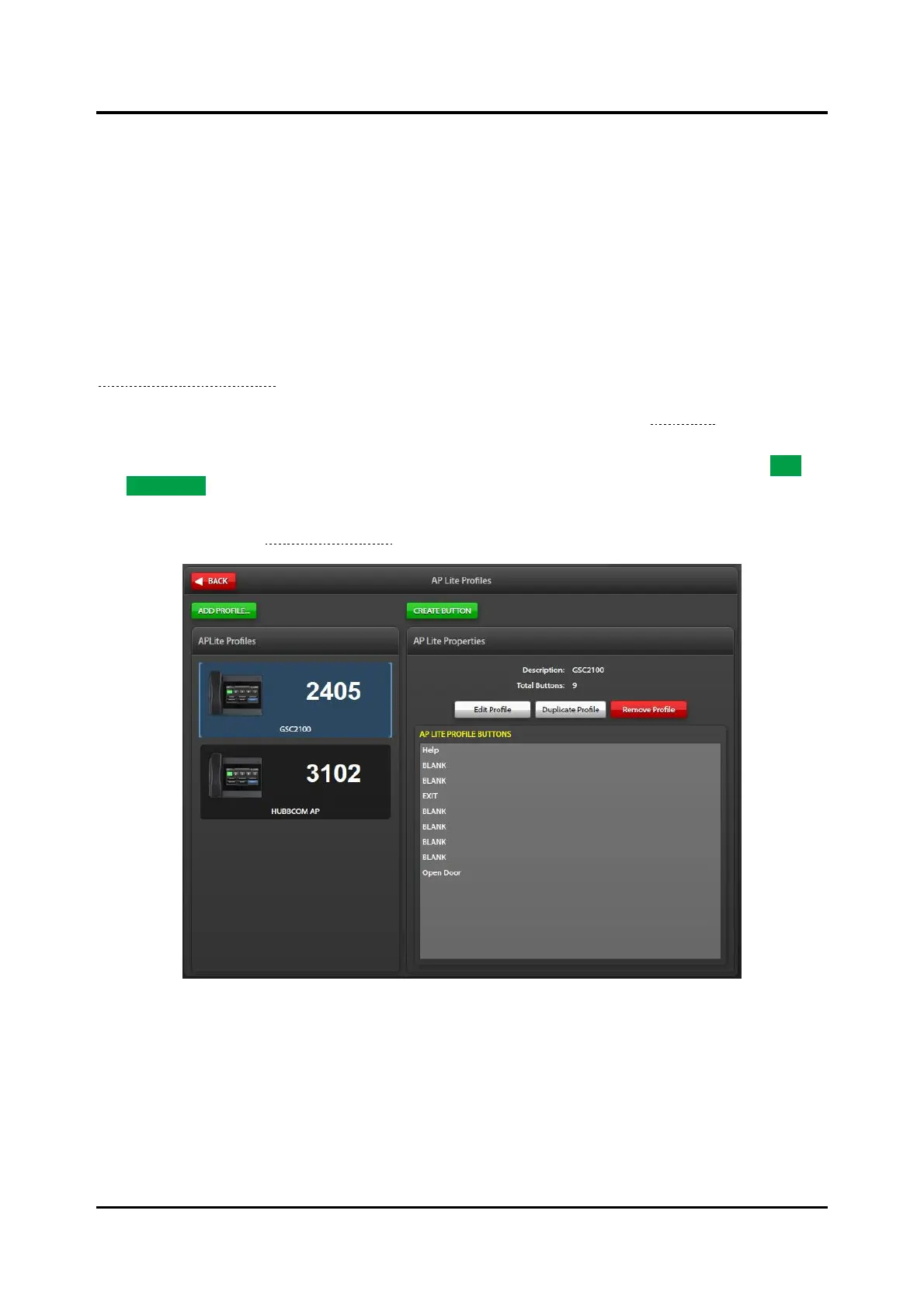
Click the APLite HUBBCOM button to open the APLITE PROFILES screen (see Figure 43). The AP LITE
PROFILES screen contains two panes:
• APLite Profiles pane—displays the HUBBCOM profiles added to the configuration using the ADD
PROFILE… button.
• AP LITE PROPERTIES pane—contains information on the APLite profile currently selected in the
profiles list (see the AP Lite Properties section).
Figure 43. AP Lite Profiles



 To Next Page