Pub. 42004-550C
Elemec3 Console Manual—Version 3 Page 74 of 109
P:\Standard IOMs - Current Release\42004 Instr. Manuals\42004-550C.docx
07/21
System Events
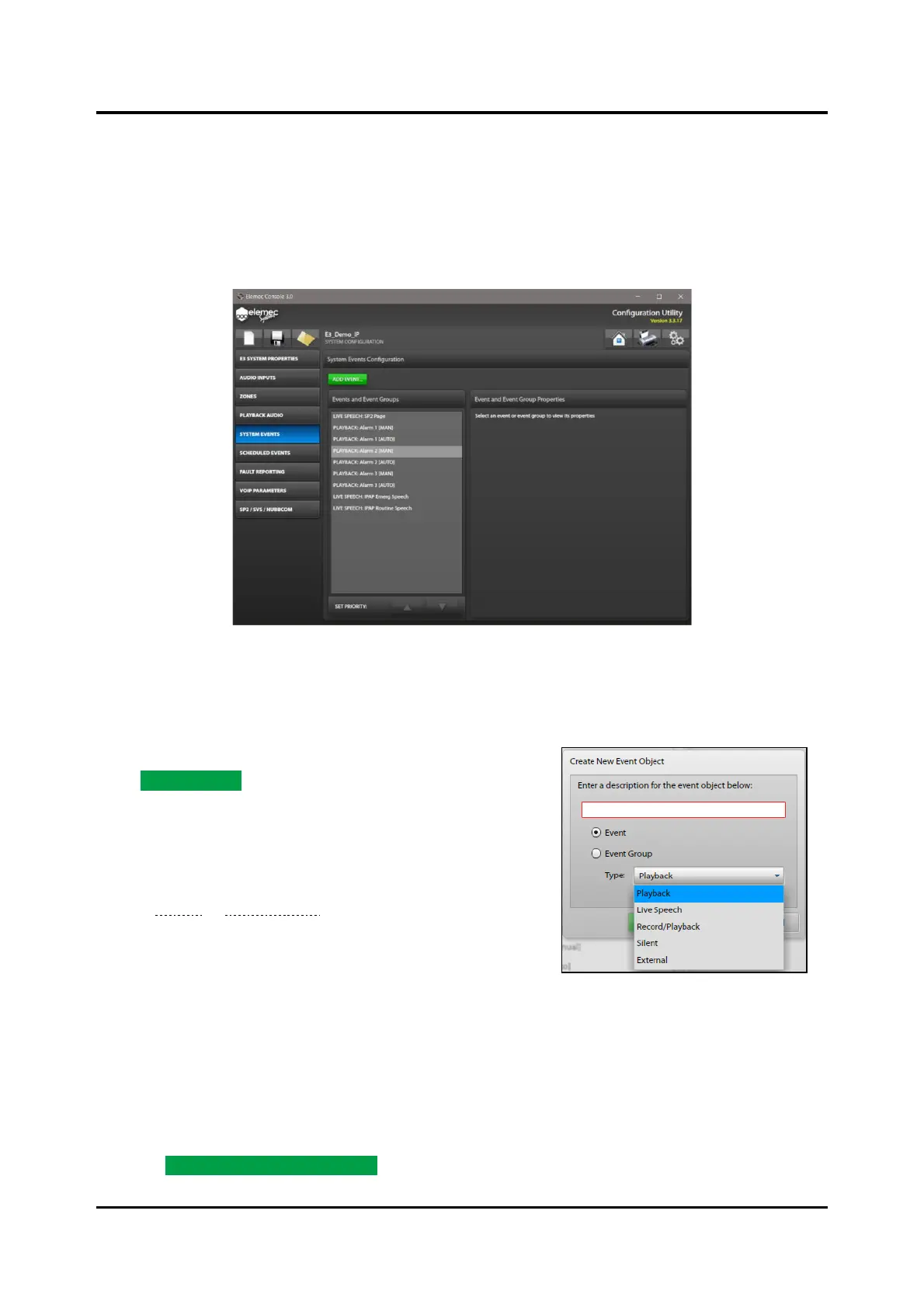
The Elemec3 system uses system events to control system behavior. The SYSTEM EVENTS
CONFIGURATION screen lists the EVENTS AND EVENT GROUPS by order of priority, with the event at the
top of the list having the highest priority. Change the priority of an event/event group by highlighting the
item and using the SET PRIORITY: up and down arrows to change the position in the list. Event priority is
critical to the desired operation of an Elemec3 system.
Figure 81. System Events Configuration
Messages created with the AUTOMATICALLY CREATE EVENT option are in the EVENTS AND EVENT
GROUPS pane.
Add Event
Click ADD EVENT… to open the CREATE NEW EVENT OBJECT
screen.
Enter a description for the event object below:—Enter a
unique description for the event.
Event/Event Group—Select either EVENT or EVENT GROUP.
(see the Events or Event Groups section).
Events
Type:—There are five available event types:
• Playback—broadcasts a previously configured message.
• Live Speech—broadcasts live audio.
• Record/Playback—records live audio for playback.
• Silent—activates outputs, output groups, or triggers an event chain. (No audio broadcast.)
• External—broadcasts externally generated audio.
Click the CREATE NEW EVENT OBJECT button after entering the description and selecting the event type
from the drop-down list. The EVENT BUILDER screen opens.



 To Next Page