Pub. 42004-550C
Elemec3 Console Manual—Version 3 Page 77 of 109
P:\Standard IOMs - Current Release\42004 Instr. Manuals\42004-550C.docx
07/21
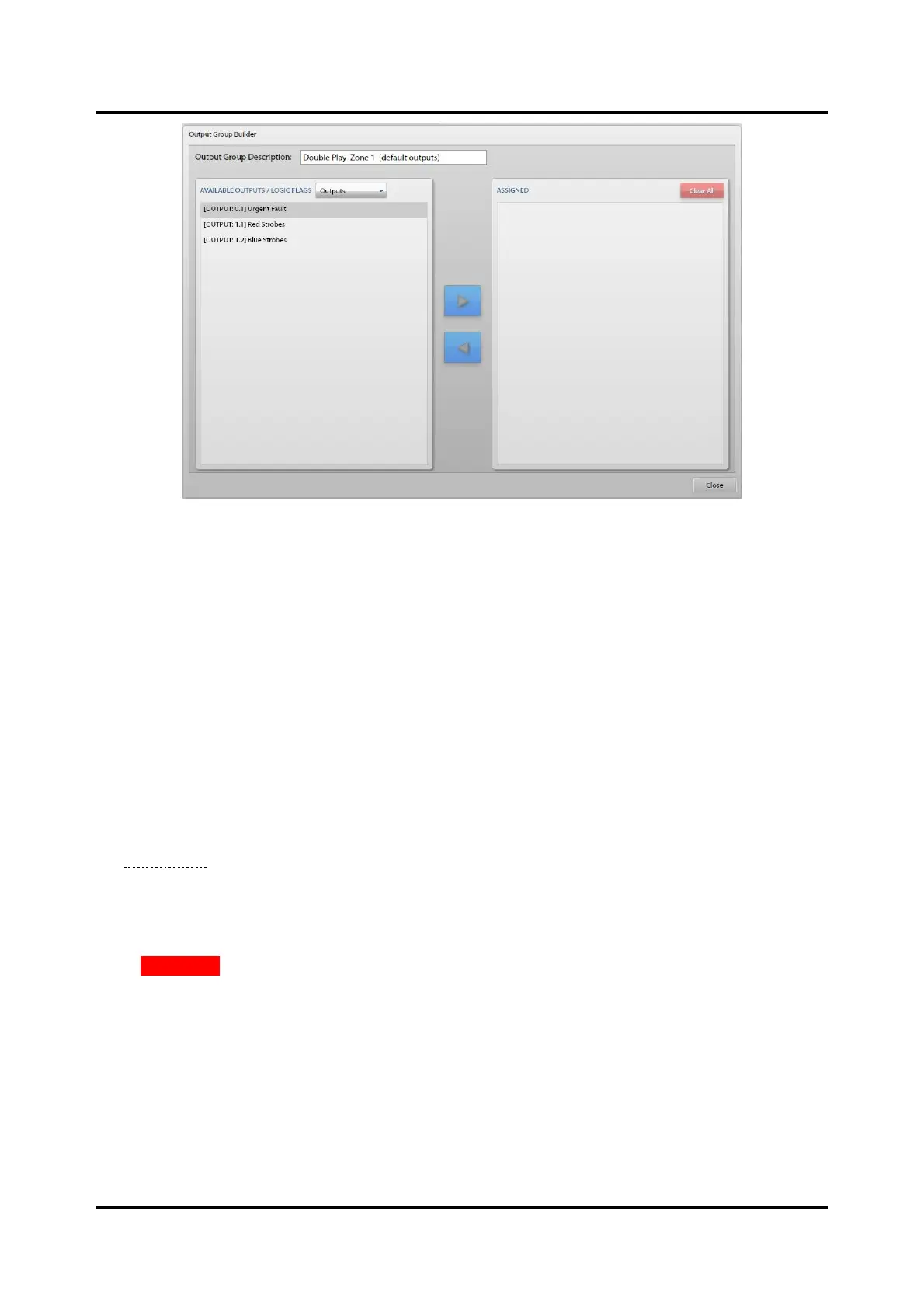
Figure 85. Configuring Event Outputs
The OUTPUT GROUP BUILDER screen layout includes the OUTPUT GROUP DESCRIPTION field at the top
and the AVAILABLE OUTPUTS/LOGIC FLAGS and ASSIGNED panes below to assign the outputs, flags,
and/or output groups to the output group.
Output Group Description—description of the event’s output activation group. The name of the output
group includes either (DEFAULT OUTPUTS) or (STAGED OUTPUTS) appended to the name. This signifies
which behavior, normal (default) or staged, the output group belongs to; and therefore, also indicates the
screen used to access the event builder.)
Available Outputs/Logic Flags
The title bar of this pane contains a drop-down list to select the type of assignments to assign to the output
group. The available options are OUTPUTS, FLAGS, and OUTPUT GROUPS. Select each output type as
necessary and then select the items in the list to add and click the right pointing arrow button to add them
to the ASSIGNED list. For each I/O card, Only the enabled outputs appear in this list. Enabling an I/O
card’s contact without defining the assignments in the I/O CONTROLLER PROPERTIES OUTPUTS tab (see
the Outputs Tab section) causes them to show up here as not specified.
Assigned
The ASSIGNED pane contains the outputs, flags, and output groups assigned to the output group. To
remove entries, select them and click the left pointing arrow to move them back to the available list.
Click CLEAR ALL to move all listed outputs back to their respective available lists.
Default/Staged Audio Destinations
Default and staged audio destinations specify the audio destination properties for an event. Each portion
(normal and staged) of a staged event has its own independent audio destination. When first creating a
message, a default zone is selectable that will appear in the default zone: property drop-down list.
Allow Manual Zone Selection ?—zones are dynamically selectable from either access panels or input
contacts.



 To Next Page