Pub. 42004-550C
Elemec3 Console Manual—Version 3 Page 16 of 109
P:\Standard IOMs - Current Release\42004 Instr. Manuals\42004-550C.docx
07/21
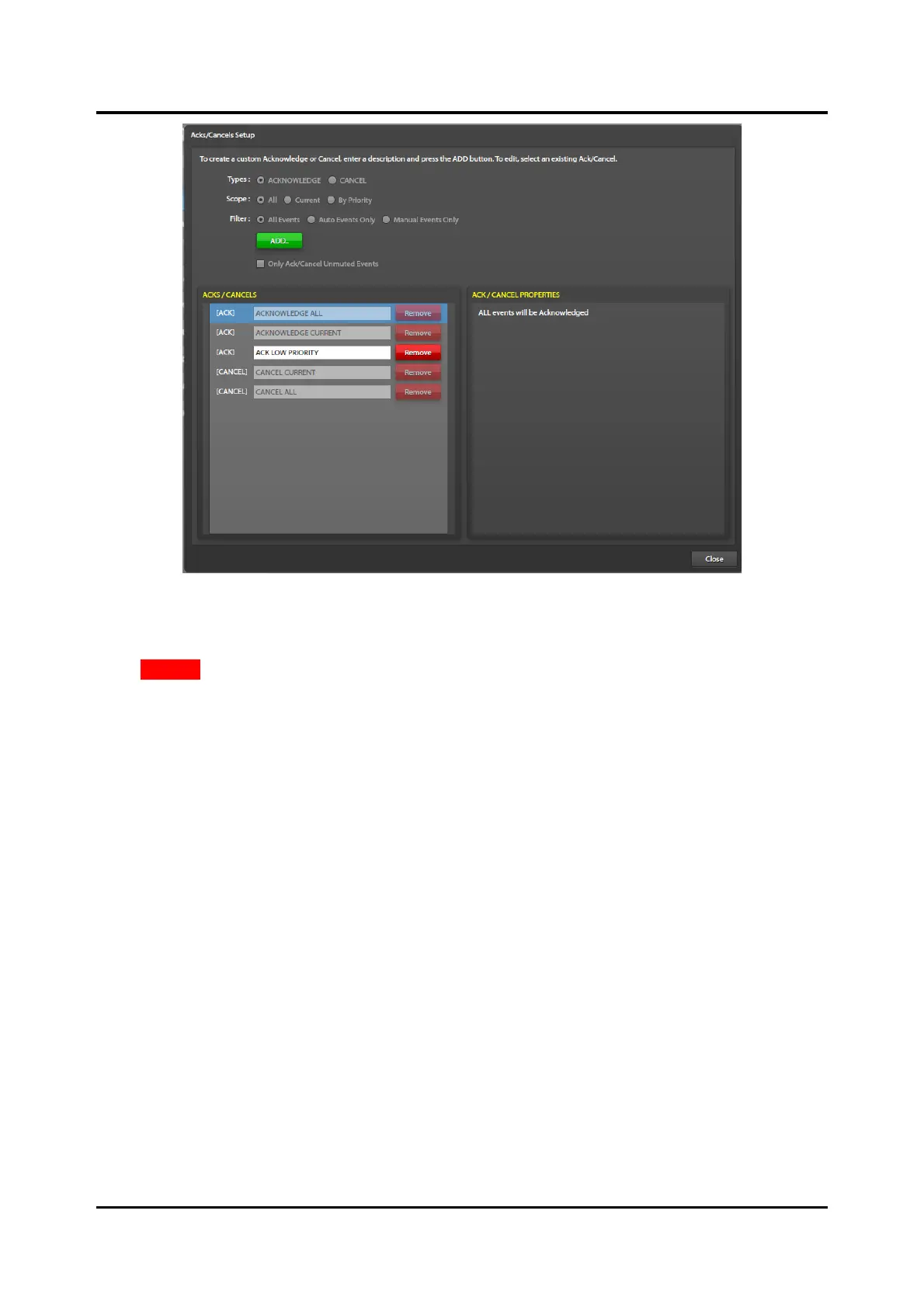
Figure 15. ACKs and Cancels Setup
Delete an Ack/Cancel Action
Click REMOVE next to the description in the list to remove an ack/cancel.
The four-built-in system ack/cancel actions are not removeable.
Description—the description of the Ack/Cancel action.
Types—the type of action; acknowledge or cancel. (The ACKS/CANCELS list sorts by type.)
Scope—the range of events that the acknowledge or cancel action includes when the system executes the
Ack/Cancel event.
Choose ALL or CURRENT to setup an action that may acknowledge or cancel all events or just the
current event, if possible. Select BY PRIORITY to enable the configuration of ack/cancel actions that
act upon events with equal or lower priority threshold than the event chosen from the EVENT
PRIORITY THRESHOLD dropdown list.
Filter—display only the items of the specified type. Enable the FILTER: radio button by selecting ALL for
the scope selection.
Only Ack/Cancel Unmuted Events—prevent the acknowledgement or cancellation of muted events.
Event Priority Threshold—selects the events with the same or lower priority that the Ack/Cancel action
affects when the Ack/Cancel scope is set to By Priority. The ACK/CANCEL PROPERTIES pane, on the
right side of the screen lists the events with equal or lower priority than the event selected for the priority
threshold.



 To Next Page