Pub. 42004-550C
Elemec3 Console Manual—Version 3 Page 28 of 109
P:\Standard IOMs - Current Release\42004 Instr. Manuals\42004-550C.docx
07/21
Access Panel Interfaces Summary Not applicable to the IP controller
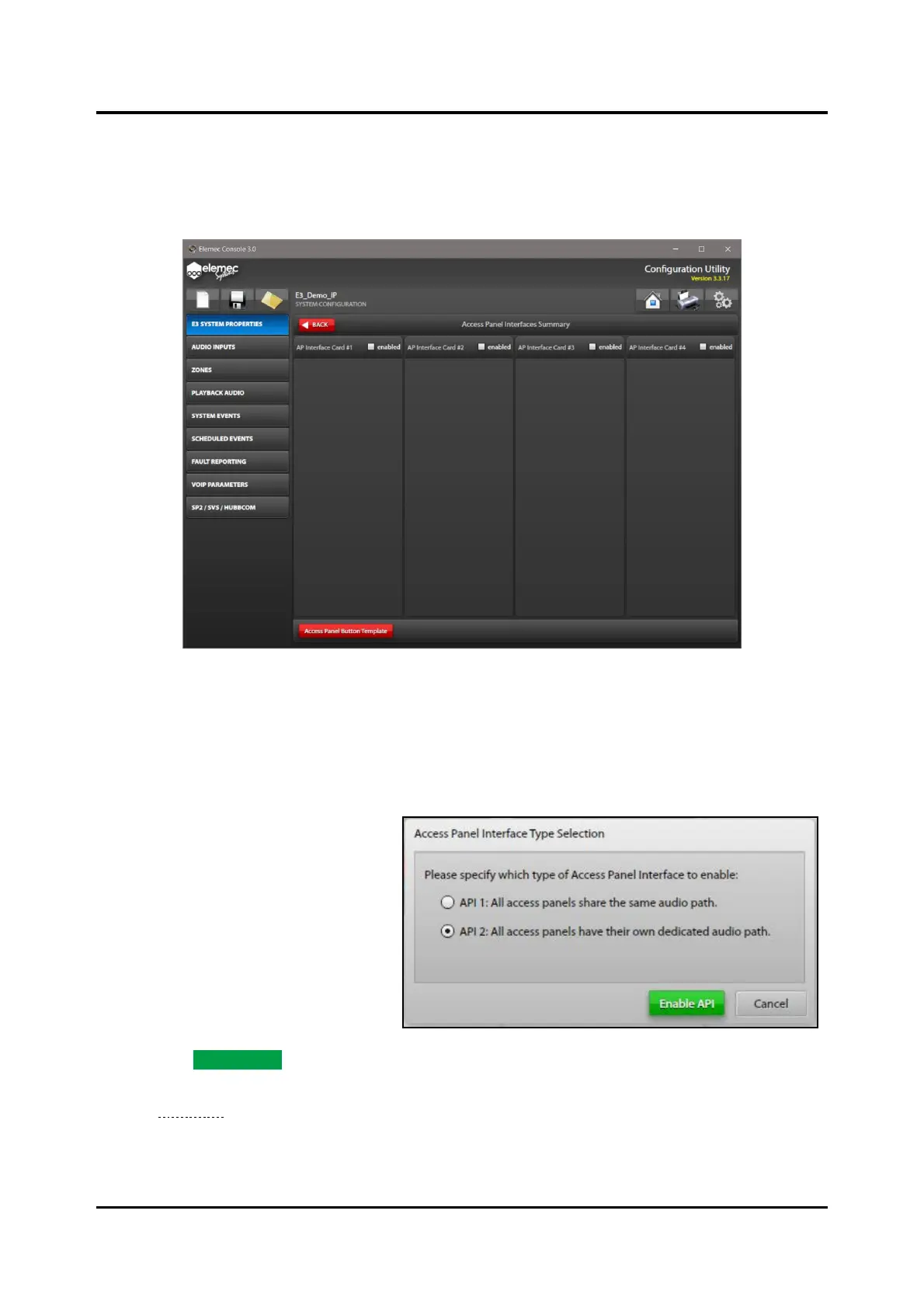
Click the ACCESS PANELS button on the SYSTEM PROPERTIES screen to open the ACCESS PANEL
INTERFACES SUMMARY screen. Use this screen to add access panels to the configuration.
Figure 30. Access Panels Interfaces Summary
Click the ENABLED checkbox to add access panels connected to the physical API card(s) installed in the
system.
Access Panel Interface Type Selection
There are two types of API cards; both
types permit connection of up to four
access panels:
• Type I cards provide a single audio
channel shared by the connected
access panels.
• Type II API cards provide four
audio channels; each connected
access panel is on a separate audio
channel.
1. Select the type of API card installed
and click ENABLE API.
The ADD ACCESS PANEL screen
(see Figure 32) appears if a default access panel type has not been specified in the console options.



 To Next Page