Pub. 42004-550C
Elemec3 Console Manual—Version 3 Page 15 of 109
P:\Standard IOMs - Current Release\42004 Instr. Manuals\42004-550C.docx
07/21
Gateway—IP address of the router used as the default gateway. (Disabled when DHCP is enabled.)
DNS—IP address of the DNS server. (Disabled when DHCP is enabled.)
Enable SNMP—enables simple network management protocol for network device
management/monitoring. (Disabling SNMP disables the SNMP NOTIFICATIONS check box.)
SNMP Notifications—enable SNMP notifications.
Select this check box to display the notification handler field. Enter the NOTIFICATION HANDLER
host to activate the CLOSE button.
Notification Handler—the IPv4 address or the fully qualified domain name for the SNMP notification
handler.
Locations
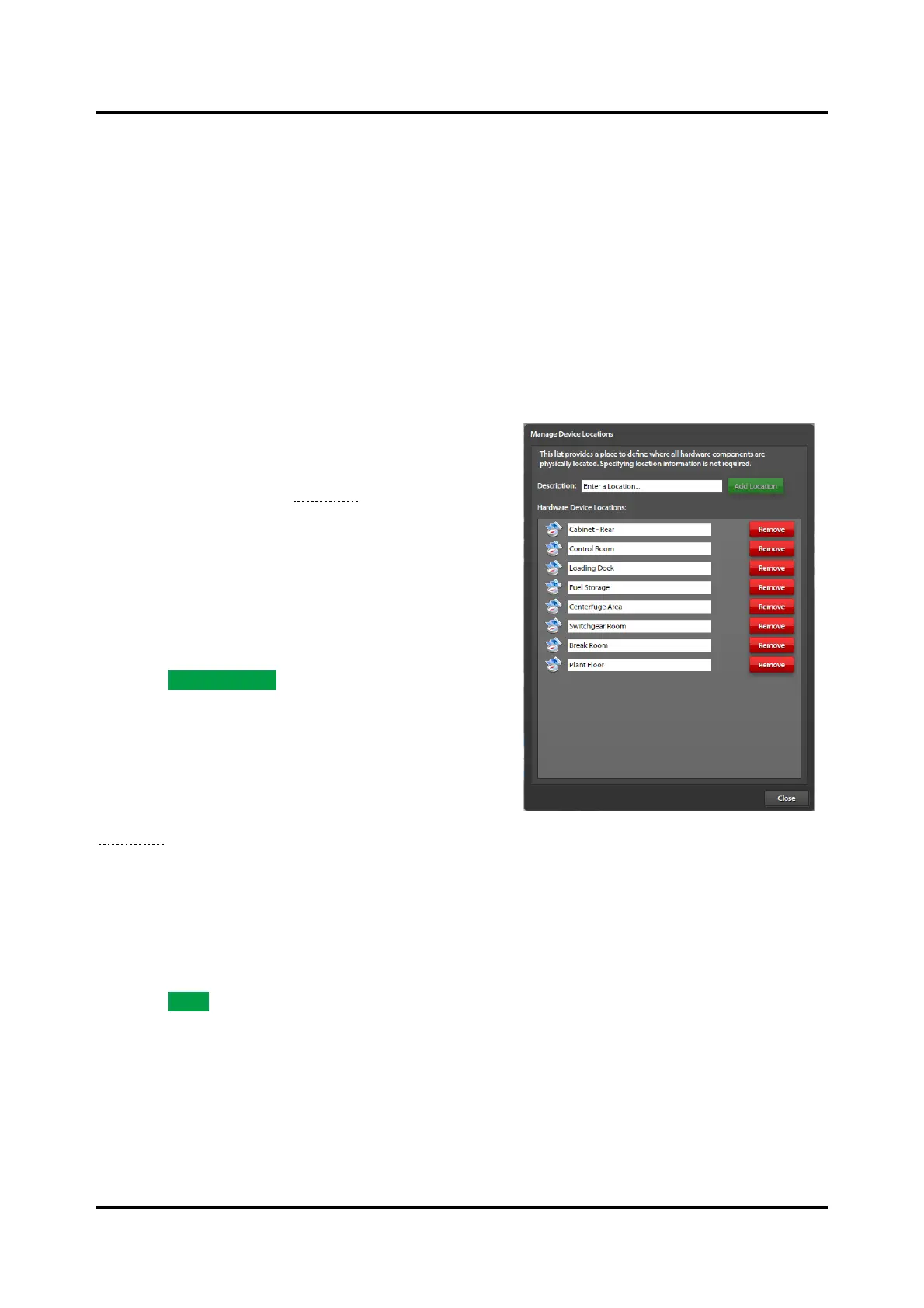
1. Click the EDIT LOCATIONS button on the SYSTEM
PROPERTIES screen to open the MANAGE DEVICE
LOCATIONS screen (see Figure 14).
• Locations are text-only descriptors associated
with any hardware device (optional).
• Locations normally specify the physical location
of a hardware device at the facility, location
within a cabinet, or any other text designation as
required.
2. Enter a description.
3. Click ADD LOCATION to create the location.
Ack/Cancel Configuration
Click the ACK/CANCEL SETUP button, at the bottom of
the SYSTEM PROPERTIES screen, to configure
acknowledgment and cancellation actions for events (see
Figure 15). An event’s scope and filter determine the
acknowledge and cancel actions. User defined
Ack/Cancel actions are in addition to the four system
Ack/Cancel (ALL/CURRENT) actions.
Create an Ack/Cancel Action
1. Select the type to create; ACKNOWLEDGE/CANCEL.
2. Click ADD.. to add the acknowledgement or cancel action.
3. Enter a description.
4. Select the type, scope, and filter properties.
The new action item appears in the list.



 To Next Page