Pub. 42004-550C
Elemec3 Console Manual—Version 3 Page 60 of 109
P:\Standard IOMs - Current Release\42004 Instr. Manuals\42004-550C.docx
07/21
Page/Party Audio Input Properties
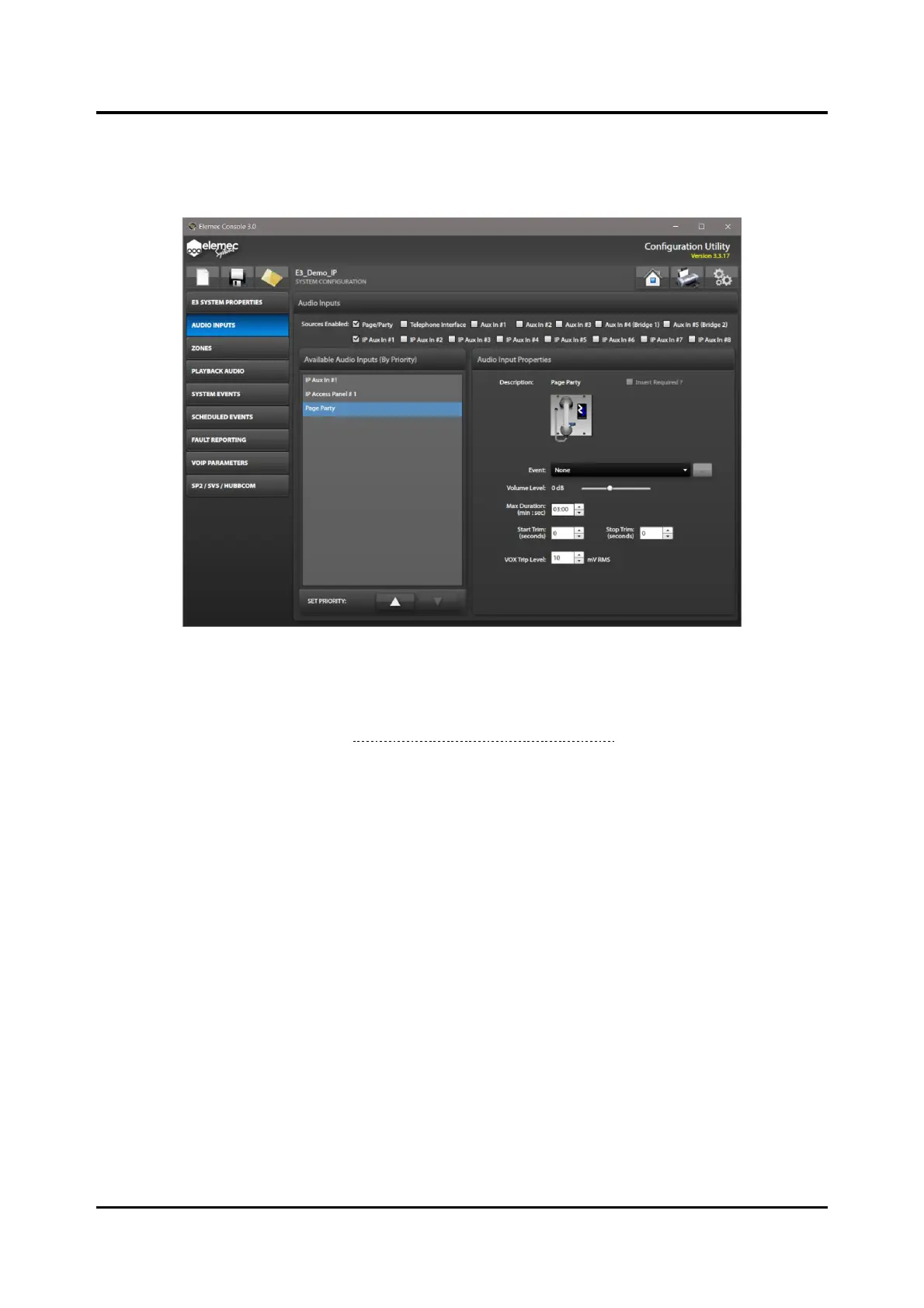
Select PAGE/PARTY from the AVAILABLE AUDIO INPUTS (BY PRIORITY) pane to configure the Page/Party
audio input properties.
Figure 67. Page/Party
Audio Input Properties
Insert Required?—Select the checkbox if the Page/Party input requires an insert.
Enable inserts on the GLOBALS pane from the SYSTEM PROPERTIES screen to use them on any of the
enabled audio input sources (see Insert 1 Enabled? & Insert 2 Enabled?).
Event—Choose the event from the dropdown list that will initiate when the controller detects audio on
the Page/Party input.
Volume Level—gain of the Page/Party audio.
Max Duration—maximum duration of a single Page/Party broadcast.
Start Trim—the recording delay at the beginning of a record/playback event.
Stop Trim—how much playback audio to remove at the end of the playback.
NOTE: Set a minimum of 3.5 seconds of stop trim to compensate for VOX hold time.
VOX Trip Level—detection level of Page/Party audio that triggers the event. This setting will vary
depending on the quality of the incoming Page/Party audio.



 To Next Page