Pub. 42004-550C
Elemec3 Console Manual—Version 3 Page 32 of 109
P:\Standard IOMs - Current Release\42004 Instr. Manuals\42004-550C.docx
07/21
Live Speech Event Muting Pane
Live Speech Threshold—priority that determines what live speech events are muted. All events at or
below the priority of the selected event are muted.
NOTE: Only applicable when the mute properties specify an amplifier channel.
Mute Output Assignment Pane
This pane lists the I/O card output relays that disconnect speakers from the amplifier channel(s).
Remove Button
Click REMOVE on the ACCESS PANEL PROPERTIES screen to remove an access panel from the
configuration. A confirmation prompt displays unless it is disabled by the DON’T SHOW THIS AGAIN
application option (see the Settings section).
Close Button
Click CLOSE to return to the ACCESS PANEL INTERFACES SUMMARY screen.
Access Panel Button Configuration
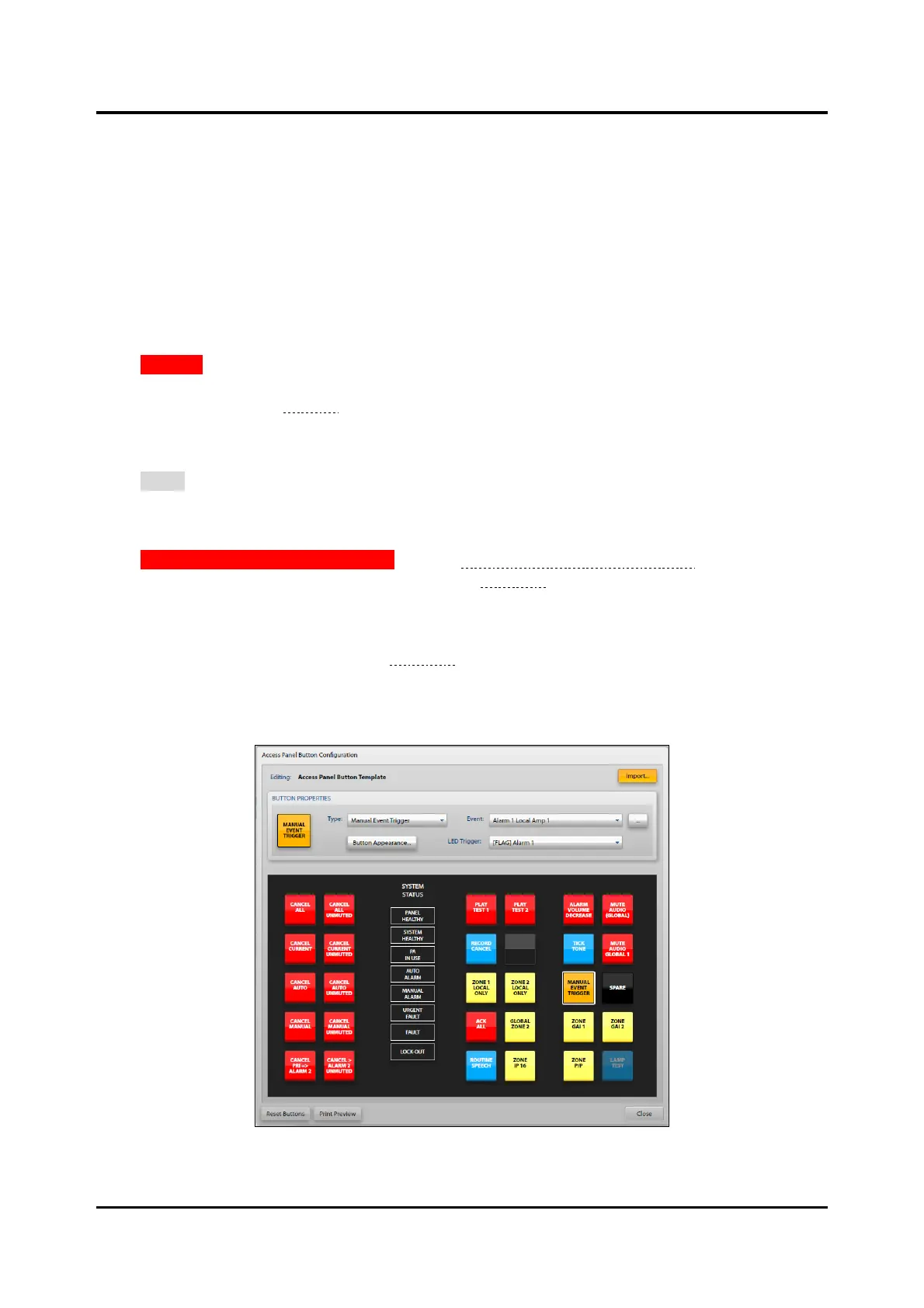
Click ACCESS PANEL BUTTON TEMPLATE from the Access Panel Interfaces Summary screen to open the
ACCESS PANEL BUTTON CONFIGURATION screen (see Figure 35).
Or:
Click on the BUTTONS… button to edit the button configuration of an individual access panel from the
ACCESS PANEL PROPERTIES screen (see Figure 35).
NOTE: The Model GRP IP66 Access Panel does not inherit the button configuration defined by the
template and can only import button configurations from other Model GRP IP66 panels.
Figure 35. Access Panel Button Configuration



 To Next Page