Pub. 42004-550C
Elemec3 Console Manual—Version 3 Page 20 of 109
P:\Standard IOMs - Current Release\42004 Instr. Manuals\42004-550C.docx
07/21
Amplifiers Not applicable to the IP controller
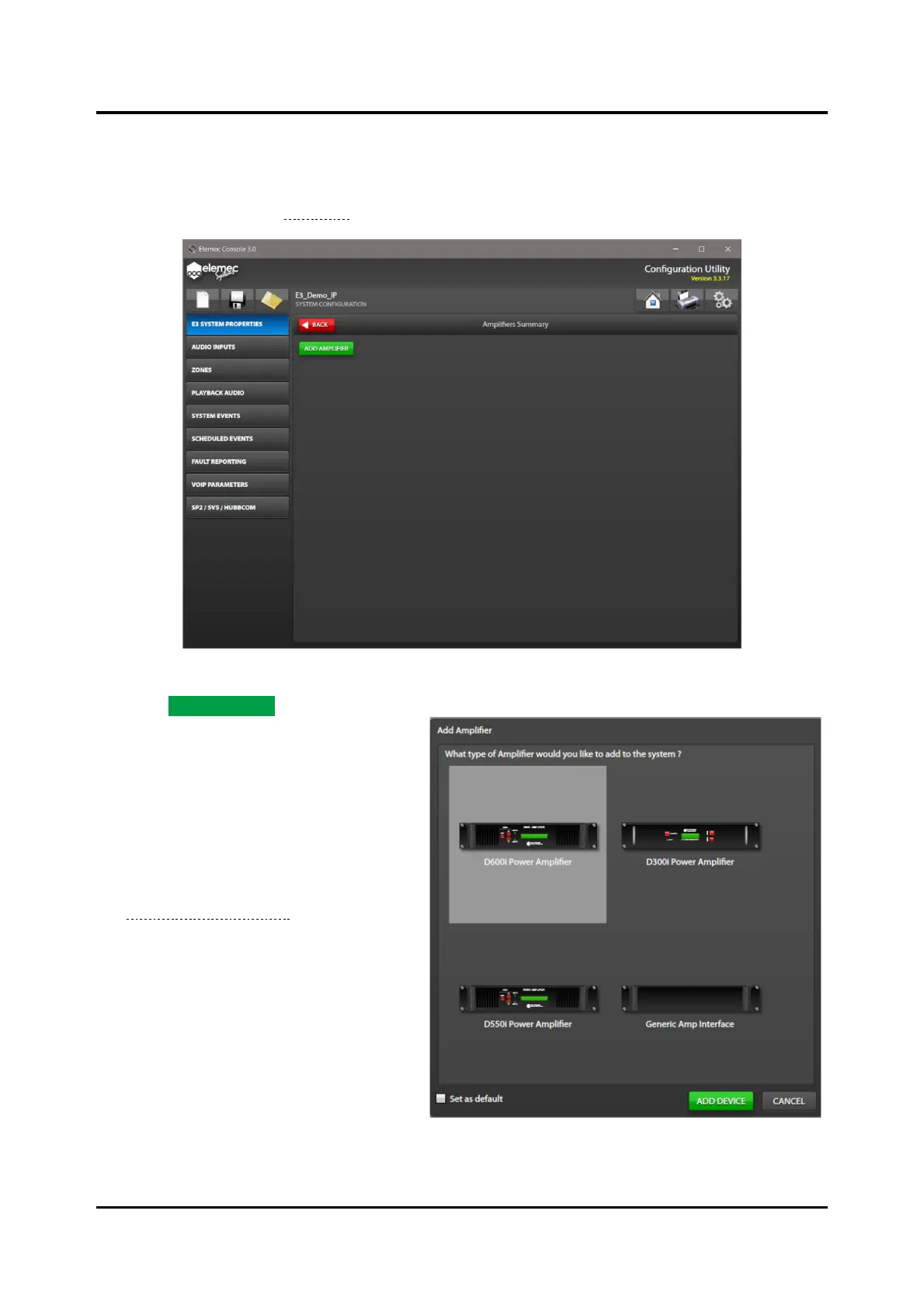
1. Click the AMPLIFIERS button on the SYSTEM PROPERTIES screen to open the AMPLIFIERS
SUMMARY screen (see Figure 20). The summary screen displays all amplifiers in the system.
Figure 20. Amplifiers Summary
2. Click ADD AMPLIFIER to add an
amplifier.
3. Select the appropriate amplifier model
on the ADD AMPLIFIER screen.
4. Select the SET AS DEFAULT checkbox if
the amplifiers are all the same type.
Click the gears icon, in the upper right
corner of all primary console-
configuration screens, to open the
System-Wide Functions screen to
change the default.



 To Next Page