Pub. 42004-550C
Elemec3 Console Manual—Version 3 Page 102 of 109
P:\Standard IOMs - Current Release\42004 Instr. Manuals\42004-550C.docx
07/21
SVS IO
SVS IN1 and SYS IN 2—Normal operation: the output fires when the input is present if SVS IN 1 and
SVS OUT are both set to IN1.
Operation in an E3 system: the E3 system receives the status of the inputs (SVS IN1 and SVS IN 2)
and processes it according to the E3 configuration.
SVS OUT—condition that activates the RTU output on the station.
SVS Triggering
SVS IN 1 Trigger and SVS IN 2 Trigger—specifies the action taken or triggered upon activation of the
SVS input. Selections include: Global Mutes, ACKs, CANCELs, and E3 events.
SVS Inhibiting
SVS IN 1 Inhibit and SVS IN 2 Inhibit—specifies the inhibit groups that affects the SVS inputs (see the
Inhibit Groups section).
SVS Volume Settings
SVS Amplifier Volume—the default volume for SVS stations.
SVS POE Volume—the volume level for SVS stations receiving power via PoE.
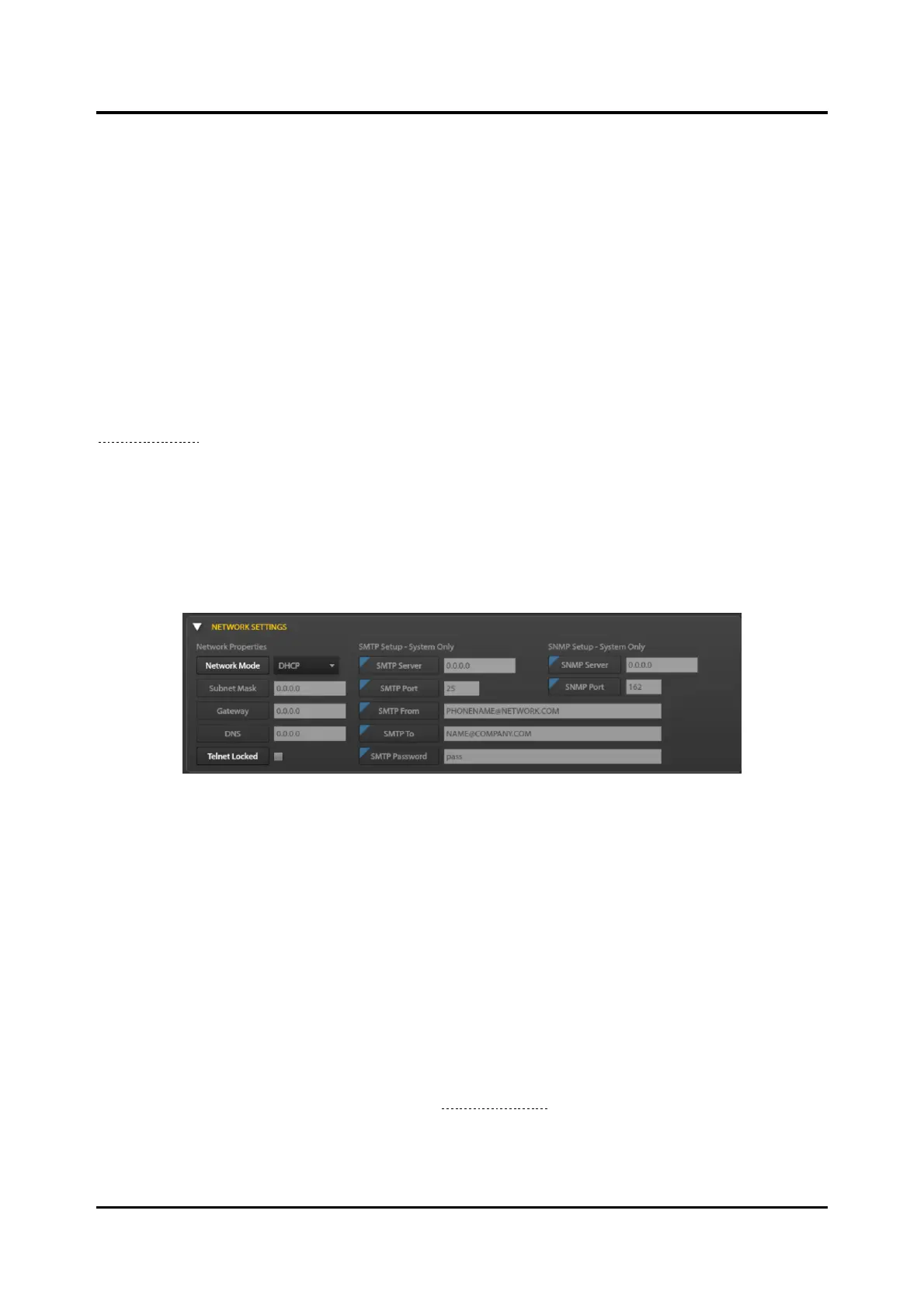
Network Settings Pane
Figure 118. Network Settings Pane
Network Properties
Network Mode—DHCP or STATIC
Subnet Mask—mask that defines the logical IP network.
Gateway—IP address of the router to access destinations outside the logical IP network.
DNS—IP address for the DNS. DNS converts domain names to IP addresses.
Telnet Locked—Enabled/Disabled
SMTP Setup—System Only
The parameters under this heading are view only parameters, inherited from the SYSTEM PROPERTIES
screen GLOBAL SYSTEM SETTINGS pane (see the Global Settings section).
SMTP Server—IP address of the SMTP server that will receive email from the E3 system.
SMTP Port—IP port address of the SMTP service. default 25.



 To Next Page