Pub. 42004-550C
Elemec3 Console Manual—Version 3 Page 78 of 109
P:\Standard IOMs - Current Release\42004 Instr. Manuals\42004-550C.docx
07/21
Hold Accumulated Zones ?—zones activated via input contacts remain active after the associated input
contact resets; otherwise, zones activated via input contacts deactivate after the associated input contact
resets.
Default Zone—An event’s zone with no additional zone selections.
Also include these outputs—always include the following audio outputs as part of the audio destination:
• Page/Party Out
• Aux Output
• IP Aux Out
• Monitor Out
Allow Expansion—expands the event into locations not targeted by the event if the current allocation of
audio resources would otherwise prohibit its broadcast. Event expansion broadcasts the events audio over
the required resources, including any others that are in use.
All or Nothing Routing—broadcast the event only if all destinations are available; otherwise, the event
plays only in the available destinations (i.e., play where possible).
VLC Enabled—system broadcasts a VLC (Volume Level Control) tone to the Page/Party output.
Event Options
Use the EVENT OPTIONS pane, in the upper right corner of the EVENT BUILDER screen, to configure the
audio source properties for events. Event types differ in the type-specific properties shown in this pane.
Only four of the five event types have event audio source properties since the silent event type has no
audio.
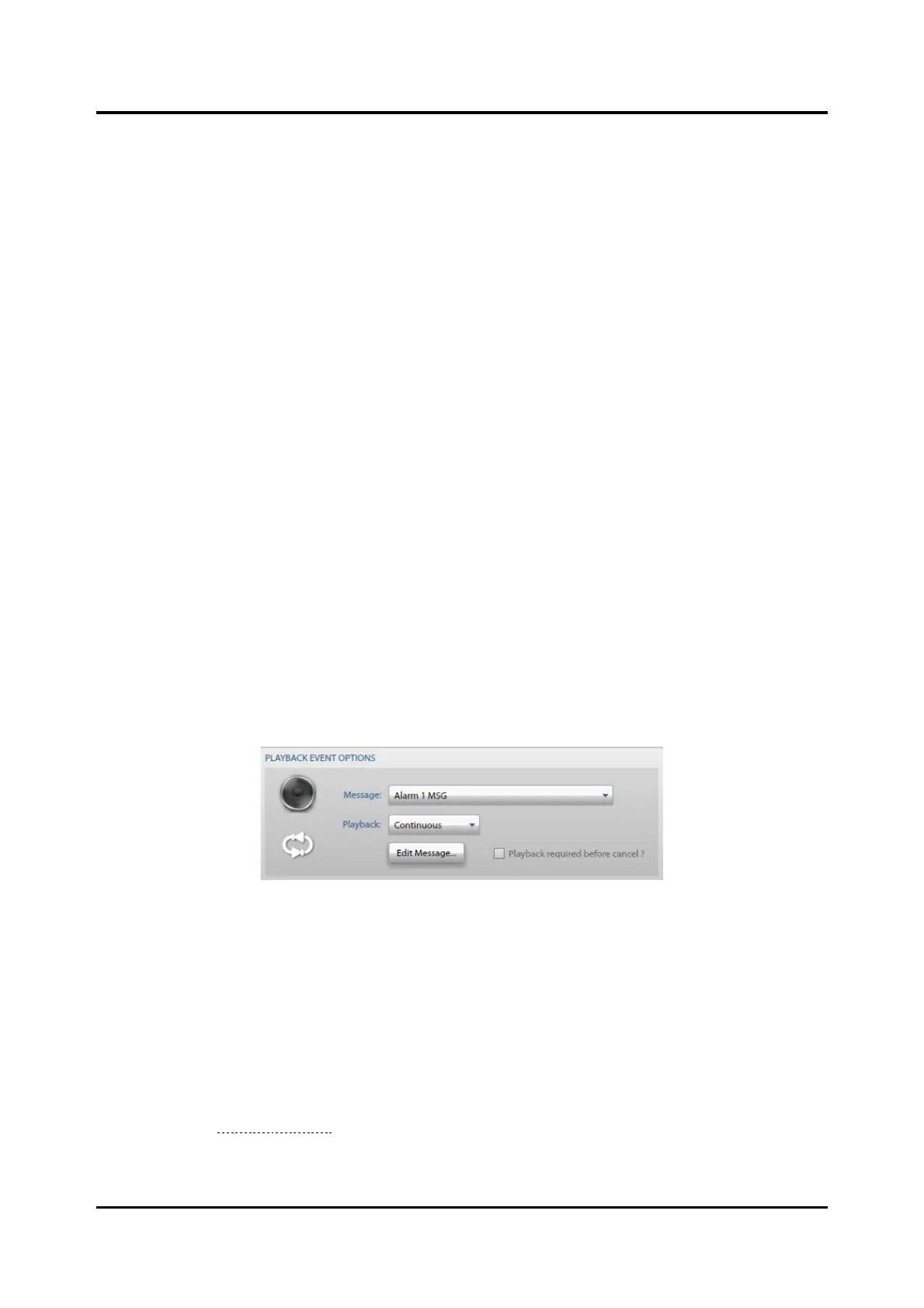
Playback Event Options
Figure 86. Playback Event Options
Message—the previously defined message to broadcast.
Playback—the playback behavior:
• Play Once—plays the message one time.
• Repeat—plays the message the number of times specified by play count.
• Continuous—plays the message until the event is cancelled.
Edit Message—open the MESSAGE BUILDER screen to enable modifying the message fragments of the
message (see the Message Builder section).
Playback required before cancel ?—event cannot be cancelled until the message has broadcasted the
specified number of times. The event is cancellable at any time if not selected.



 To Next Page