Pub. 42004-550C
Elemec3 Console Manual—Version 3 Page 59 of 109
P:\Standard IOMs - Current Release\42004 Instr. Manuals\42004-550C.docx
07/21
Audio Inputs
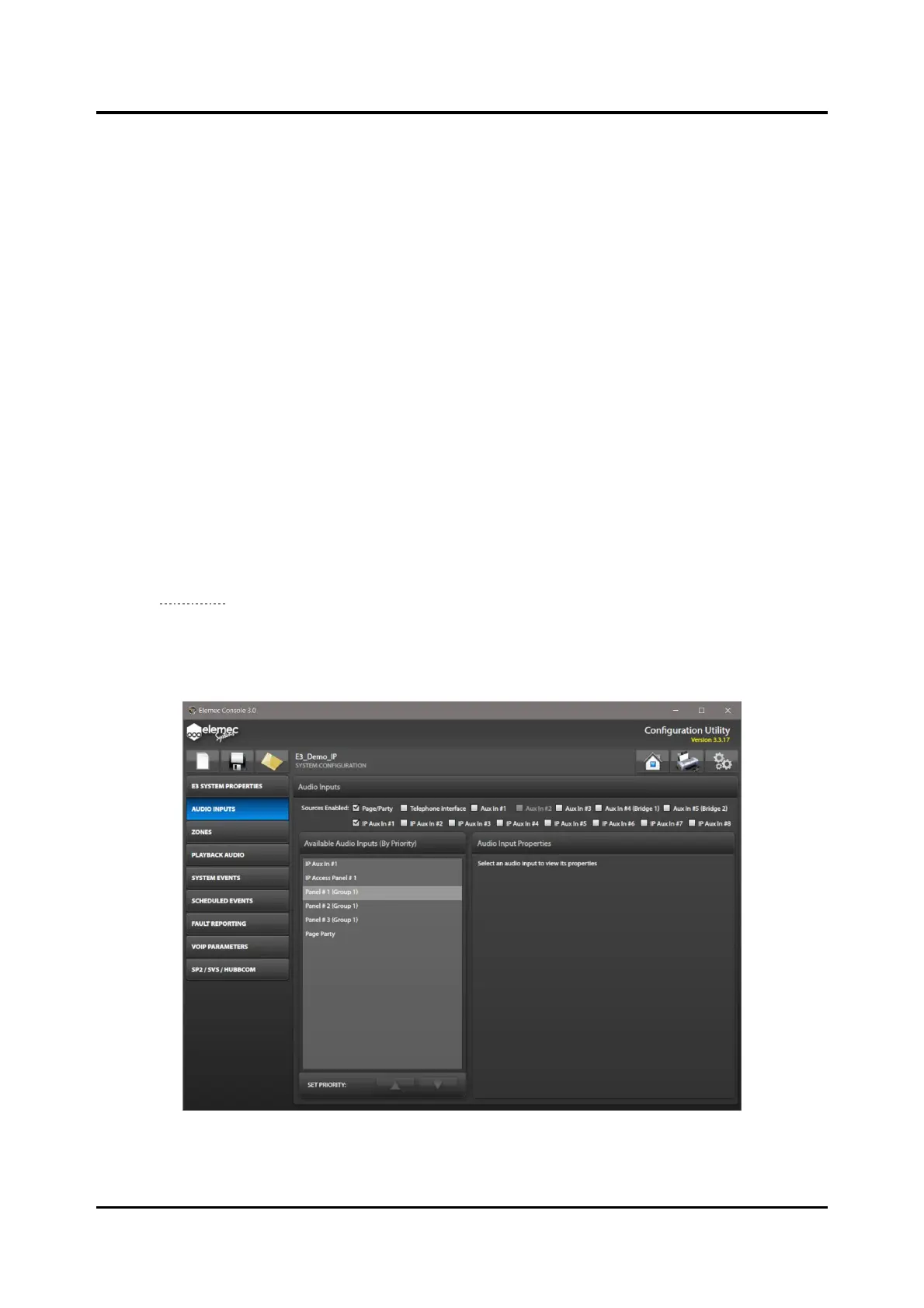
Use the AUDIO INPUTS screen to enable/disable live audio sources and configure and prioritize them for
the Elemec3 system.
• The AVAILABLE AUDIO INPUTS (BY PRIORITY) pane lists the enabled audio sources and assigns
priorities to the sources in the order listed.
• Configure priorities so that higher priority sources override lower priority sources when used by the
same event.
• Use the AUDIO INPUT PROPERTIES pane to configure the parameters necessary for the audio input
currently selected in the prioritized list.
Sources Enabled
The SOURCES ENABLED: checkboxes enable the live audio sources in the E3 system.
1. Select the check boxes for the audio input sources in the Elemec3 system.
Each input appears in the AVAILABLE AUDIO INPUTS (BY PRIORITY) pane when selected.
2. Use the up and down arrows at the bottom of the pane to configure the relative priorities of the audio
inputs after selecting all necessary inputs.
NOTE: Aux #2 is only available if insert one is not enabled. Aux #3 is only available if insert two is not
enabled. Aux #4 and Aux #5 are only available in stand-alone systems. In the figure shown (see
Figure 66), INSERT 1 is enabled on the SYSTEM PROPERTIES screen, which disables AUX IN #2
here.
NOTE: IP Only systems do not support selection of Page/Party, AuxIn#2, Aux In #3, Aux In #4 or Aux
In #5 inputs.
Figure 66. Audio Inputs Configuration



 To Next Page