Pub. 42004-550C
Elemec3 Console Manual—Version 3 Page 12 of 109
P:\Standard IOMs - Current Release\42004 Instr. Manuals\42004-550C.docx
07/21
System Properties
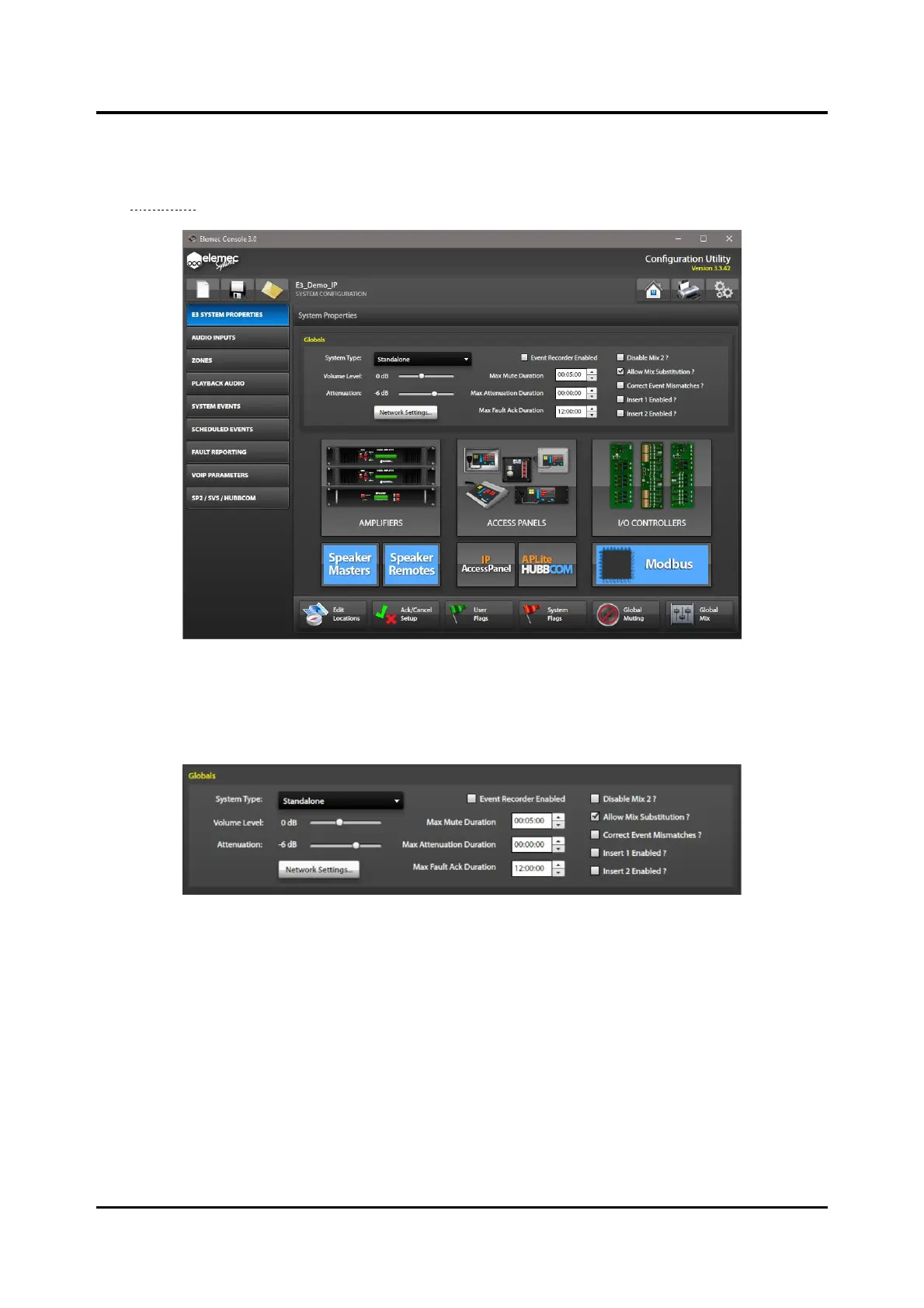
The SYSTEM PROPERTIES screen appears after loading a configuration in the E3 Console application
(see Figure 11).
Figure 11. System Properties
Globals
The GLOBALS pane contains settings for the Elemec3 configuration.
Figure 12. Globals
Global Settings
System Type—Select the system type using the pull-down menu:
• Standalone System—a system consisting of a single E3 controller with associated amplifiers, access
panels, I/O controllers, etc.
• A-B System—a system consisting of two E3 controllers. Each controller has its own associated
amplifiers access panels, I/O controllers, etc. If a controller fails, the amplifiers connected to the
failed controller switch to the healthy controller. The system contains two sets of all devices. A-B
systems require dual access panels.
NOTE: Redundant Elemec3 systems require NTP (Network Time Protocol) network service.



 To Next Page