Pub. 42004-550C
Elemec3 Console Manual—Version 3 Page 85 of 109
P:\Standard IOMs - Current Release\42004 Instr. Manuals\42004-550C.docx
07/21
VoIP Parameters
There are two main categories of IP parameters: SYSTEM IP and IP DESTINATIONS.
SYSTEM IP
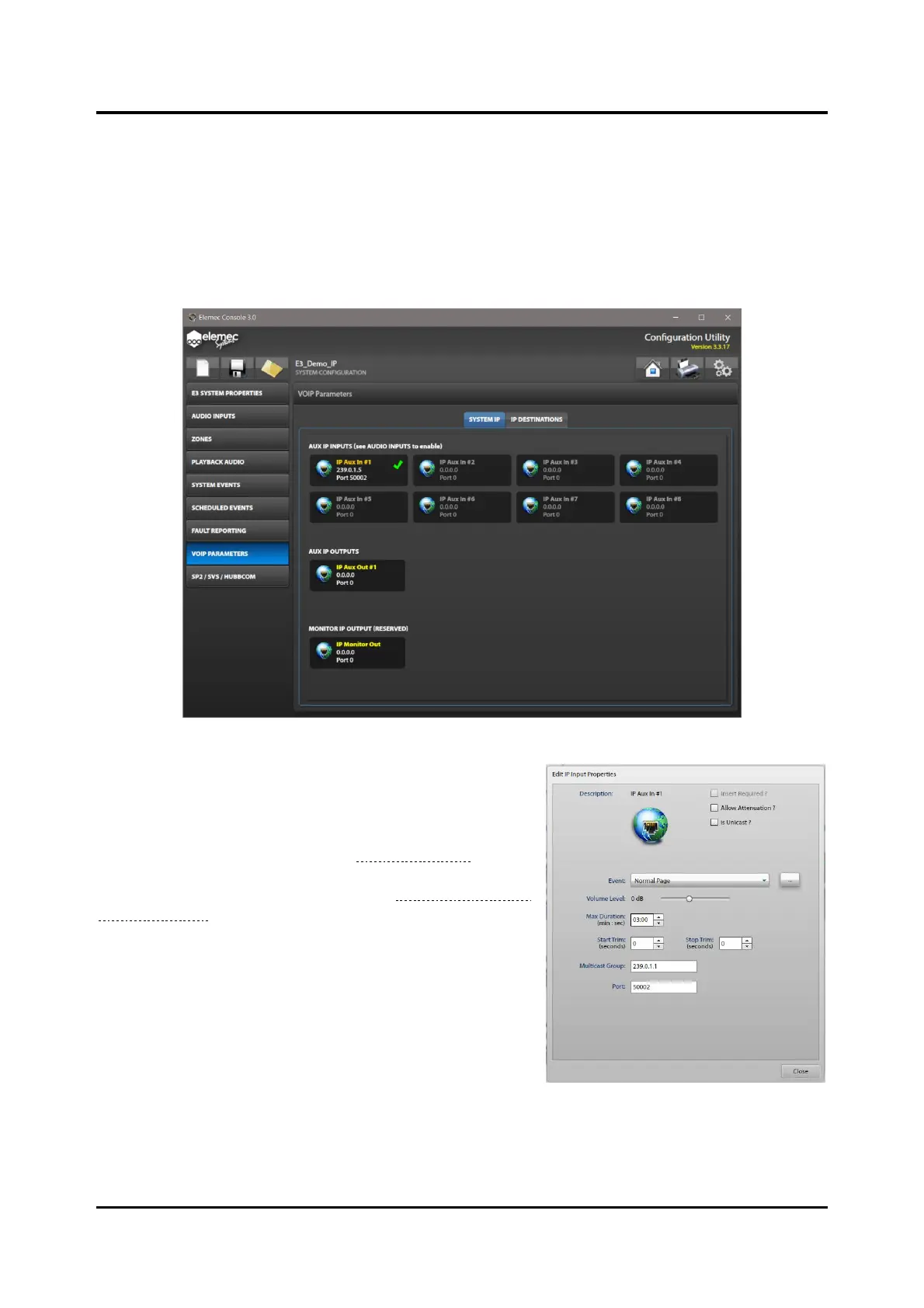
The SYSTEM IP screen shows all available IP AUX INPUTS and IP AUX OUTPUTS. These inputs
and outputs are part of the system and are not removable.
Figure 95. System IP
Aux IP Inputs
Enable the necessary auxiliary IP inputs on the SOURCES
ENABLED portion of the AUDIO INPUTS screen before they
become active on this screen (see the Sources Enabled
section). Select an enabled IP AUX INPUT to open the EDIT
IP INPUT PROPERTIES dialog box (see the IP Aux #1–8 Audio
Input Properties section for information on these inputs).



 To Next Page