Pub. 42004-550C
Elemec3 Console Manual—Version 3 Page 34 of 109
P:\Standard IOMs - Current Release\42004 Instr. Manuals\42004-550C.docx
07/21
…—opens the Manage Global Mutes screen.
Aux PTT?—Select if contact input is necessary for the live speech event.
• Record Cancel—cancels a record/playback event during recording, playback, or both.
Record Cancel Type:—Select the RECORDING ONLY, PLAYBACK ONLY, or BOTH radio button.
• Manual Event Trigger—activates any available event (requires event selection).
Event:—the event that triggers the playback.
…—opens the Event Builder screen.
LED Trigger:—the flag, input, or output to activate the LED.
• Zone Select—selects/deselects a zone for inclusion in an event that allows zone selection.
Zone:—the selected zone.
…—opens the Zone Builder screen.
• Tick Tone—activates/deactivates the tick tone in a selected zone. The tick tone deactivates without
zone selection.
• Delay Override—cancels the delay period for delayed or staged events. Any active events currently
delayed immediately activate.
Select the OVERRIDE ALL or OVERRIDE CURRENT radio button.
• Background Music—activate/deactivate the background music in one or more selected zones. The
background music deactivates without zone selection.
• Spare—create a button with no function.
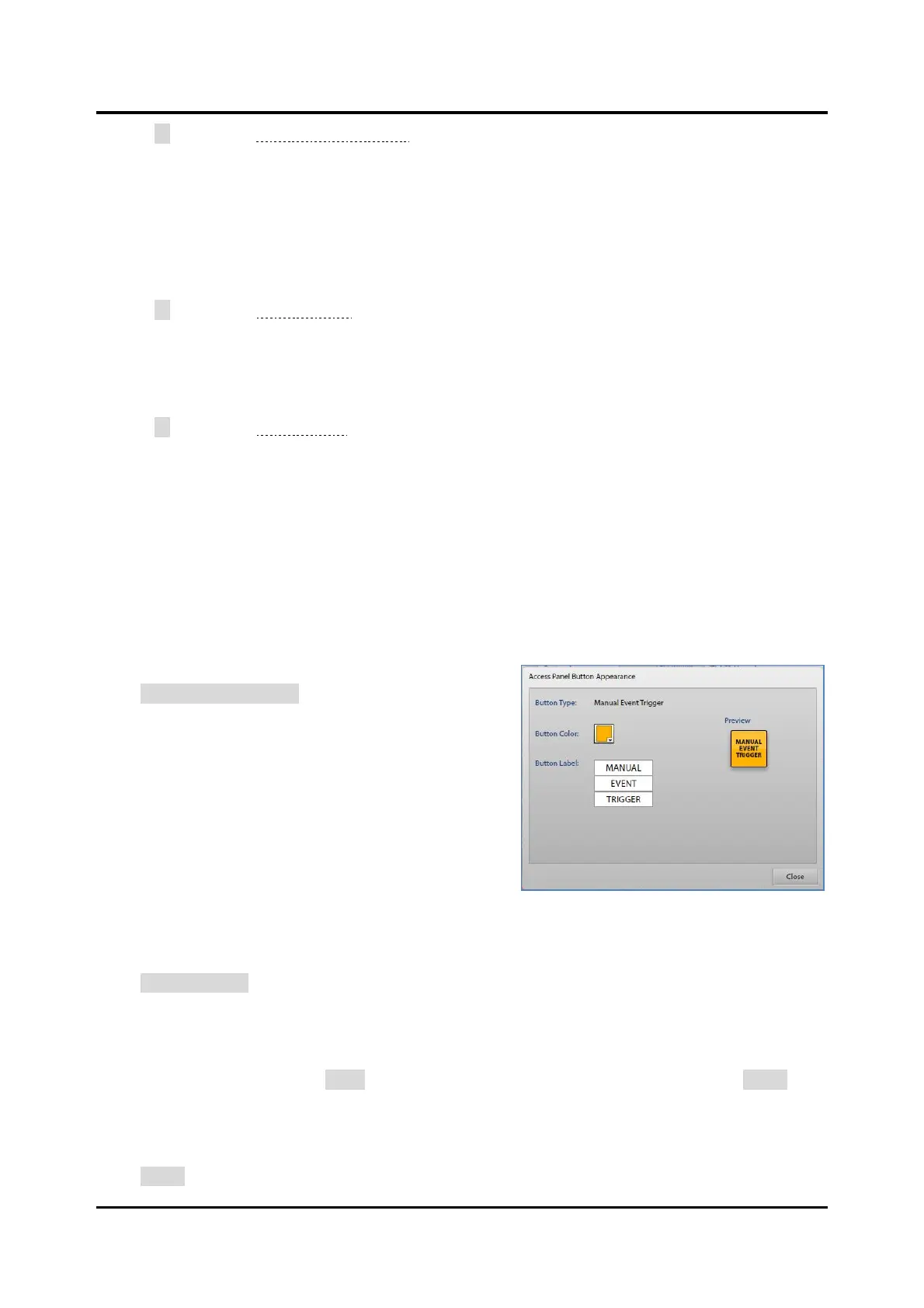
Button Appearance
Click BUTTON APPEARANCE… to set the button text and
color. Each button type has a changeable default text and
color.
Button Type:—type of the button.
Button Color:—color of the button.
Button Label:—text label for the button’s text label.
Enter up to three lines of eight characters for each button.
Preview—shows what the button looks like in the panel.
Reset Buttons
Click RESET BUTTONS to delete all the buttons configured in the current button configuration.
Print Preview
Click the print preview button to open the ACCESS PANEL BUTTON LABEL PRINT screen. A preview of
the button layout appears. Click PRINT to access the standard Windows
®
PRINT dialog box or CLOSE to
exit this screen.
Close
Click CLOSE to exit the ACCESS PANEL BUTTON CONFIGURATION screen.



 To Next Page