Pub. 42004-550C
Elemec3 Console Manual—Version 3 Page 37 of 109
P:\Standard IOMs - Current Release\42004 Instr. Manuals\42004-550C.docx
07/21
IPAP Buttons… Button
Click the BUTTONS… button from the IP ACCESS PANEL PROPERTIES screen to configure the access
panel button screens for the current IPAP. See the Access Panel Button Configuration section for
information on configuring individual access panel buttons. Available resources of the PC running the
IPAP software is the only limit to the maximum number of button screens an IPAP can support.
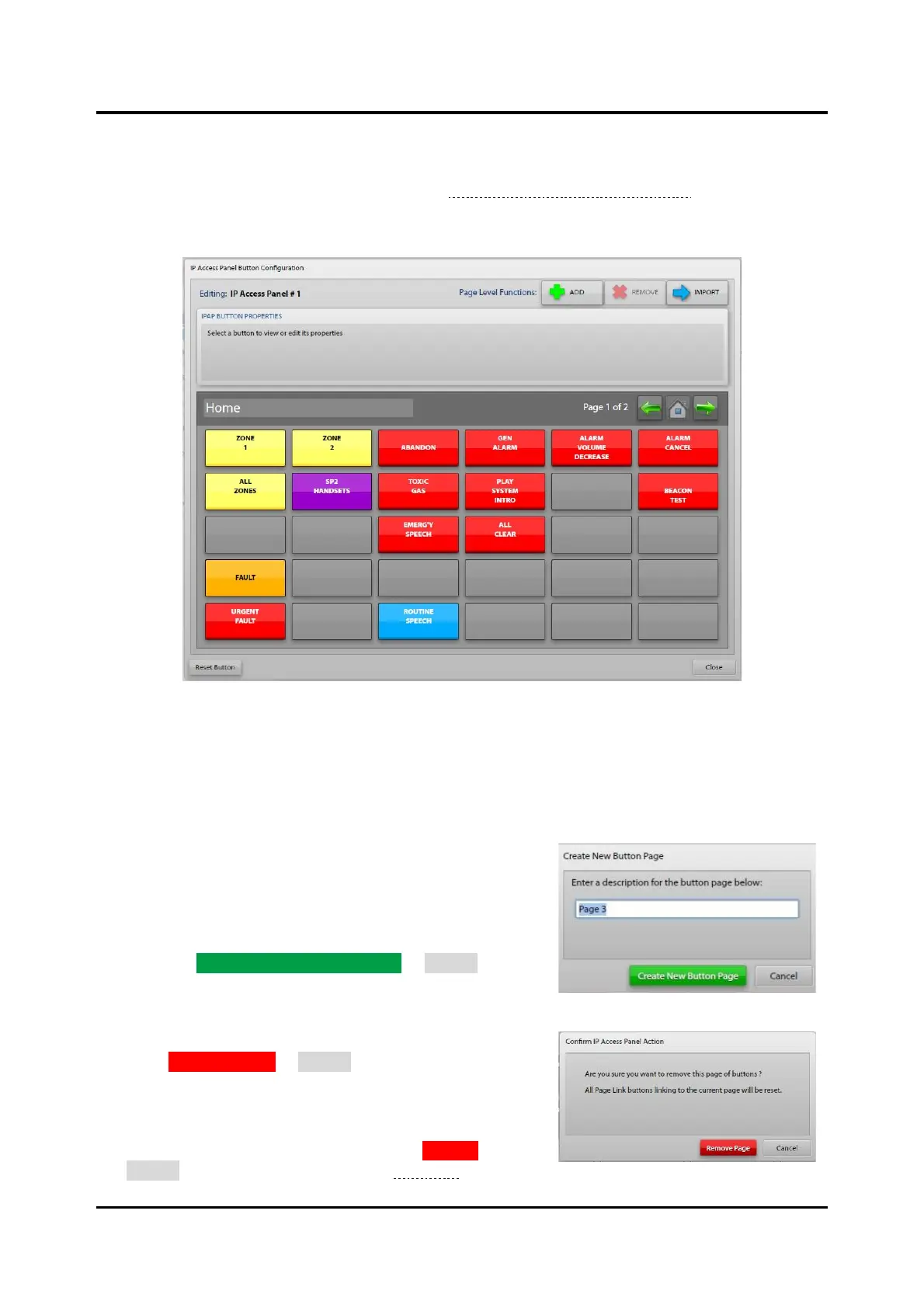
Figure 38. IPAP Button Configuration
Editing:—displays the description of the IPAP being configured.
Page Level Functions
Each button page in the IPAP configuration is a button panel in the IPAP application.
• ADD Button—adds button pages to the IPAP’s
configuration.
1. Click the ADD button to open the CREATE NEW
BUTTON PAGE screen.
2. Enter a description for the button page.
3. Click CREATE NEW BUTTON PAGE or CANCEL to
abort the button page addition.
• REMOVE Button—removes button pages from an IPAPs
configuration, including all defined buttons on that page.
Click REMOVE PAGE or CANCEL to complete the
operation.
• IMPORT Button—imports access panel button layouts and
overwrites the current button page with the buttons defined
in the selected button configuration. Click IMPORT or
CANCEL to complete the operation (see Figure 39).



 To Next Page