Pub. 42004-550C
Elemec3 Console Manual—Version 3 Page 55 of 109
P:\Standard IOMs - Current Release\42004 Instr. Manuals\42004-550C.docx
07/21
Coil Address—Modbus coil address assigned to the input. Valid coil addresses are 00000–65535.
Description—a unique description of the input function (i.e. general alarm, process shut-down, etc.)
Mode:
• Disabled—The system ignores the input
• Maintained—The event is active while the input (coil) is on and immediately cancels when turned
off by a Modbus client.
• Momentary—The event is active when the discrete input (coil) is ON and remains active until an
event CANCEL command is issued to the E3 controller.
Trigger—event to trigger when the input (coil) is ON.
Auto Inhibit—the auto-inhibit key switch ignores triggered events when the input (coil) is ON.
1. Click the ADD INPUT button to add a new logical input point (Modbus Coil).
2. Configure the COIL ADDRESS, DESCRIPTION, MODE, TRIGGER, and AUTO-INHIBIT properties for the
input.
3. Click REMOVE to delete the selected input from the list.
4. Click CLOSE to return to the MODBUS SUMMARY screen.
NOTE: To trigger or cancel an event, the Modbus client must request function code 05 (force/write single
coil) for the specific coil address.
NOTE: Valid data values are FF00 (hexadecimal) = ON, 0000(hexadecimal) = OFF. All other data
values are invalid.
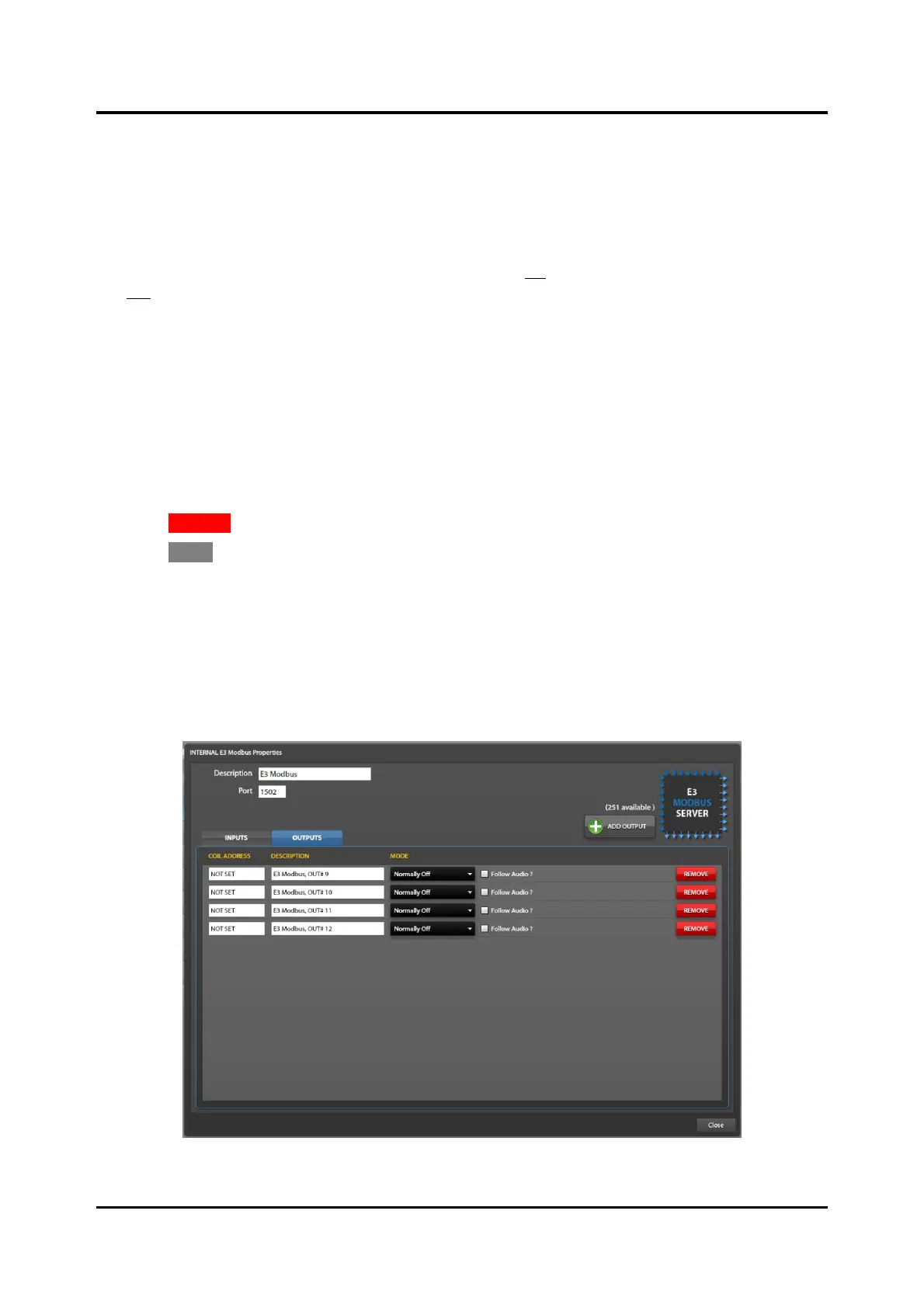
Outputs Tab
Figure 62. Modbus Outputs Tab



 To Next Page