Pub. 42004-550C
Elemec3 Console Manual—Version 3 Page 84 of 109
P:\Standard IOMs - Current Release\42004 Instr. Manuals\42004-550C.docx
07/21
Fault Reporting
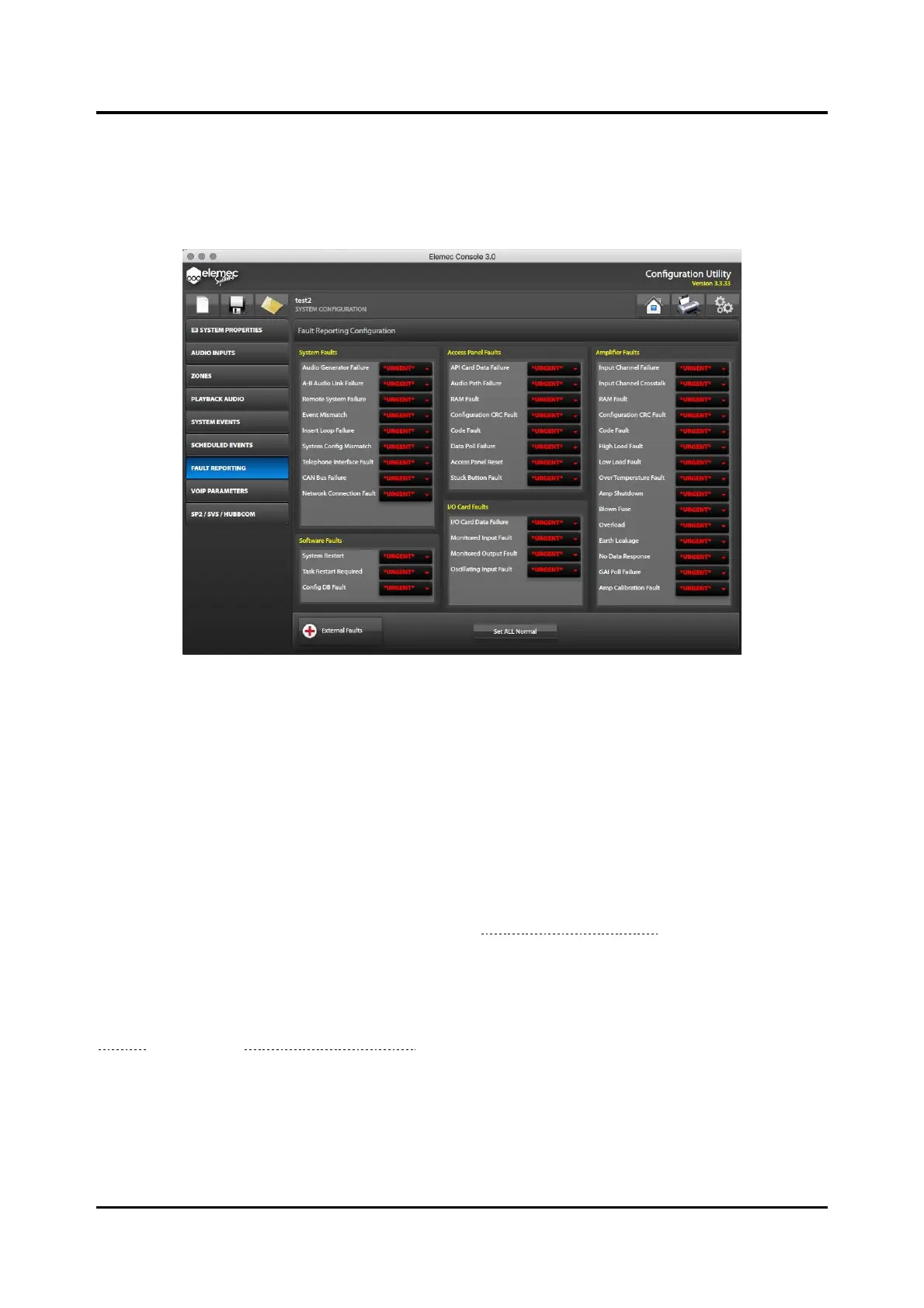
There are five categories of faults in Elemec3 systems: system, software, access panel, I/O card, and
amplifier faults. Assign each fault under each category one of three fault reporting levels; ignore, normal,
or urgent.
Figure 94. Fault Reporting Configuration
Fault Levels
IGNORE—no access panel status indication occurs.
NORMAL—a normal fault appears on access panel status indicators. Normal faults automatically
acknowledge when the fault clears.
URGENT—access panels status indicators show an Urgent fault.
Urgent faults are critical system faults that require acknowledgement regardless of the current fault
state (active or cleared). Use the E3 Portal application to acknowledge urgent faults. See the E3
Portal application manual, Pub. 42004-485 (see the Reference Documentation section).
External Faults—user-defined faults triggered by input contacts. Assign external faults a Normal or
Urgent fault level. Assign to an input contact on an I/O module to the fault immediately after defining it
(see the
Inputs Tab under the I/O Controller Properties section).



 To Next Page