Pub. 42004-550C
Elemec3 Console Manual—Version 3 Page 96 of 109
P:\Standard IOMs - Current Release\42004 Instr. Manuals\42004-550C.docx
07/21
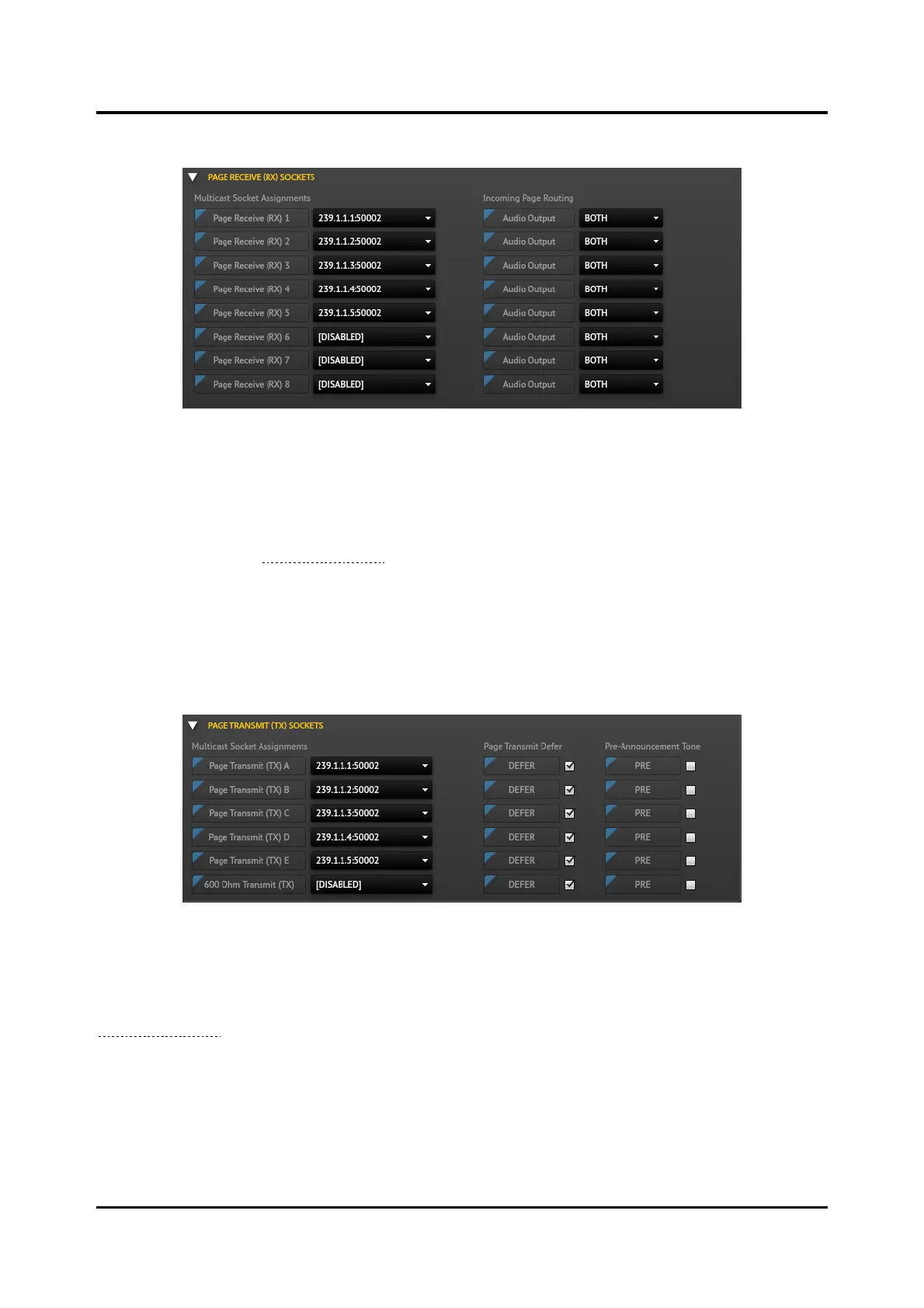
Page Receive (Rx) Sockets Pane
Figure 110. Page Receive (RX) Sockets Pane
Multicast Socket Assignments
Five page-receive sockets are preconfigured for use in the E3 system. Three additional page-receive
sockets are available for configuration by assigning multicast sockets to PAGE-RECEIVE (RX) 6–8
parameters. Manage multicast sockets on the MULTICAST SOCKETS tab of the SP2 CONFIGURATION
ASSETS utility (see the Multicast Sockets section).
Incoming Page Routing
The AUDIO OUTPUT fields control the destination of received page audio. Select 600OHMOUT,
SPEAKER, or BOTH using the drop-down list for each AUDIO OUTPUT.
Page Transmit (TX) Sockets Pane
Figure 111. Page Transmit (TX) Sockets Pane
Multicast Socket Assignments
Five page-transmit sockets PAGE TRANSMIT (TX)(A–E) are preconfigured for use in the E3 system.
Create additional multicast sockets, as needed, using the SP2 CONFIGURATION ASSETS utility (See the
Multicast Sockets section).
Default setting: disabled
Page Transmit Defer
Configure the page channel (A–E or the 600-ohm TX) to add a delay to help eliminate feedback. Select
the field to enable it and then uncheck the checkbox if necessary.
Default setting: selected



 To Next Page