Pub. 42004-550C
Elemec3 Console Manual—Version 3 Page 22 of 109
P:\Standard IOMs - Current Release\42004 Instr. Manuals\42004-550C.docx
07/21
NOTE: Amplifier channels and zones can be members of more than one zone so the zone display
may not always be meaningful.
(A) System Volume—Each amplifier channel has a volume setting that controls its master volume. The
hot-standby amplifier channel uses this setting.
Disable Load Testing?—suspends load testing for the channel. This setting is automatically set to false
for an amplifier channel configured as a hot standby channel.
Zone Assignments—button appears for channels with a zone or zones already assigned. Click the button
to open the ZONE ASSIGNMENT SUMMARY window showing what zone(s) the amplifier channel is
assigned to (see the Zone Builder section).
Copy Channel—configures the current channel to be identical to an existing, already configured
amplifier channel. Click COPY CHANNEL to open the ZONE AUTO ASSIGNMENT dialog box. This button
is available when the channel zone assignment is incomplete. Use this option to automatically assign the
current amplifier channel to the same zones as the selected amplifier channel.
Hot Standby?—designates the amplifier channel as a hot standby amplifier channel. Click the HOT
STANDBY SETUP button to display the HOT STANDBY SETUP screen (see the Hot Standby Amplifiers
section).
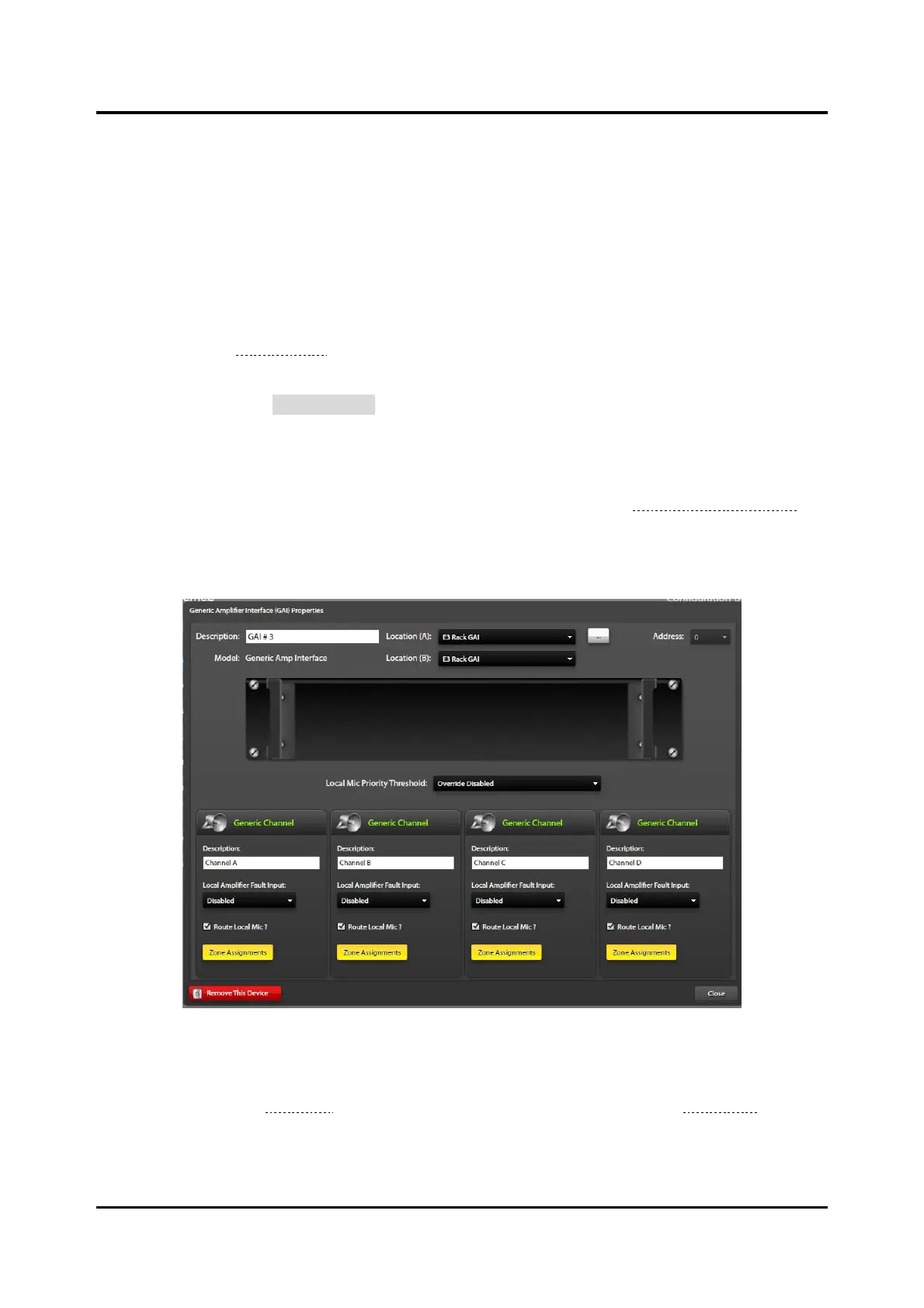
GAI (Generic Amplifier Interface) Properties
Figure 24. Generic Amplifier Interface Properties
Description—unique name for the GAI (generated by default).
Location—Refer to the Locations section under SYSTEM PROPERTIES—GLOBALS (on page 15) for
information on creating and assigning locations.
Local Mic Priority Threshold—priority that the local microphone overrides system audio. The local
microphone overrides all events at and below the specified event.



 To Next Page