Pub. 42004-550C
Elemec3 Console Manual—Version 3 Page 105 of 109
P:\Standard IOMs - Current Release\42004 Instr. Manuals\42004-550C.docx
07/21
Find Station and Station List Utility
The find station utility locates existing SP2 stations in
the configuration for assignment of specific parameter
values on the GROUP, STATION, or PROFILE
screens in the E3 Console. It also provides the ability to
add additional SP2/SVS/HUBBCOM stations to the
system configuration.
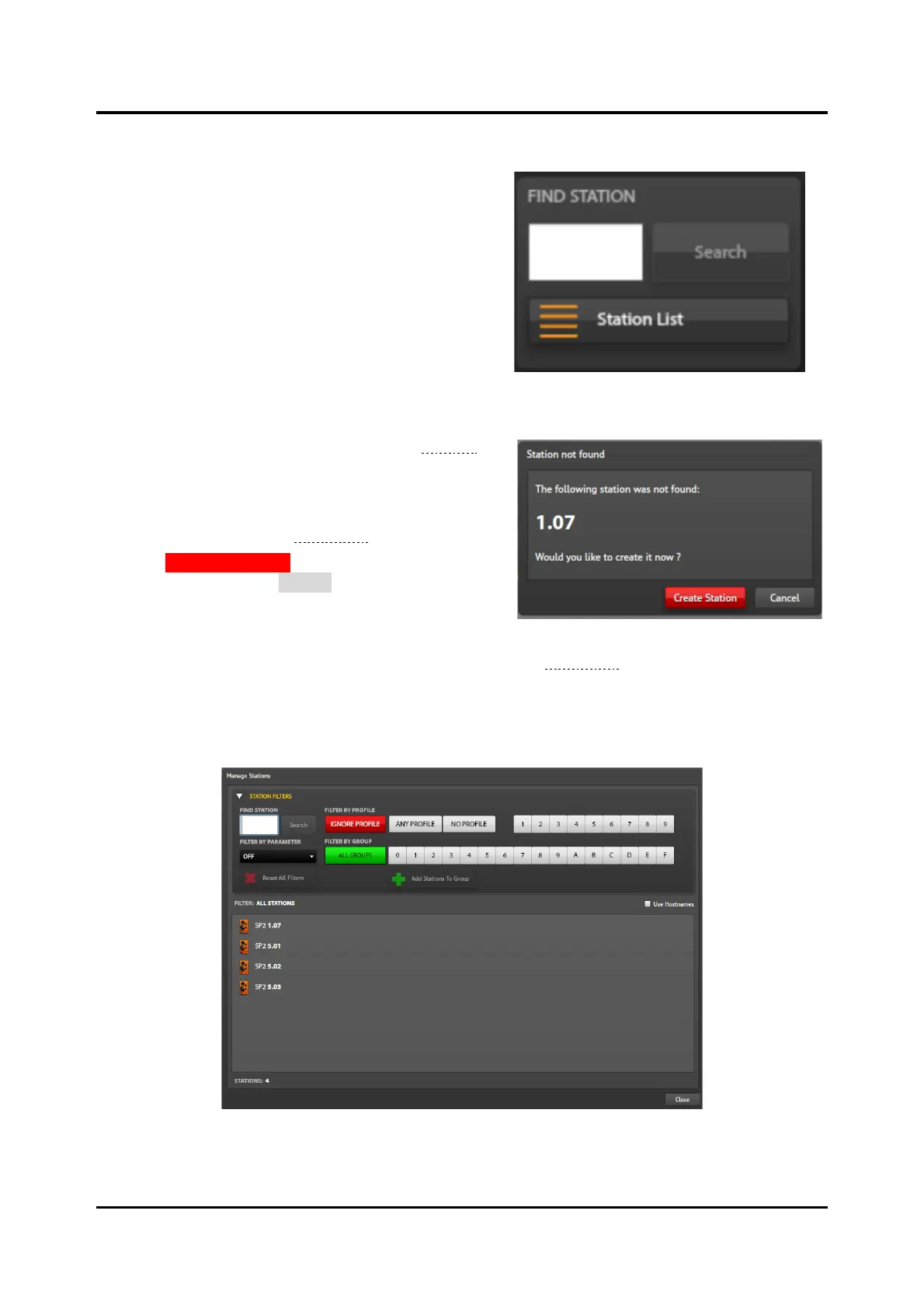
Search Button—locates stations already in the
configuration. Enter a valid station ID with the format
G.SS, where G is the group number to which the station
belongs, and SS is the station number in that group.
Enter a valid station ID to activate the SEARCH button.
The utility displays:
• The station’s STATION VIEW pane (see the Stations
section) if the station identifier already exists in the
configuration.
• a prompt to add the station to the configuration if the
station is not found (see Figure 120).
Click the CREATE STATION button to add the station’s
ID to the configuration or CANCEL to exit the dialog box
without adding the station to the configuration. Adding
the station will open that station’s STATION VIEW pane.
Station List Button—opens the MANAGE STATIONS screen (see Figure 121). This screen displays
filtered lists of station identifiers in the E3 SP2 configuration. All stations in the configuration appear in
the list of stations when no filter is applied. The list displays the SP2 stations with the UNIT parameter
preceding the station identifier. Double click any station in the list to open the STATION VIEW pane for
that station.
Figure 121. Manage Stations
STATION FILTERS—provides multiple methods to display the desired stations. Expand and collapse the
filter pane by clicking on the STATION FILTERS expansion button.



 To Next Page