Pub. 42004-550C
Elemec3 Console Manual—Version 3 Page 53 of 109
P:\Standard IOMs - Current Release\42004 Instr. Manuals\42004-550C.docx
07/21
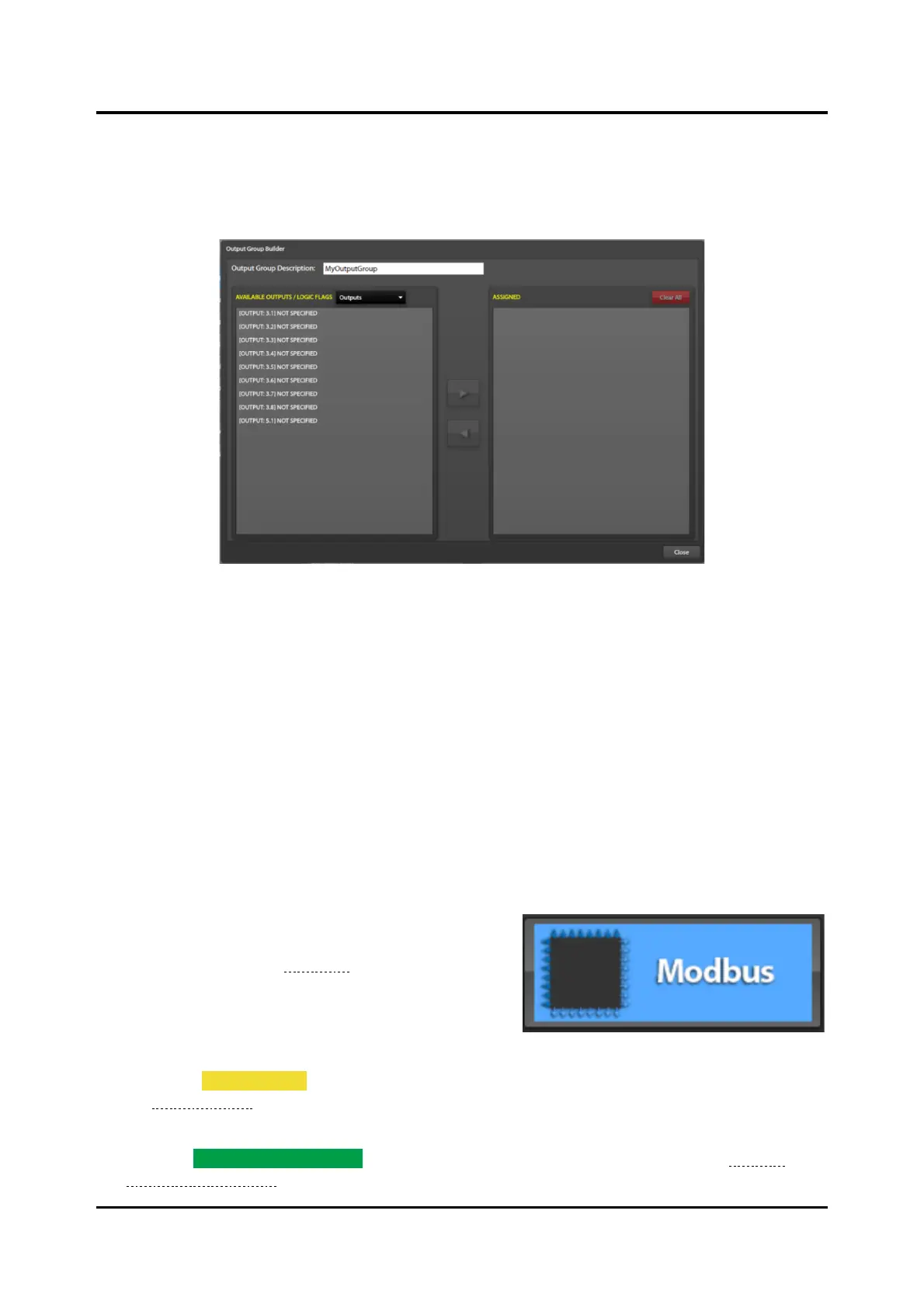
Available Outputs/Logic Flags—controls the types of outputs displayed in the left pane for assignment
to the output group. The available types are outputs, logic flags, output groups, SP2 relay groups, and
Modbus outputs.
3. Use the right and left arrows to add/remove the entries from the output group.
Figure 59. Output Groups Builder
Modbus
Terminology
Modbus TCP uses the terms client and server to describe devices. A Modbus client establishes a
connection (virtual circuit) on a TCP network to a Modbus server. Through the established connection,
the client requests information from the server and the server replies to the client with the information
requested. A typical industrial control application consists of a network with multiple servers (i.e.
instruments or PLC inputs/outputs) and one (or more) clients (e.g. PLC CPU or SCADA system). Unique
IP addresses identify each client and server.
The E3 controller functions as both a client and a server. The E3 system internal Modbus device supports
up to 255 Modbus inputs and 255 Modbus outputs. The configuration screen displays the quantity of
available remaining I/O ports.
1. Click the MODBUS button from the SYSTEM
PROPERTIES screen to access the MODBUS
SUMMARY screen (see Figure 60).
The Modbus summary screen contains The built in E3
Modbus I/O controller, external Modbus TCP devices
added to the configuration, and command buttons to
add external TCP Modbus devices and edit inhibit groups.
2. Select the INHIBIT GROUPS button to selectively inhibit groups of inputs to the Elemec3 system (see
the Inhibit Groups section).
3. Double click an existing device
4. Click the ADD EXTERNAL DEVICE button to add external TCP Modbus devices (see the External
Modbus TCP Devices section).



 To Next Page