Pub. 42004-550C
Elemec3 Console Manual—Version 3 Page 31 of 109
P:\Standard IOMs - Current Release\42004 Instr. Manuals\42004-550C.docx
07/21
Buttons… Button
Click the BUTTONS… button to configure the buttons for the current access panel. Each access panel has
a specific button configuration inherited from the default button template. Configure the default button
template first for the buttons common to all access panels. Button configurations can also be imported
from one access panel to another (see the Access Panel Button Configuration section).
NOTE: The Model GRP IP66 Access Panel does not inherit the button configuration defined by the
template and can only import button configurations from other Model GRP IP66 panels.
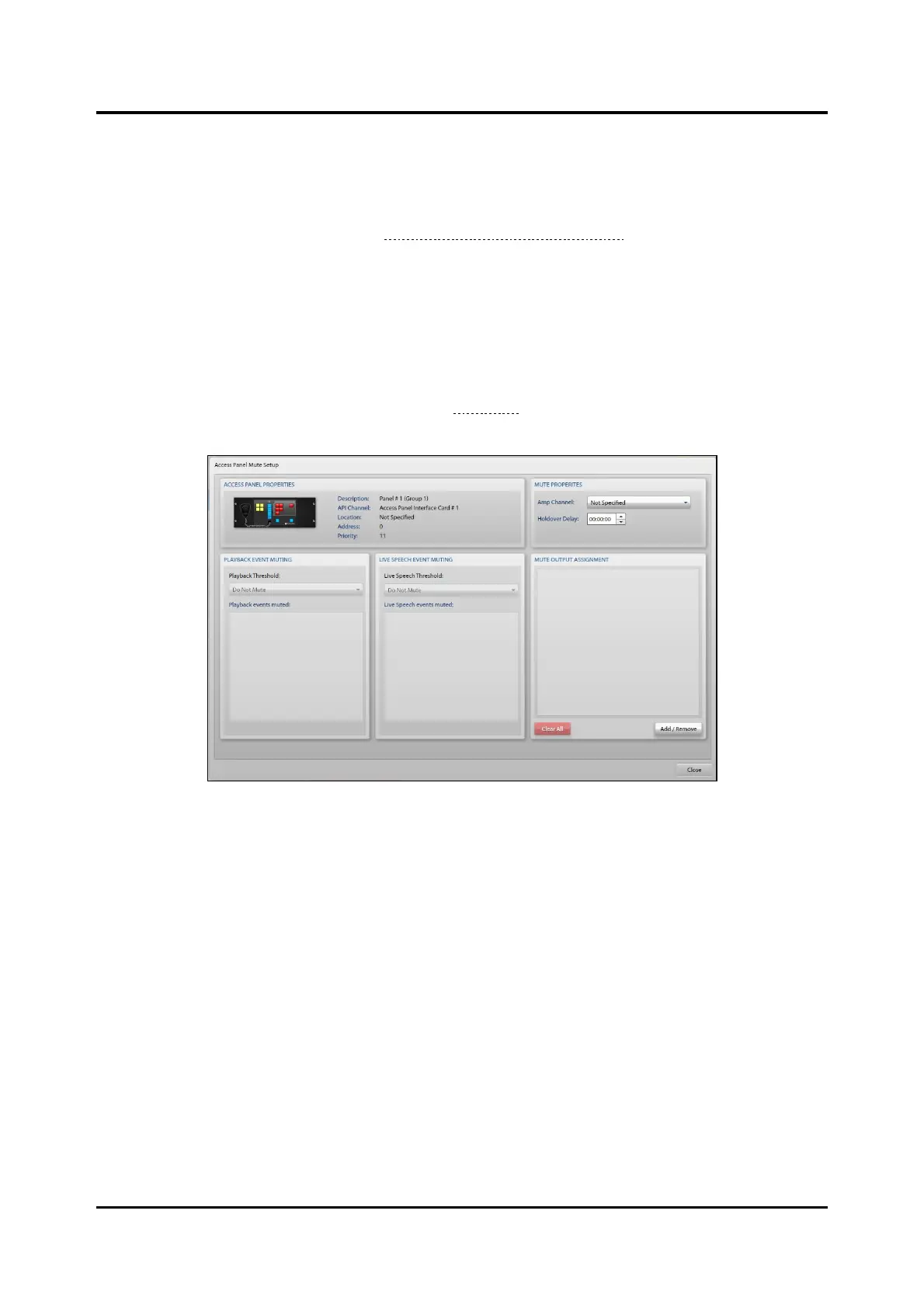
Muting Button—Access Panel Mute Setup
Click the MUTING button on the ACCESS PANEL PROPERTIES screen to configure muting of local
loudspeaker(s) to prevent acoustic feedback through the access panel’s microphone. The ACCESS PANEL
MUTE SETUP screen is divided into five panes (see Figure 34) to configure the settings of the local mute
relays.
Figure 34. Access Panel Mute Setup
Access Panel Properties Pane
This pane displays the access panel graphic, and the DESCRIPTION, API CHANNEL, LOCATION,
ADDRESS, and PRIORITY parameters for the access panel.
Mute Properties Pane
Amp Channel—the amplifier channel that mutes when targeted in a live speech destination from this
panel. Leaving the amplifier channel set to Not Specified activates the local mute relay for all live speech
destinations defined in the MUTE OUTPUT ASSIGNMENT pane.
Holdover Delay—the period that the local mute relay remains activate after the live speech event
terminates (HH:MM:SS).
Playback Event Muting Pane
Playback Threshold—priority that determines what playback events are muted. All events at or below
the priority of the selected event are muted.
NOTE: Only applicable when the mute properties specify an amplifier channel.



 To Next Page