Pub. 42004-550C
Elemec3 Console Manual—Version 3 Page 76 of 109
P:\Standard IOMs - Current Release\42004 Instr. Manuals\42004-550C.docx
07/21
NOTE: The system creates both normal and staged output audio destination assignment records in the
database regardless of the type of event. This covers the potential future action of changing an
event from normal to staged.
Send to Event Recorder?—sends event audio to the event recorder. Enable the event recorder on the
GLOBALS pane on the SYSTEM PROPERTIES screen (see the Global Settings section) to enable this
option.
Discardable?—higher priority events permanently terminate the event, otherwise, higher priority events
suspend the event until it can resume.
Attenuate Audio—attenuates audio using the attenuation setting in the GLOBALS pane under SYSTEM
PROPERTIES (see the Global Settings section). Attenuate audio is independently configurable for both
portions of a staged event.
SP2 VLC:—Select the VLC relative priority from the dropdown list. This assigns a VLC priority created
in the SP2 configuration assets for comparison to the VLC threshold parameter configured on the SP2
station using the VLC AMP MODE operator to perform the comparison.
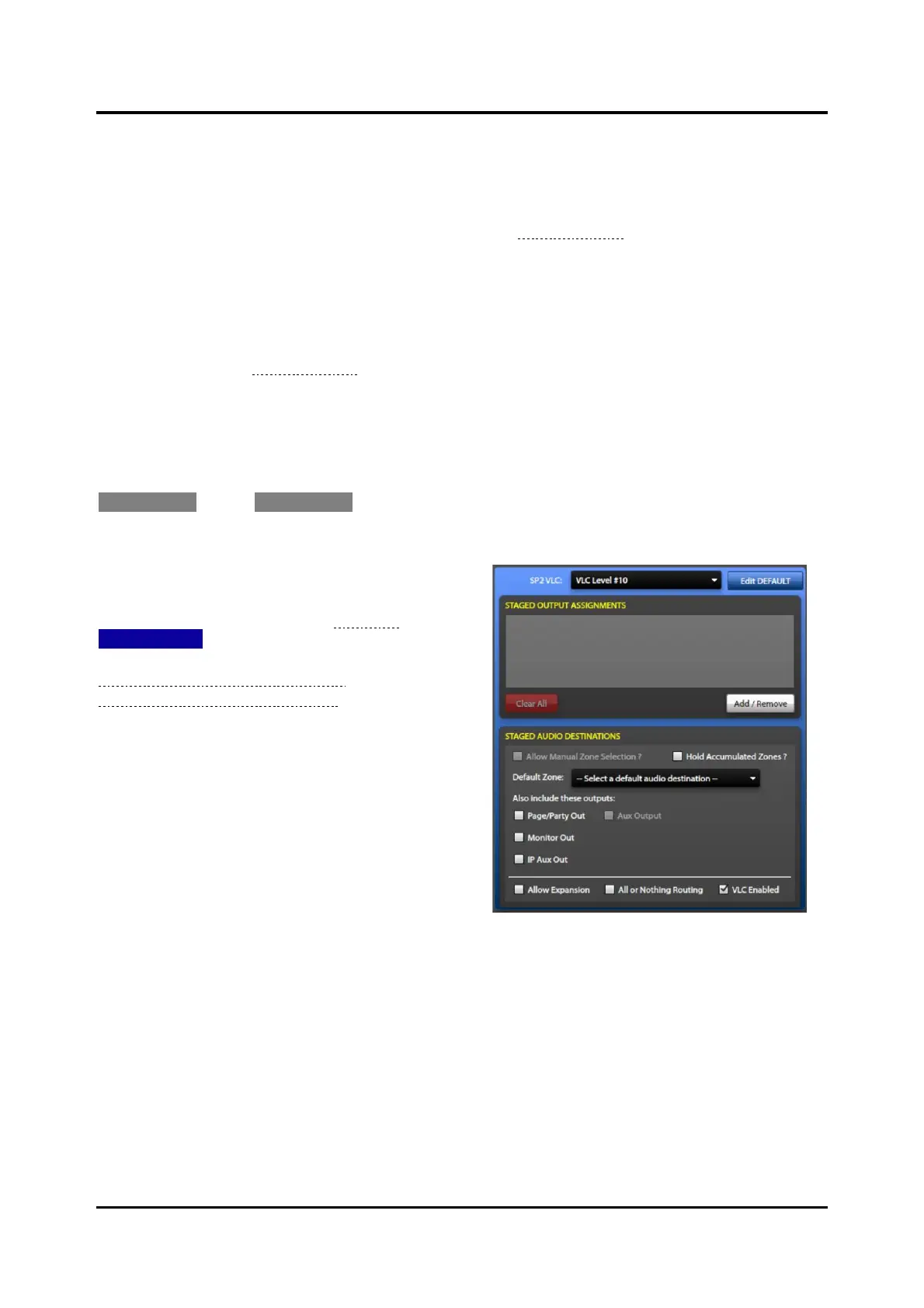
EDIT STAGED—Click EDIT STAGED to configure the staged portion of an event’s output assignments and
audio destinations.
The STAGED OUTPUT ASSIGNMENTS and STAGED
AUDIO DESTINATIONS panes open over the top of the
DEFAULT OUTPUT ASSIGNMENTS and DEFAULT
AUDIO DESTINATIONS panes (see Figure 84). Click
EDIT DEFAULT to return to editing the default
assignments. See the next two sections;
Default/Staged Output Assignments and
Default/Staged Audio Destinations for information on
configuring the output assignments and audio
destinations for events.
Default/Staged Output Assignments
Output assignments are sets of contact outputs, flags, and output groups triggered by the action of an
event. Create groups of assignments to simplify the configuration of events when the event triggers
multiple flags and output contacts. Use the OUTPUT GROUP BUILDER screen to specify the default and
staged output assignments and the flags asserted for an event. Both parts of a staged event have their own
independent output assignment behaviors but are configured the same way on the OUTPUT GROUP
BUILDER Screen:



 To Next Page