Pub. 42004-550C
Elemec3 Console Manual—Version 3 Page 51 of 109
P:\Standard IOMs - Current Release\42004 Instr. Manuals\42004-550C.docx
07/21
Add Inhibit Groups
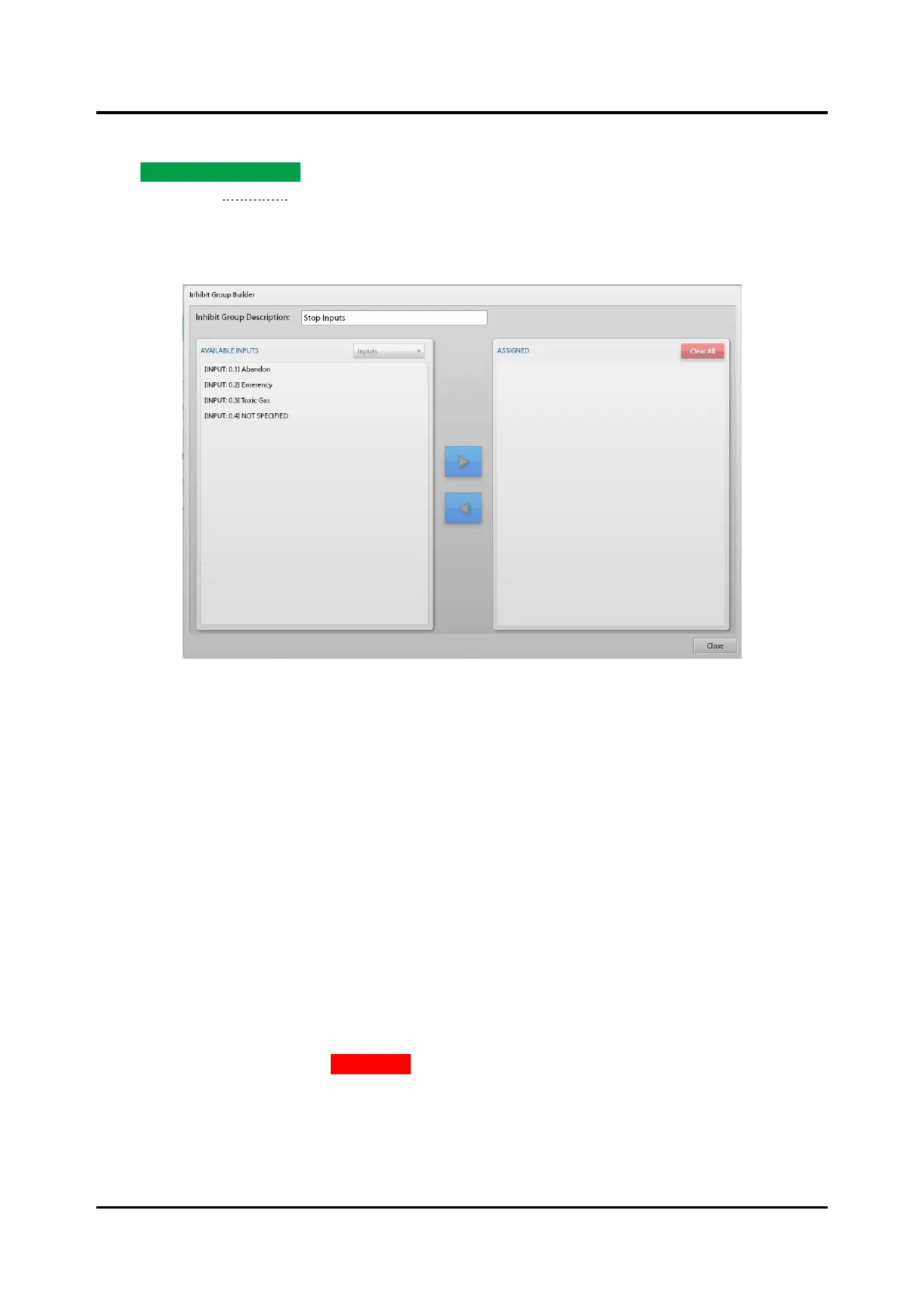
Click ADD INHIBIT GROUP… and enter a description for the inhibit group. The INHIBIT GROUP BUILDER
screen opens (see Figure 57). Use the INHIBIT GROUP BUILDER screen to create and configure inhibit
groups in the Elemec3 system.
Inhibit Group Builder
Figure 57. Inhibit Group Builder
Inhibit Group Description—unique descriptive name of the inhibit group.
Available Inputs Pane
Select enabled input contacts on the I/O controller cards listed in the AVAILABLE INPUTS pane for addition
to the ASSIGNED list. The AVAILABLE INPUTS drop-down list displays only the I/O controller cards’
enabled contacts.
Assigned Pane
1. Select an input from the AVAILABLE INPUTS list in the left pane.
2. Click the right arrow button to add the input to the group.
The selected input moves to the ASSIGNED list on the right.
To remove entries:
3. Select the input from the assigned pane.
4. Click the left-arrow button to move them back to the AVAILABLE INPUTS list.
To remove all list elements, click CLEAR ALL.



 To Next Page