Pub. 42004-550C
Elemec3 Console Manual—Version 3 Page 21 of 109
P:\Standard IOMs - Current Release\42004 Instr. Manuals\42004-550C.docx
07/21
D600i, D300i, and D550i Power Amplifier Properties
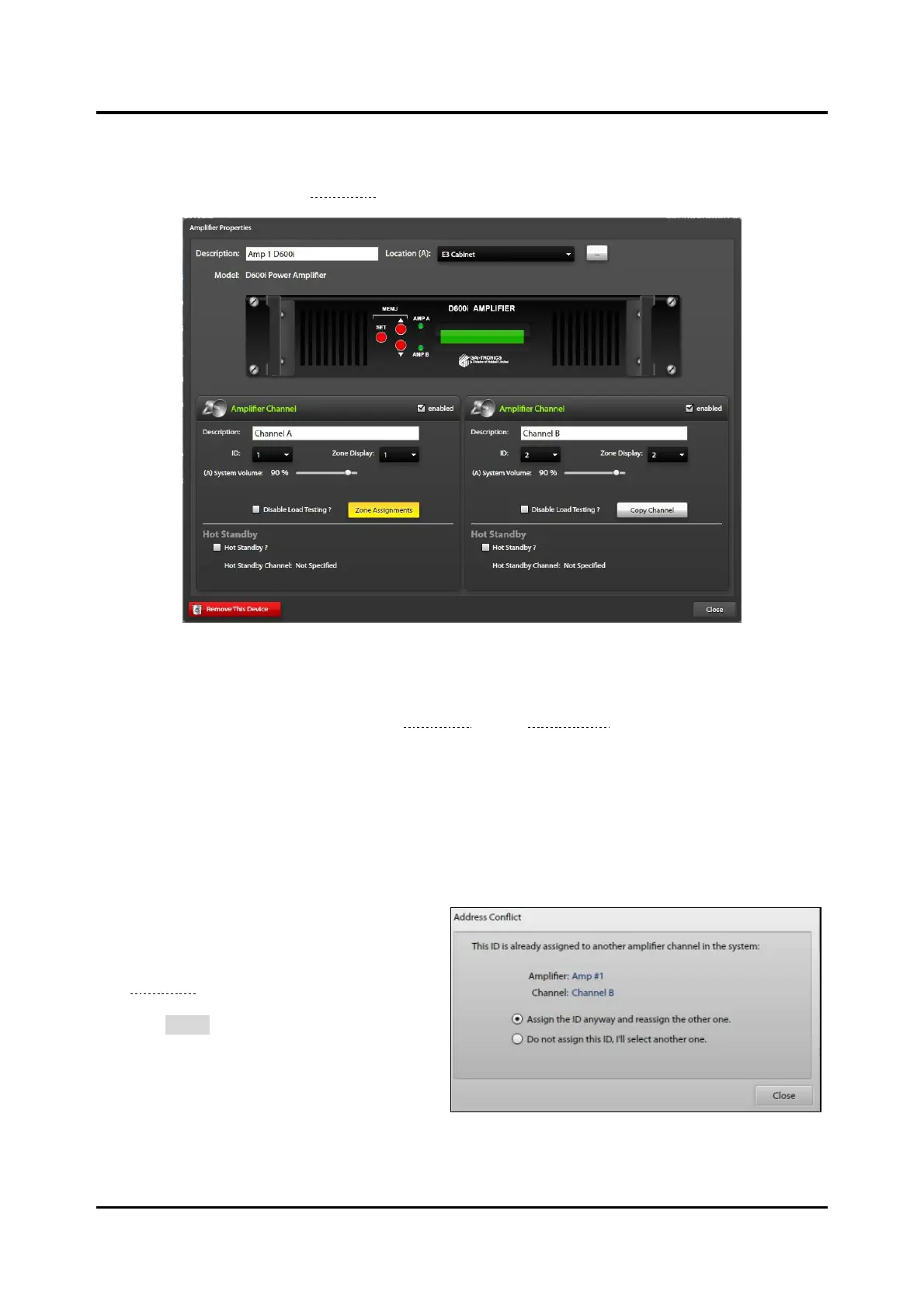
Click on an amplifier from the AMPLIFIER SUMMARY screen to open the AMPLIFIER PROPERTIES
window for that amplifier (see Figure 22).
Figure 22. Amplifier Properties
Description—a generic (unique) name for the amplifier (generated by default).
Location—the amplifier’s location (See the Locations section on page 15).
Amplifier Channel—On the AMPLIFIER PROPERTIES screen, the two channels (for this model) display
below the amplifier graphic. The number of channels physically present in the amplifier determines the
number of panes displayed onscreen.
Description—generic name for each amplifier channel (generated by default).
Enter a new appropriate description.
ID—Enter the ID of the physical amplifier
channel for correct operation. Assigning the
same ID to more than one amplifier channel
displays the ADDRESS CONFLICT dialog box
(see Figure 23). Choose the option that
conforms to the physical amplifier installation
and click CLOSE.
Zone Display—number shown on the
amplifier’s display.
Select the zone identifier this amplifier
channel broadcasts to. If the amplifier is a
member of only one zone, set it to that
zone number.



 To Next Page