Pub. 42004-550C
Elemec3 Console Manual—Version 3 Page 18 of 109
P:\Standard IOMs - Current Release\42004 Instr. Manuals\42004-550C.docx
07/21
Manage Global Mutes
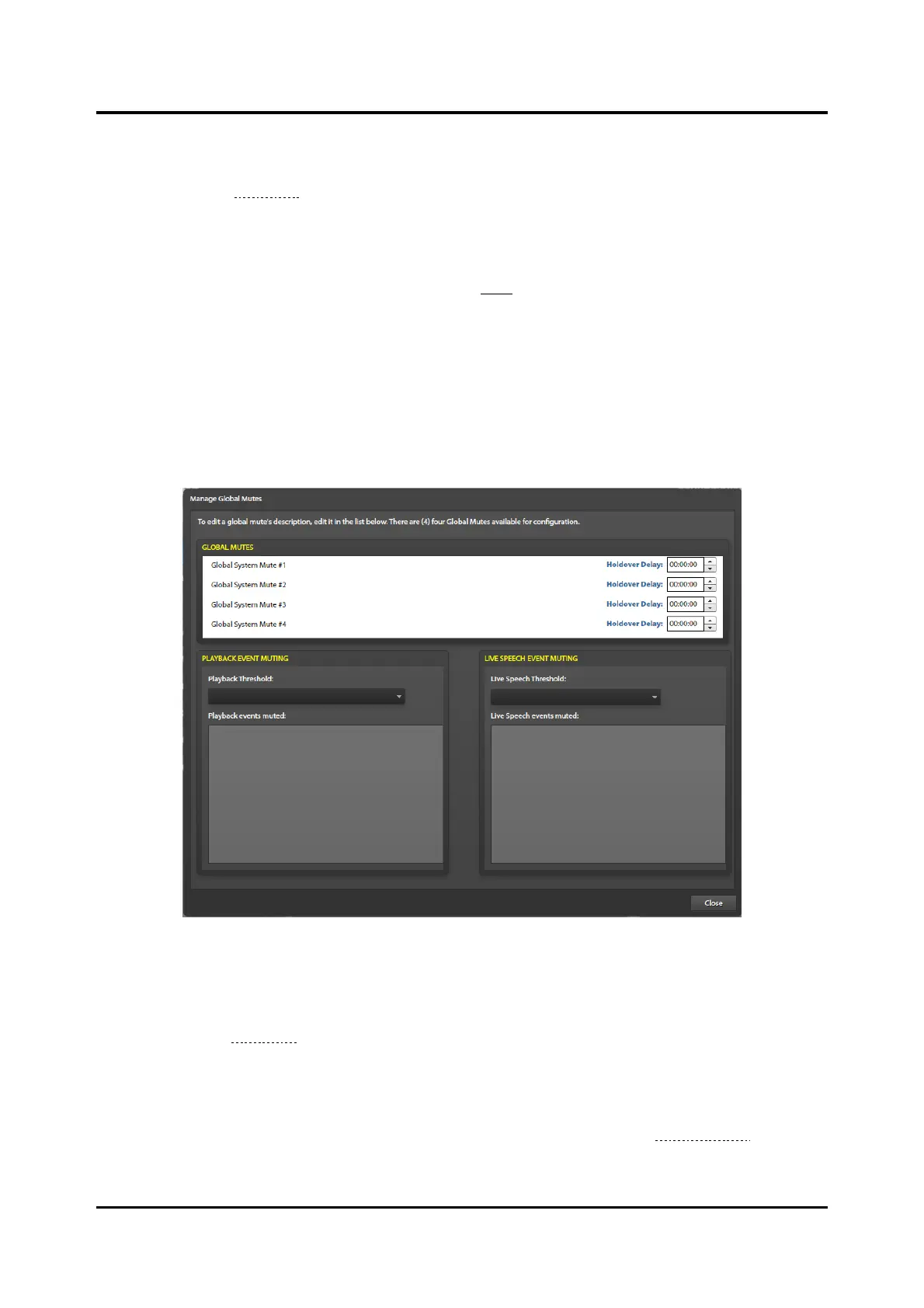
Click the GLOBAL MUTING button, on the SYSTEM PROPERTIES screen, to open the MANAGE GLOBAL
MUTES screen (see Figure 18). There are four global mutes available to the system. Access panel push
buttons or input contacts on an I/O controller can activate global mutes
Rename each mute as appropriate by editing the name in the list.
Holdover Delay—the period that audio remains muted after the mute condition expires (default 0).
Playback Threshold—priority that determines the muting of playback events. The system mutes all
playback events at or below the priority of the selected event.
Live Speech Threshold—priority that determines the muting of live speech events. The system mutes
all live speech events at or below the priority of the selected event.
The lists, shown in the PLAYBACK EVENT MUTING and LIVE SPEECH EVENT MUTING panes, represent
the effects of the playback and live speech mute threshold settings.
Figure 18. Manage Global Mutes
Global Audio Mix Setup
Click the GLOBAL MIX button, on the SYSTEM PROPERTIES screen, to open the GLOBAL AUDIO MIX
SETUP screen (see Figure 19). This screen specifies the mixing, attenuation, and not mixing properties of
system audio. Mixed audio plays without attenuation. Attenuated audio mixes at the attenuation level
specified in the GLOBALS pane on the SYSTEM PROPERTIES screen. This is a global setting.
Event groups have their own unique mix configuration that affects the playback of the events within the
group. Configure mixing for event groups on the EVENT GROUP screen (see the Event Groups section).



 To Next Page