Pub. 42004-550C
Elemec3 Console Manual—Version 3 Page 14 of 109
P:\Standard IOMs - Current Release\42004 Instr. Manuals\42004-550C.docx
07/21
Correct Event Mismatches? (A-B, N+1 only)—configures automatic correction of event mismatches
between systems.
This happens when either controller fails to receive an input that initiates an event. The system
recognizing the event activates the same event in the other system. The E3 Portal application receives
a report of the event mismatch error.
Insert 1 Enabled? & Insert 2 Enabled?—(Not applicable to the IP Controller) Inserts are external
hardware devices that prevent acoustic feedback or provide other audio signal conditioning. They are
applicable to all audio sources other than playback audio.
Check the INSERT 1 and/or INSERT 2 check boxes to enable the feature when using an insert device.
The inserts must be identical when using both. Enabling inserts on the SYSTEM PROPERTIES screen
adds the INSERT REQUIRED checkbox for each audio source in the configuration (see the Output
Groups section).
Network Settings
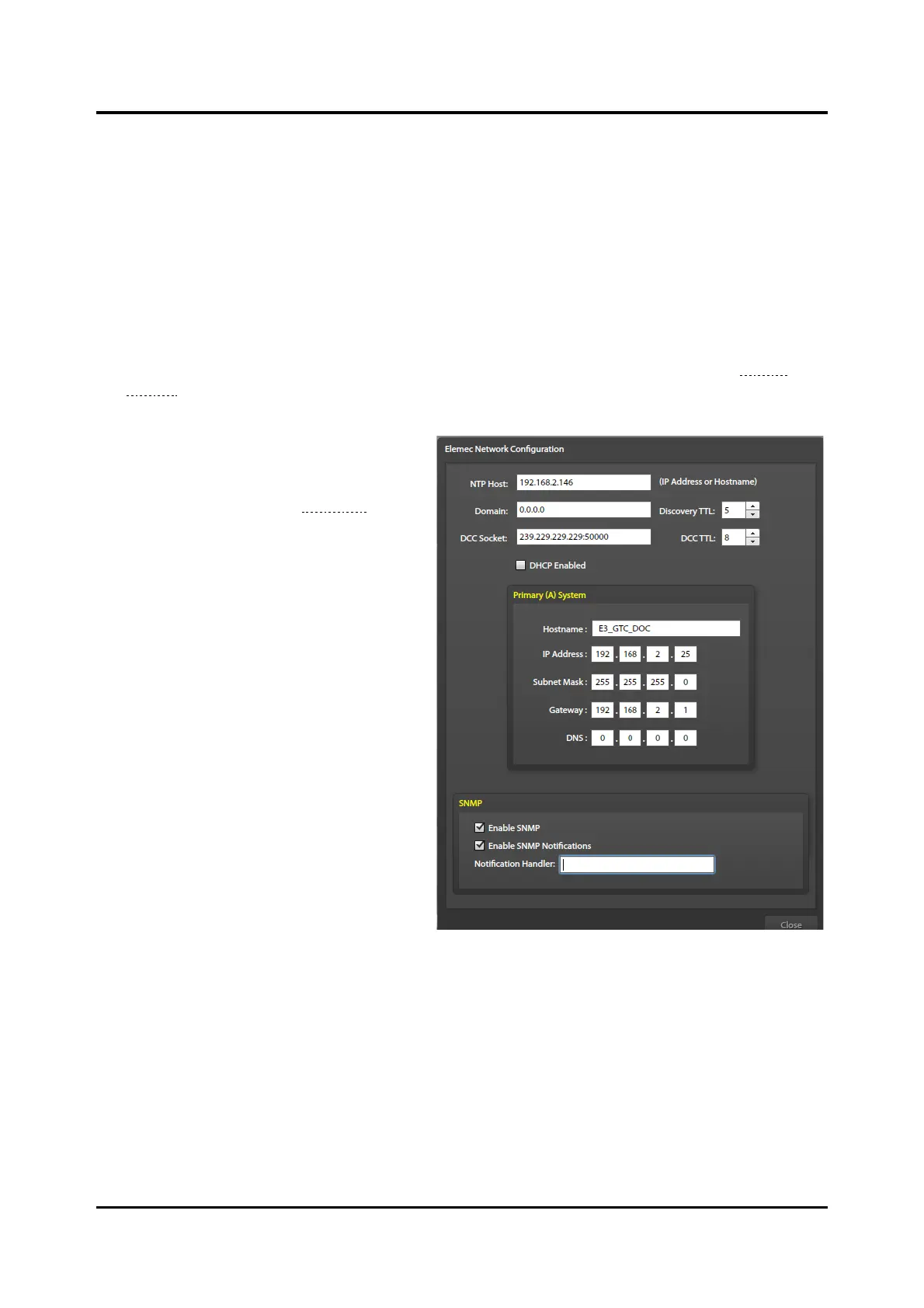
Click the NETWORK SETTINGS button to
access the ELEMEC NETWORK
CONFIGURATION screen (see Figure 13). Use
this screen to set the network parameters for
the E3 controller(s). Standalone systems only
display one system. Enter settings for both
controllers for an A-B or N+1 system.
NTP Host—host IP address or the DNS
name of the network timeserver.
Domain—the fully qualified domain name
(Ex. Mydomain.com). Required when the
network uses DNS.
Discovery TTL—number of router hops for
multicast traffic in the Elemec3 system before
routers discard packets.
DCC (Device Command and Control)
Socket—multicast socket address for
communication between the E3 controller
and SP2, SVS, and HUBBCOM stations.
NOTE: Use a different DCC socket for each
E3 controller that manages separate
groups of SP2/SVS/HUBBCOM stations on the same network.
DCC TTL—number of router hops that IP traffic from the DCC socket traverses before the next router
discards the IP traffic.
DHCP (Dynamic Host Configuration Protocol) Enabled—Check the DHCP check box if using a
DHCP server to automatically configure network settings for the E3 controller(s). (This disables the IP
address, subnet mask, gateway, and DNS parameter fields.)
Hostname—a unique descriptive name for the E3 controller(s).
IP Address—static IP addressing for the E3 controller(s). (Disabled when DHCP is enabled.)



 To Next Page