Pub. 42004-550C
Elemec3 Console Manual—Version 3 Page 86 of 109
P:\Standard IOMs - Current Release\42004 Instr. Manuals\42004-550C.docx
07/21
Aux IP Outputs/Monitor Out
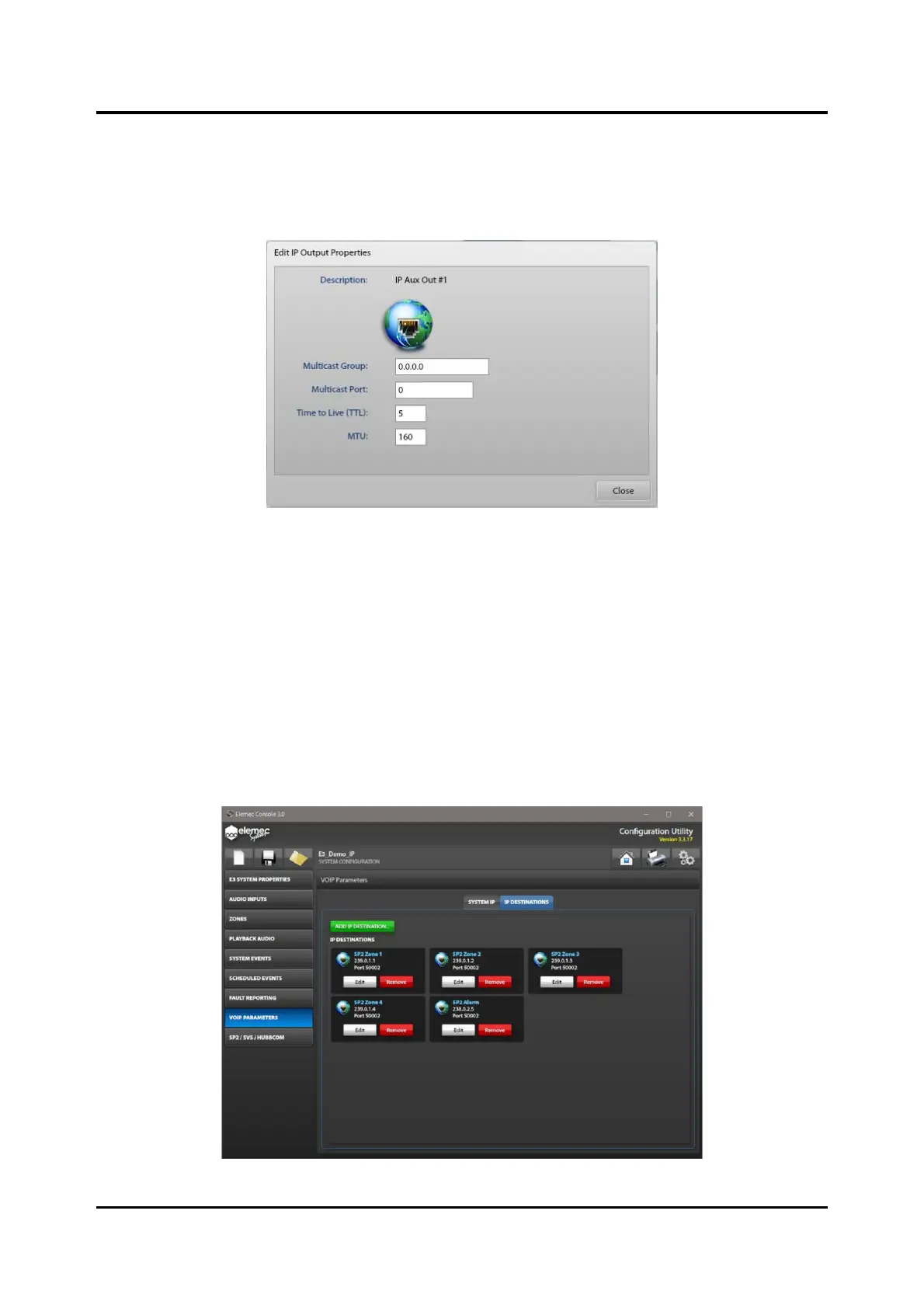
Selecting either the IP AUX OUTPUT or the IP MONITOR OUT opens the EDIT IP OUTPUT
PROPERTIES screen. The IP MONITOR OUT audio destination transmits all audio that the analog
MONITOR OUT transmits from the system.
Figure 96. Edit IP Output Properties
Multicast Group—IP address for the IP aux output.
Multicast Port—port address for the IP aux output.
Time to Live—multicast time to live for the IP packets.
MTU—maximum transmit unit for the IP packets.
IP DESTINATIONS
The IP DESTINATIONS screen shows all available USER defined IP destinations. Add, edit, or remove
IP destinations on this screen. The parameters for IP destinations are the same as the IP AUX OUTPUT.
Figure 97. IP Destinations



 To Next Page