Pub. 42004-550C
Elemec3 Console Manual—Version 3 Page 52 of 109
P:\Standard IOMs - Current Release\42004 Instr. Manuals\42004-550C.docx
07/21
Output Behaviors
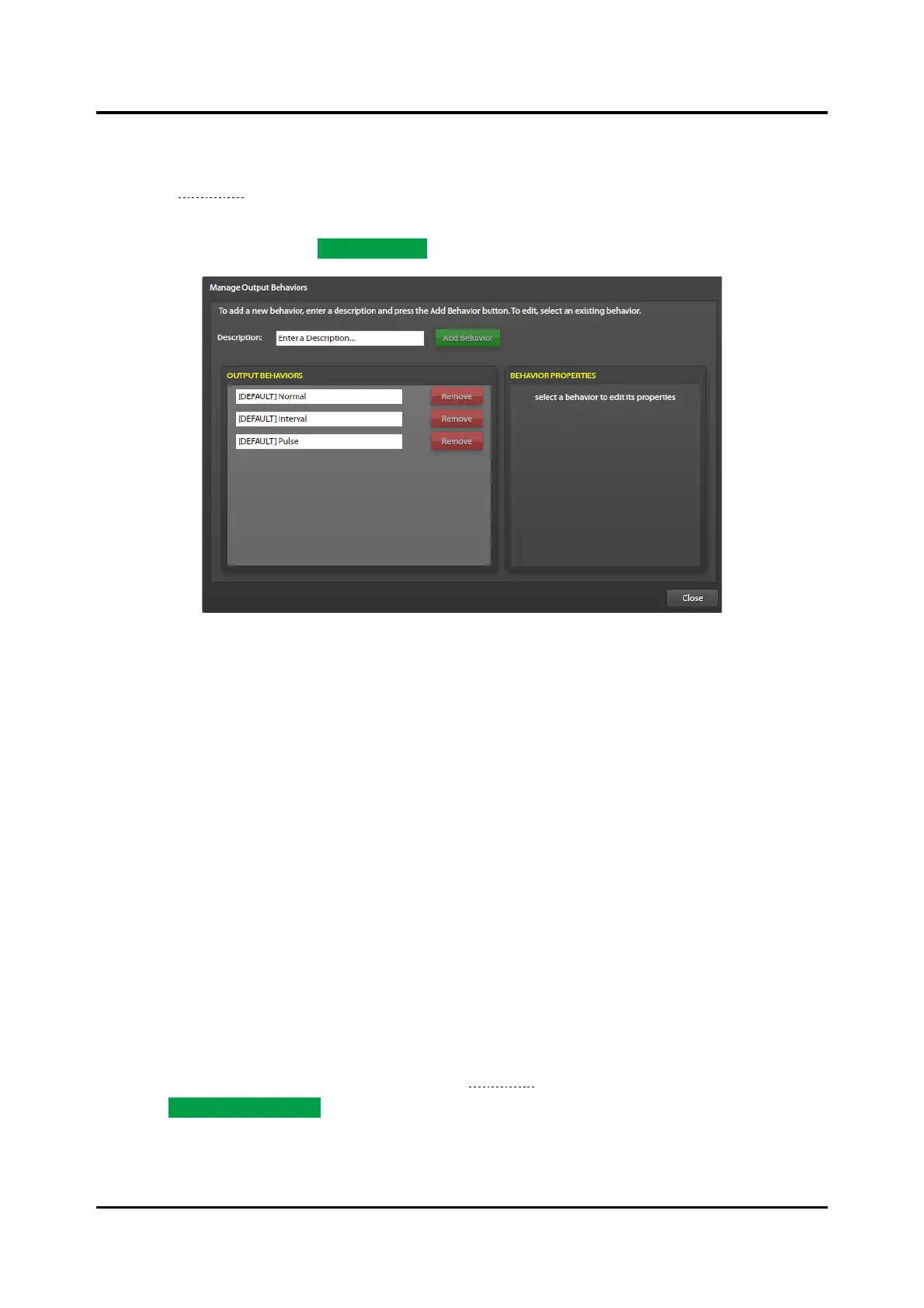
Click the OUTPUT BEHAVIORS button in the lower right corner of the I/O CONTROLLERS SUMMARY
screen (see Figure 47) to configure output behaviors on the MANAGE OUTPUT BEHAVIORS screen.
Output behaviors allow for customization and creation of output timing properties. There are three
default behaviors; Normal, Interval, and Pulse that can be modified but not deleted from the system.
Create new behaviors using the ADD BEHAVIOR button.
Figure 58. Manage Output Behaviors
Normal—output is either ON or OFF. (The initial delay setting delays the transition to active; the
holdover delay setting delays the transition to idle.)
Interval—continuously cycles the output between active and idle.
The initial delay setting delays the initial transition to active. The output remains active for the
duration of the on-time setting. The output remains idle for the duration of the off-time setting. The
output then continuously cycles between active and idle using the on time and off time values.
Cycling continues for the holdover delay period when the output deactivates.
Pulse—output activates once. The initial delay parameter delays the transition to active. The output
remains active until the configured on-time setting expires and then transitions back to idle.
Output Groups
Use output groups to group outputs together to simplify output assignments for events. Output groups
contain outputs, output groups, logic flags, SP2 relay groups, and Modbus outputs. Configure output
groups when setting up outputs for events.
1. Click the OUTPUT GROUPS button in the lower right corner of the I/O CONTROLLERS SUMMARY
screen to configure output groups.
The OUTPUT GROUP BUILDER screen opens (see Figure 59).
2. Click ADD OUTPUT GROUP.
Output Group Description—a descriptive name for the output group.



 To Next Page