Pub. 42004-550C
Elemec3 Console Manual—Version 3 Page 95 of 109
P:\Standard IOMs - Current Release\42004 Instr. Manuals\42004-550C.docx
07/21
Parameter Panes
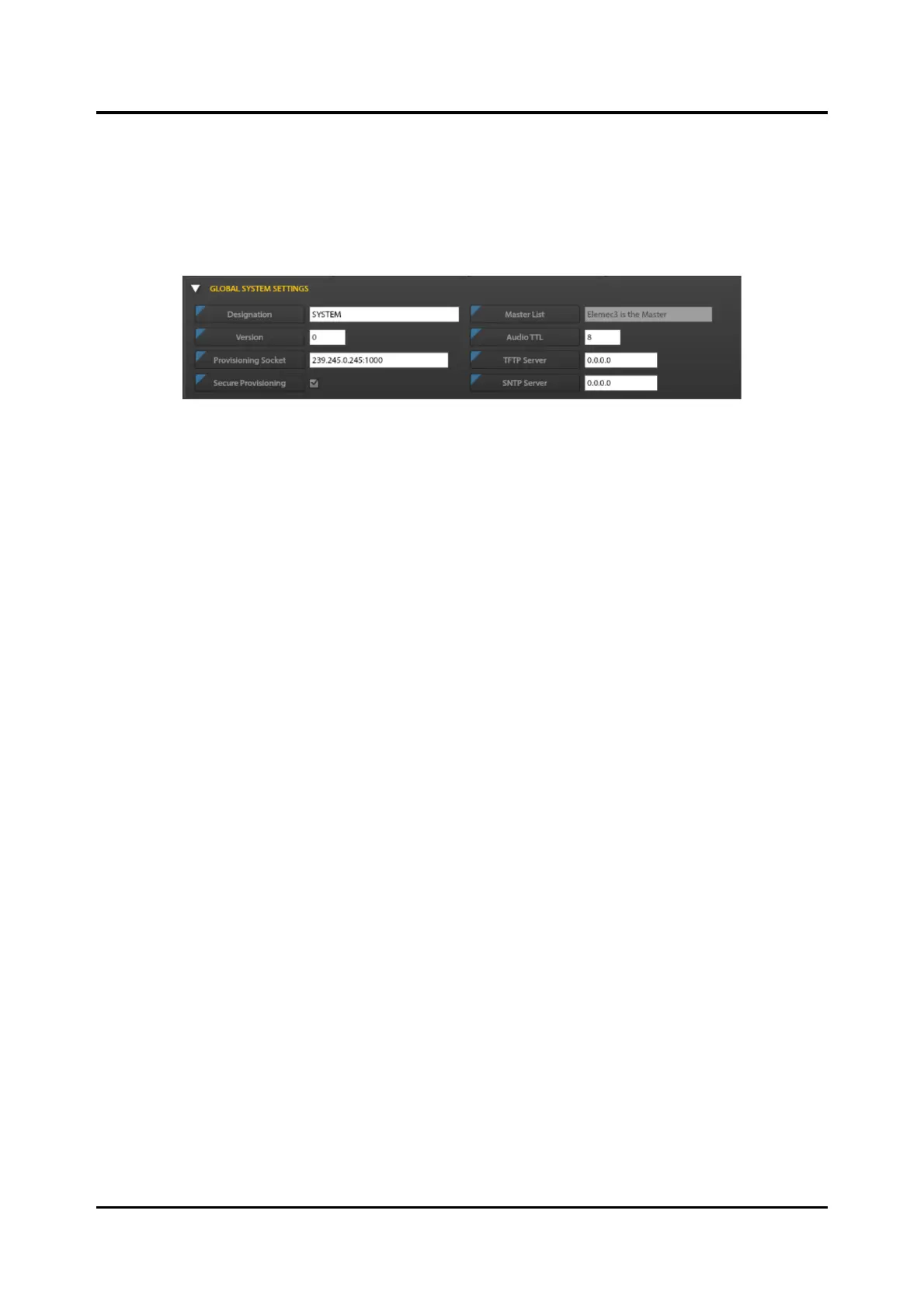
Global System Settings
The GLOBAL SYSTEM SETTINGS parameter pane contains settings that apply to the entire E3 system.
Only the SYSTEM pane includes these parameters. The flags on the field names appear slightly grayed,
indicating the current settings are system default settings.
Figure 109. Global System Settings Pane
Parameters:
Designation—string value indicating the name of the SP2 system. A network can have only one system
designation.
Version—current configuration version. It is important to update the VERSION parameter in the
configuration file by one whenever making a change to the configuration. The SP2 stations use this in
conjunction with the CRC of the file to determine whether to use and save these parameters.
Provisioning Socket—multicast socket address for communication between the E3 controller and
SP2/SVS/HUBBCOM stations.
NOTE: Use a different DCC socket for each E3 controller that manages separate groups of
SP2/SVS/HUBBCOM stations on the same network.
Secure Provisioning—setting is for compatibility with stations having firmware earlier than version
3.2.0. Selected for E3 operation.
Master List—E3 is the Master configured by the E3 Console.
Audio TTL—(Time to Live) determines the number of routers that IP audio data will traverse before the
next router discards the data (Valid settings: 1 to 255).
TFTP Server—IP address of the TFTP server in IPv4 format.
SNTP Server—IP address of the time server in IPv4 format.



 To Next Page