Pub. 42004-550C
Elemec3 Console Manual—Version 3 Page 23 of 109
P:\Standard IOMs - Current Release\42004 Instr. Manuals\42004-550C.docx
07/21
Generic Channels—four available channels display below the graphic on the GENERIC AMPLIFIER
INTERFACE (GAI) PROPERTIES screen.
Description—unique description for the amplifier channel.
Local Input—set to disabled (default), N.O. maintained, or N.C. maintained.
Route Local Mic ?—toggles routing the local microphone audio to the channel.
Zone Assignments—displays the zone assignments for the generic channel. (Clicking the button has no
effect when there are no assigned zones.
Hot Standby Amplifiers
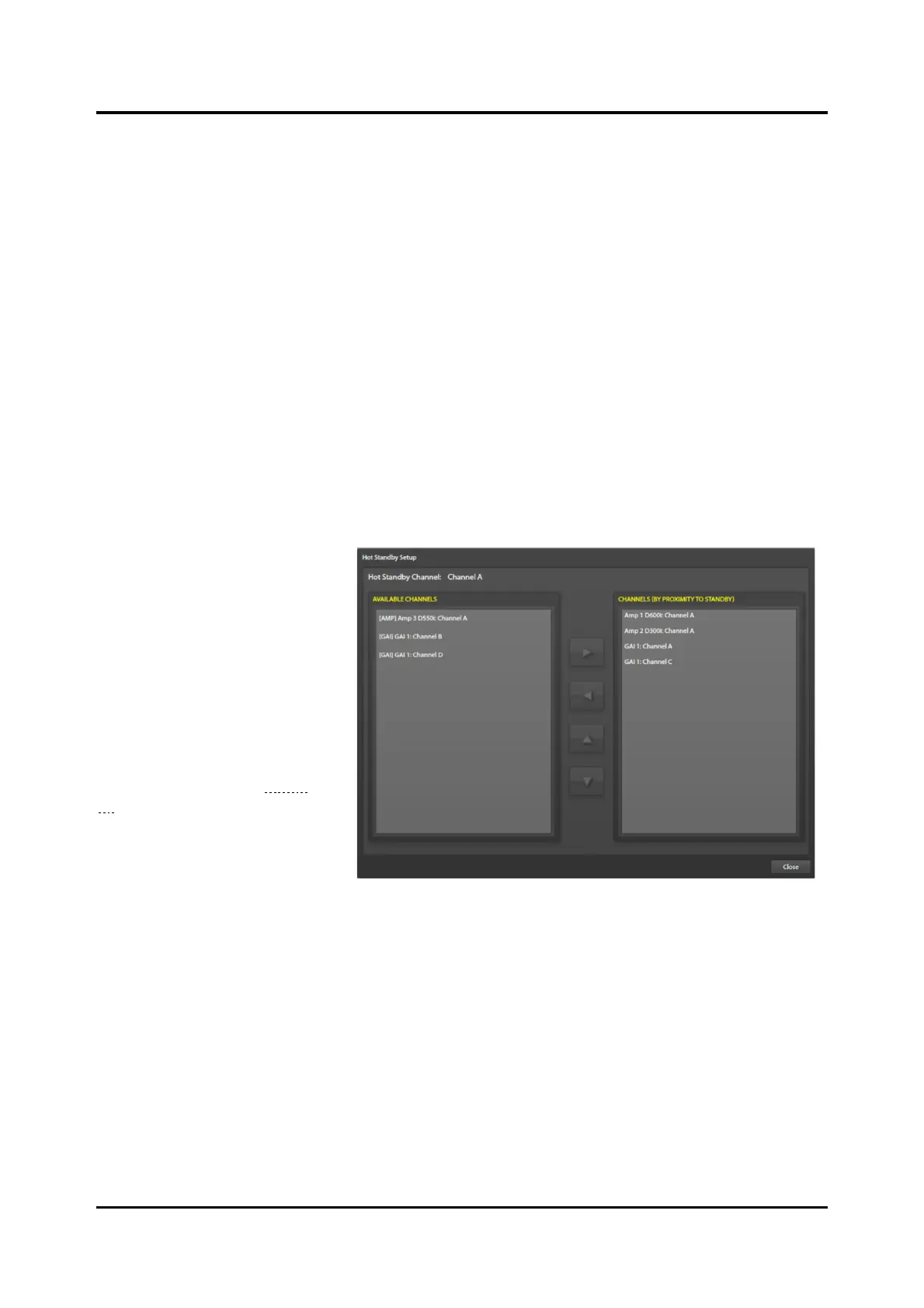
Hot standby amplifiers add redundancy for the amplifiers driving the speaker loops. It is crucial that the
amplifier wiring match the hot standby Elemec3 configuration for proper operation. The wiring sequence
determines the priority for failed amplifiers switching to the hot standby amplifier. In the event of
multiple amplifier failures, the amplifier closest to the standby amplifier in the daisy chain wiring has the
highest priority, followed by the next closest, etc.
Hot Standby Setup—Use the
HOT-STANDBY SETUP screen to
prioritize the switching of failed
amplifier channels to the hot
standby amplifier channel. Use
the left, right, up, and down
arrows in the middle of the two
panes to add, remove, and reorder
the amplifier channels to match
the wired positions.
Ex. The hot standby amplifier is
in position five (wired fifth from
the top of the cabinet in Figure
25).
NOTE: It is crucial for proper
system operation that the
amplifier channel order
is the same as their
connection order.



 To Next Page