Pub. 42004-550C
Elemec3 Console Manual—Version 3 Page 71 of 109
P:\Standard IOMs - Current Release\42004 Instr. Manuals\42004-550C.docx
07/21
EVENT SETUP
Automatically Create Events—(Recommended) To automatically create events and expedite the
configuration process, click AUTOMATICALLY CREATE EVENT(S). This creates the playback events for
the message. (Suitable for manual or auto events.)
Create Manual Event—creates a playback event for this message with the proper default settings for
use with manually actuated access panel buttons.
Create Auto Event— creates a playback event for this message with the proper default settings for
use with an input contact or scheduled event.
Default Zone—the default zone for the event(s).
LOGIC FLAG SETUP—Select AUTOMATICALLY CREATE LOGIC FLAG FOR THIS MESSAGE to have user
logic flag(s) with the same description as the message automatically added to the created event(s).
Create New Message—Click CREATE NEW MESSAGE to finish creating the message.
Import MP3
Click IMPORT MP3 to import audio files using a FILE OPEN dialog box.
System Tones
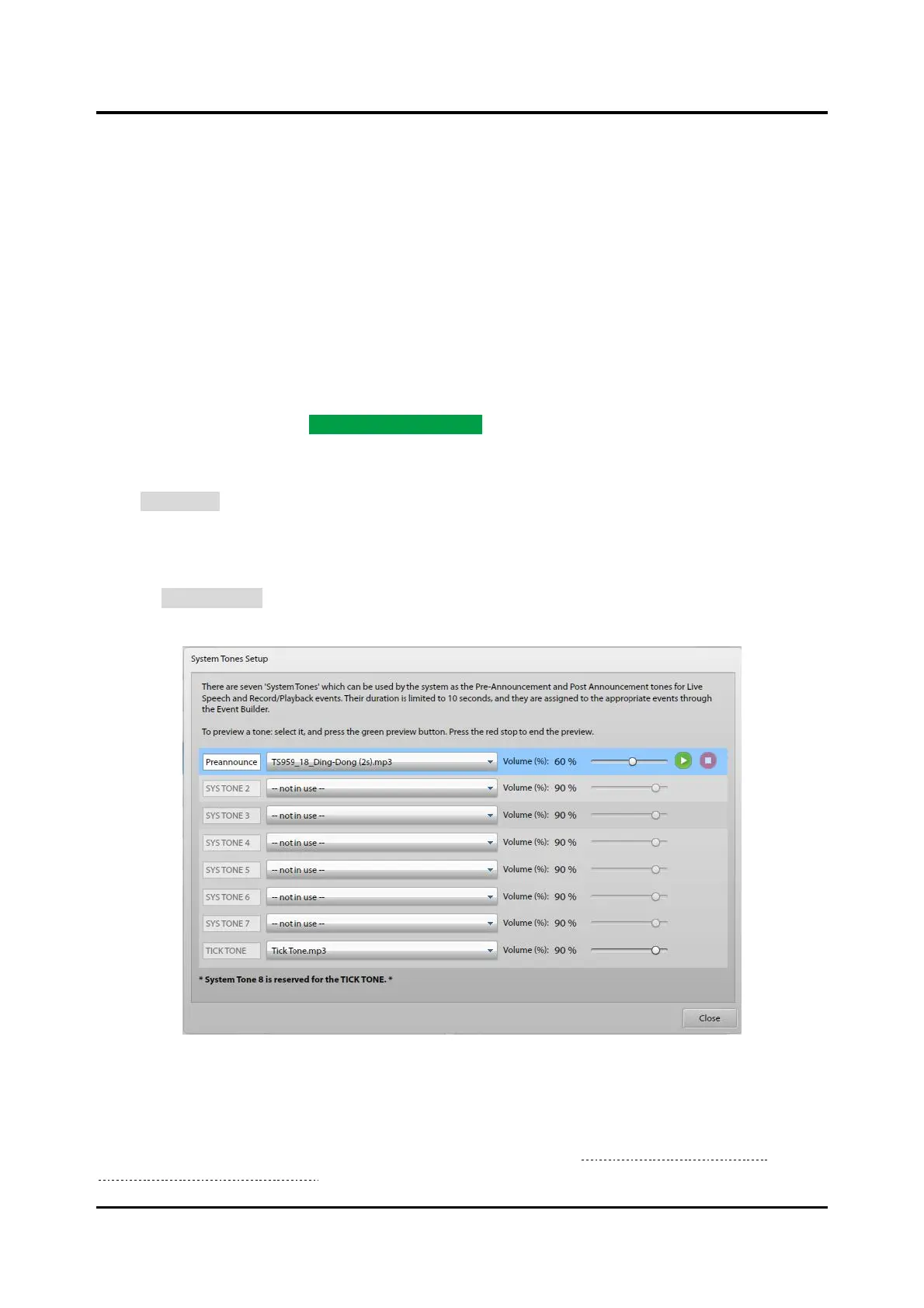
System tones are audio files used for pre-announcement tones, post-announcement tones, or as a tick tone.
Click on SYSTEM TONES to show the SYSTEM TONES SETUP screen. Use any audio file less than 10
seconds in duration for the system tone.
Figure 78. System Tones Setup
Select a tone from the drop-down list to enable the description field, volume control, and audio preview
controls. The E3 Console automatically sets the last system tone (SYSTEM TONE 8) for the tick tone.
These tones are available in the LIVE SPEECH EVENT OPTIONS pane of the EVENT BUILDER screen for
assignment only with live speech and record/playback events (See the Live Speech Event Options or
Record/Playback Event Options sections).



 To Next Page