Pub. 42004-550C
Elemec3 Console Manual—Version 3 Page 79 of 109
P:\Standard IOMs - Current Release\42004 Instr. Manuals\42004-550C.docx
07/21
Live Speech Event Options
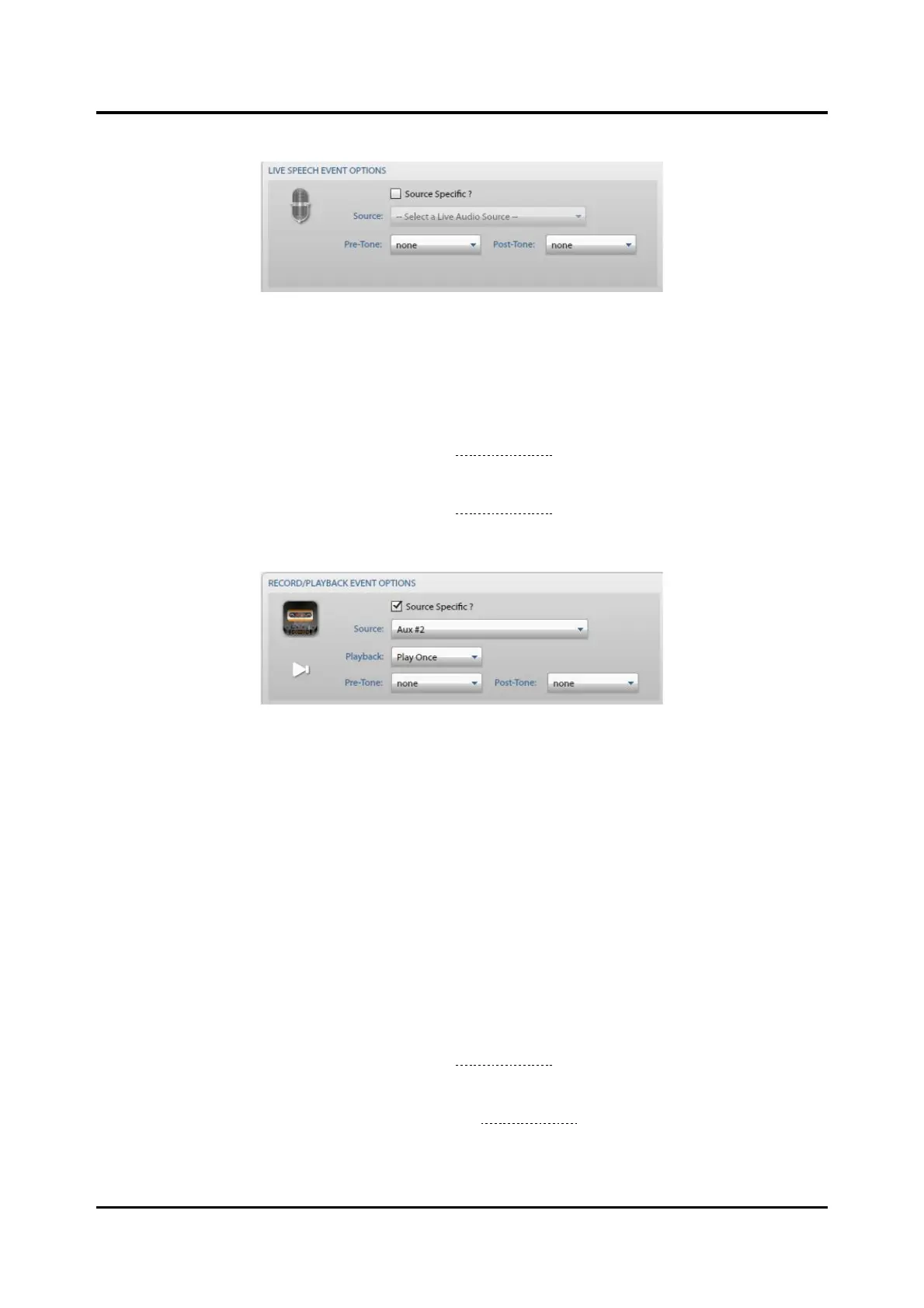
Figure 87. Live Speech Event Options
Source Specific ?—use to source audio for an event via an input contact on an I/O card. Select the
SOURCE from the drop-down list for when the event triggers from an input that does not provide its own
audio.
Pre-Tone—pre-announcement tone for the live audio broadcast. These tones are accessible through the
PLAYBACK AUDIO, SYSTEM TONES screen (see the System Tones section).
Post-Tone—post-announcement tone for the live audio broadcast. These tones are accessible through the
PLAYBACK AUDIO, SYSTEM TONES screen (see the System Tones section).
Record/Playback Event Options
Figure 88. Record/Playback Event Options
Source Specific ?—use to source audio for an event via an input contact on an I/O card. Use this setting
whenever an input source doesn’t have its own push to talk (PTT) capability.
Select the SOURCE from the drop-down for when this event is triggers from an input that does not
provide its own audio. AUX #2 requires a source specific input because it does not have a push to talk
(PTT) button so an input contact enables the AUX #2 audio source. Select source specific for all
external audio sources other than AUX #1.
Playback—the playback behavior:
• Play Once—plays the message one time.
• Repeat—plays the message the number of times specified by play count.
• Continuous—plays the message until the event is cancelled.
Pre-Tone—pre-announcement tone for the live audio broadcast. These tones are accessible through the
PLAYBACK AUDIO, SYSTEM TONES screen (see the System Tones section).
Post-Tone—the post-announcement tone for the live audio broadcast. These tones are accessible through
the PLAYBACK AUDIO, SYSTEM TONES screen (see the System Tones section).



 To Next Page