Pub. 42004-550C
Elemec3 Console Manual—Version 3 Page 48 of 109
P:\Standard IOMs - Current Release\42004 Instr. Manuals\42004-550C.docx
07/21
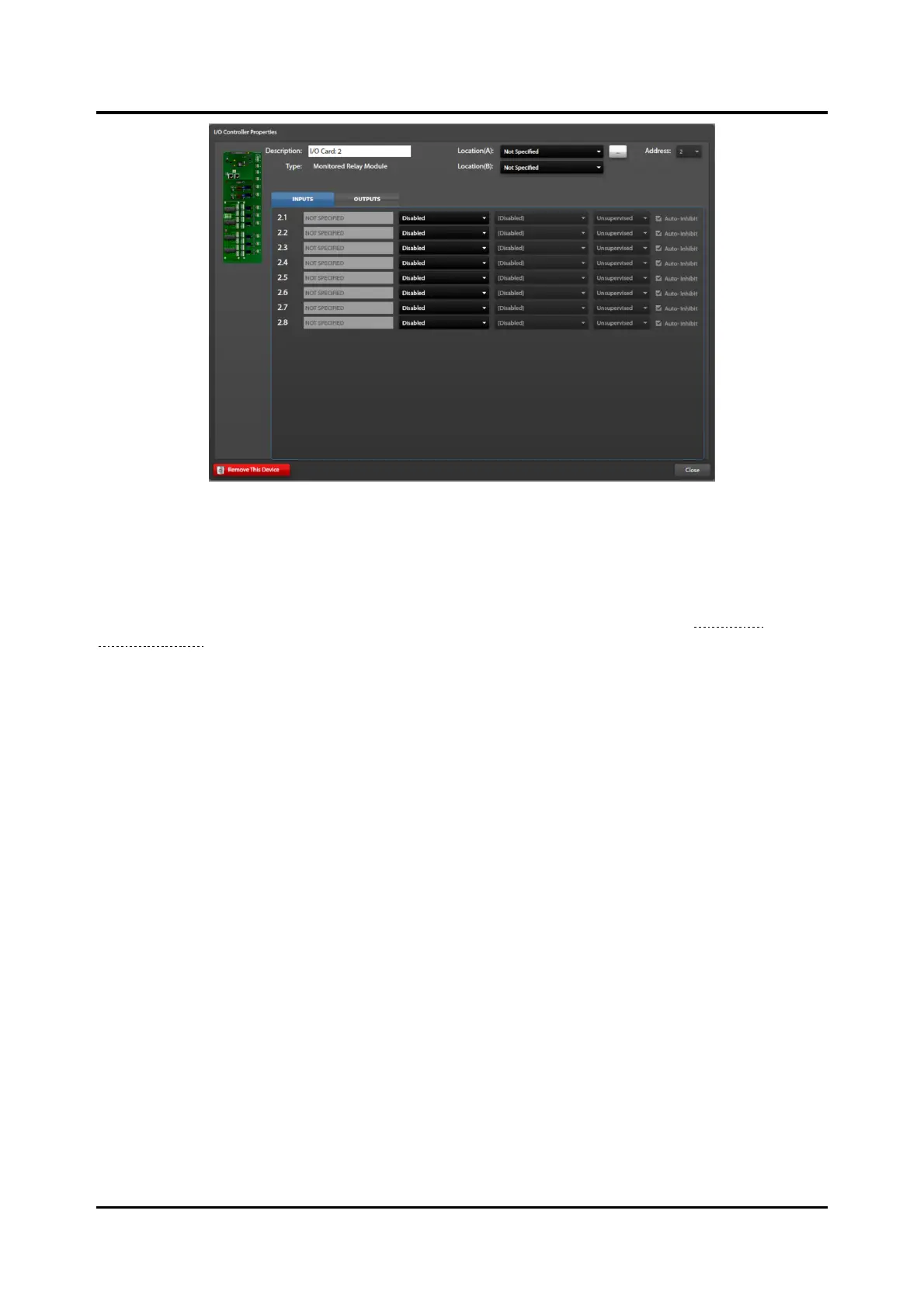
Figure 53. Monitored Relay Module Controller Properties
The E3 Console sequentially assigns I/O card addresses when defining the I/O cards in the console. Valid
addressed are 0–F (hexadecimal). Configure the hardware address on each I/O card to match address
assigned in E3 Console. On CAN bus I/O interface cards, set the address using the hexadecimal switch,
on the card. On IP interface I/O cards, set the address using a serial port connection and command line
interface (CLI). Refer to individual I/O card manuals to set the card’s address (see the Reference
Documentation section).
Inputs Tab
The inputs tab lists the inputs for the current I/O controller or the IP controller. The E3 Console
sequentially assigns each input address based on the card address and input number. The first input on
I/O card zero is 0.1, the second input on card zero is 0.2, and so on. The properties for each input appear
in the columns from left to right across the inputs tab and define the address, description, input type,
trigger, fault category, and inhibit state.
The first built-in input for the IP controller is 0.1, the second input on card zero is 0.2, and so on. The IP
controller only supports
Select the input switch type from the drop-down list in column three to enable the remaining fields to
define each input.
NOTE: Select the input type first to activate the remaining fields.
Description—a unique description for the input.
Input Switch Type—the switch type for the input contacts. Input types include maintained, momentary,
NO, NC, supervision, etc. The available input types are dependent on the I/O controller type. The IP
controller inputs are unmonitored NO.
Trigger (Event) Selection—event to trigger when the input activates.
Fault Reporting Category—IGNORE, NORMAL, or *URGENT* (only selectable for monitored inputs.)
Auto Inhibit—the auto-inhibit key switch controls the suppression of the input.



 To Next Page