Pub. 42004-550C
Elemec3 Console Manual—Version 3 Page 45 of 109
P:\Standard IOMs - Current Release\42004 Instr. Manuals\42004-550C.docx
07/21
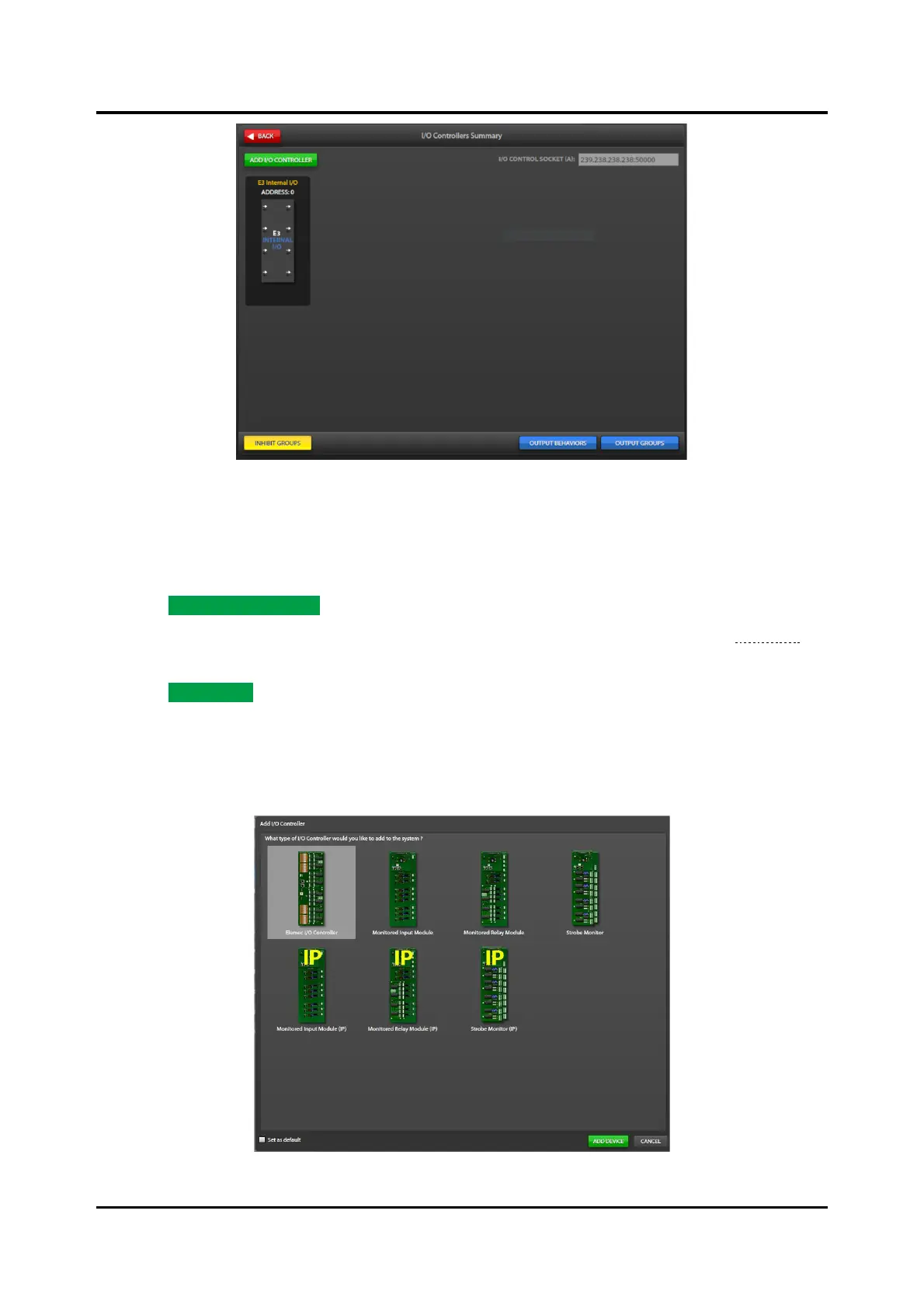
Figure 48. IP Controller Built-in I/O
2. Click the E3 INTERNAL I/O card on the I/O CONTROLLERS SUMMARY screen to open the I/O
CONTROLLER PROPERTIES screen for the built in I/O.
Add I/O Controllers
1. Click ADD I/O CONTROLLER to add an I/O controller to the system.
2. Select one of the seven types of I/O controller on the ADD I/O CONTROLLER screen (see Figure 49).
NOTE: The IP controller only supports IP I/O controllers.
3. Click ADD DEVICE to add the selected controller to the configuration.
• The I/O CONTROLLER PROPERTIES screen appears.
• Select the set as default button to add new controllers without having to select the controller type
to add. Clear this system option by clicking the gear icon located in the upper right corner on all
primary console configuration screens.
Figure 49. Add I/O Controller



 To Next Page