Pub. 42004-550C
Elemec3 Console Manual—Version 3 Page 72 of 109
P:\Standard IOMs - Current Release\42004 Instr. Manuals\42004-550C.docx
07/21
Description—description of the tone to identify the tone in live speech and record/playback events.
Volume (%)—Move the slider to the required percent volume. The VOLUME (%) represents a percentage
of the VOLUME LEVEL setting on the GLOBALS pane of the SYSTEM PROPERTIES screen (see the Global
Settings section).
Background Music
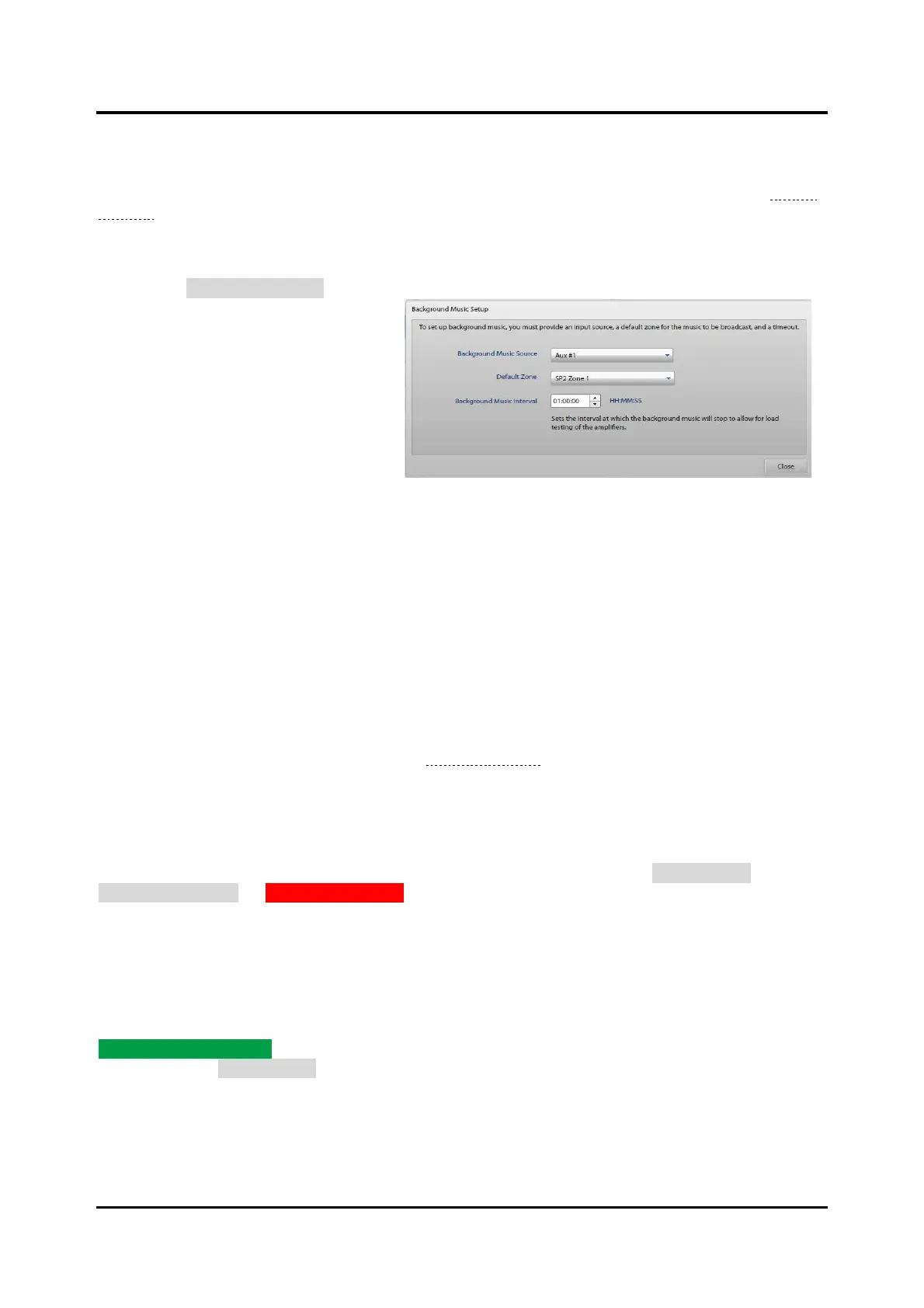
Click on the BACKGROUND MUSIC button
to show the BACKGROUND MUSIC
SETUP screen. Play background music
in any zone of a system. Connect the
external background music source to an
enabled auxiliary input.
Background Music Source—Select an
unused, enabled auxiliary input from the
drop-down list. Connect the external
background music source to the selected
auxiliary input.
Default Zone—Select an available zone from the drop-down list. Background music only plays in the
default zone after a system reset. An access panel can override the default zone for broadcasting
background music.
Background Music Interval—the period in hours, minutes, and seconds for the background music to
stop to allow for amplifier audio path and load tests. (The background music resumes when the tests are
complete.)
Messages
The MESSAGES pane lists the messages for use with the E3 system. Messages consist of one or more
message fragments sequenced together (see the Message Builder section below).
Message Properties
Select a message from the MESSAGES pane (see ) to view its properties. The console displays the
message description, duration, number of fragments in the message, and playback volume information in
the MESSAGE PROPERTIES pane. The properties pane also contains buttons for EDIT MESSAGE,
DUPLICATE MESSAGE, or REMOVE MESSAGE. Make individual adjustments to the volume level of each
fragment making up the message in the MESSAGE SUMMARY subpane by clicking and dragging the
sliders. The volume percentage of the system volume displays in a tooltip, when selected. Use the
MESSAGE PREVIEW subpanel to listen to the message through the PC’s local speakers.
Message Builder
Use the MESSAGE BUILDER screen to assemble audio message fragments into message sequences. Click
CREATE NEW MESSAGE from the CREATE NEW MESSAGE dialog box to open the MESSAGE BUILDER
screen. Clicking EDIT MESSAGE from the MESSAGE PROPERTIES pane also opens the MESSAGE
BUILDER to modify the selected message’s included message fragments or to reorder the fragments.



 To Next Page