Pub. 42004-550C
Elemec3 Console Manual—Version 3 Page 64 of 109
P:\Standard IOMs - Current Release\42004 Instr. Manuals\42004-550C.docx
07/21
Hang Up On Reg Failure—select this option to terminate active calls if the re-registration fails. (Re-
registration with the IP PABX is independent of active calls.)
Hang Up On RTP Failure—active calls terminate if the data rate drops below 250 bytes per second.
(Excessive packet loss is present at this data rate.)
SIP Registrar Configuration
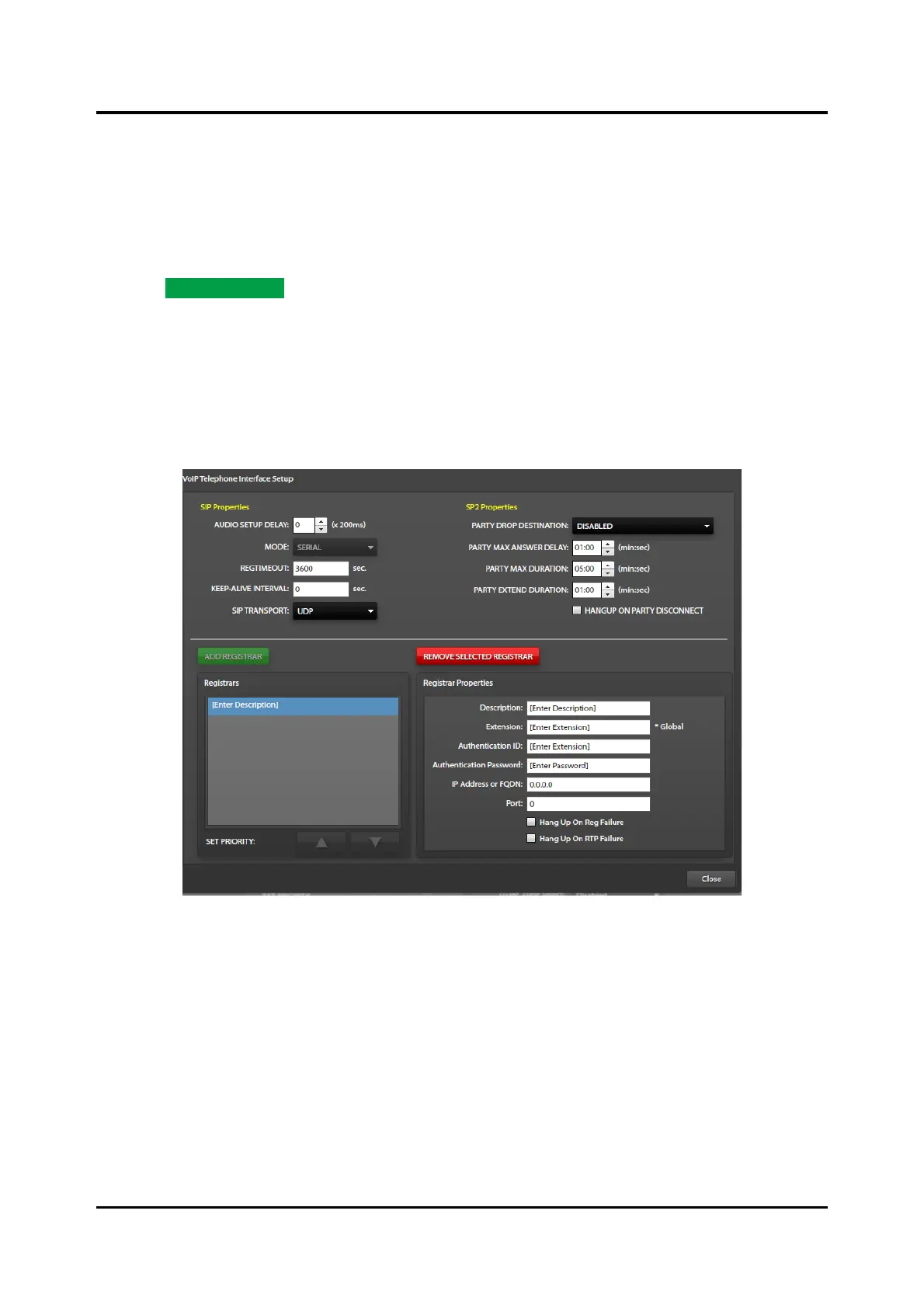
Click the ADD REGISTRAR button to configure the SIP telephone interface registration properties.
Description—text description for the SIP Registrar (IP PABX).
Extension—extension number assigned to the telephone interface by the SIP Registrar.
Authentication ID—account username assigned by the SIP Registrar.
Authentication Password—account password assigned by the SIP Registrar.
Figure 71. Configuring SIP Registrar Properties
IP Address or FQDN—IP address of the SIP Registrar or FQDN (fully qualified domain name) of the
SIP Registrar (requires DNS service).
Port—Port number for SIP registration/signaling.
NOTE: SIP clients use port number 5060.
Hang Up On Reg Failure—Select this option to terminate active calls if the re-registration fails. (Re-
registration is independent of active calls.)
Hang Up On RTP Failure—Select this option to terminate active calls if the data rate drops below 250
bytes per second. (Excessive packet loss is present at this data rate.)



 To Next Page