Pub. 42004-550C
Elemec3 Console Manual—Version 3 Page 83 of 109
P:\Standard IOMs - Current Release\42004 Instr. Manuals\42004-550C.docx
07/21
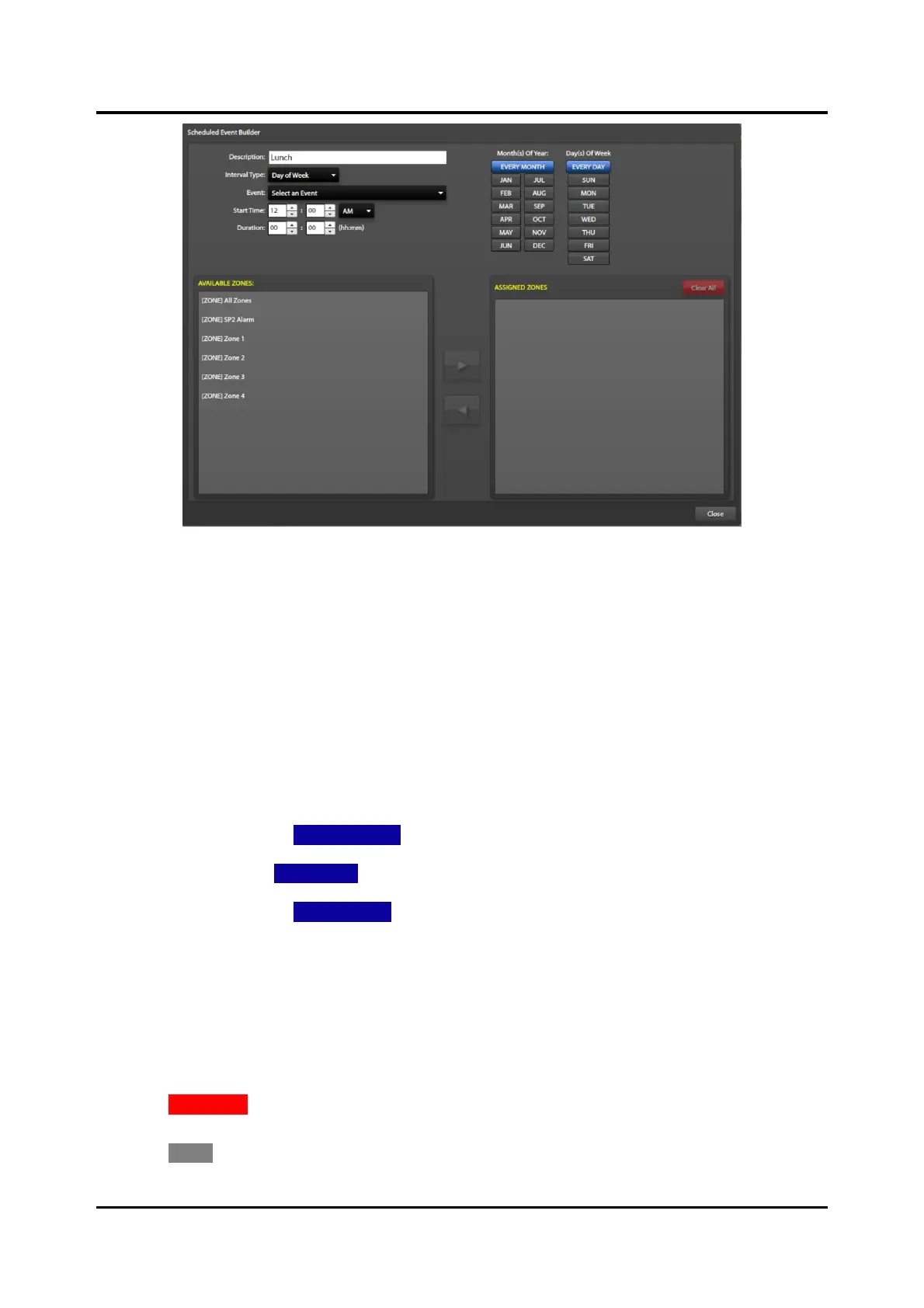
Figure 93. Scheduled Event Builder
Description:—the description entered in the CREATE NEW SCHEDULED EVENT dialog box.
Interval Type:—Use the drop-down list to select: DAY OF WEEK, WEEK OF MONTH, or DAY OF
MONTH.
Event:—Use the drop-down list to select the event that runs at the selected START TIME for the entered
DURATION.
Start Time:—Use the rotary buttons to select the hour and minute that the event should run. Use the
dropdown to select AM or PM.
Duration:—Use the rotary buttons to select the hours and or minutes for the period of the event.
Month(s) of Year:—Select EVERY MONTH, or the individual months of the year.
Day(s) of Week—Select EVERY DAY, or the individual days of the week.
Week(s) of Month—Select EVERY WEEK, or select the individual weeks of the month.
Available Zones: pane—contains the list of zones in the E3 system.
Assigned Zones: pane—contains the list of zones assigned to this scheduled event.
1. Configure the parameters for the scheduled event using the fields described above.
2. Select the zones that the event will play in by selecting the zone(s) from the AVAILABLE ZONES: pane,
then click the right arrow to add the selected zones to the ASSIGNED ZONES: pane.
3. Click CLEAR ALL in the ASSIGNED ZONES pane to remove all the zones assigned to the scheduled
event to reassign new zones.
4. Click CLOSE to exit back to the SCHEDULED EVENTS CONFIGURATION screen.



 To Next Page