Appendix A: Software Download
© Harmonic Inc. Manual p/n 101543/Ver 1.0 A-6 ProView 2900 Series/SW Version 1.94
A.2.1 Opening Hyperterminal from MS Windows
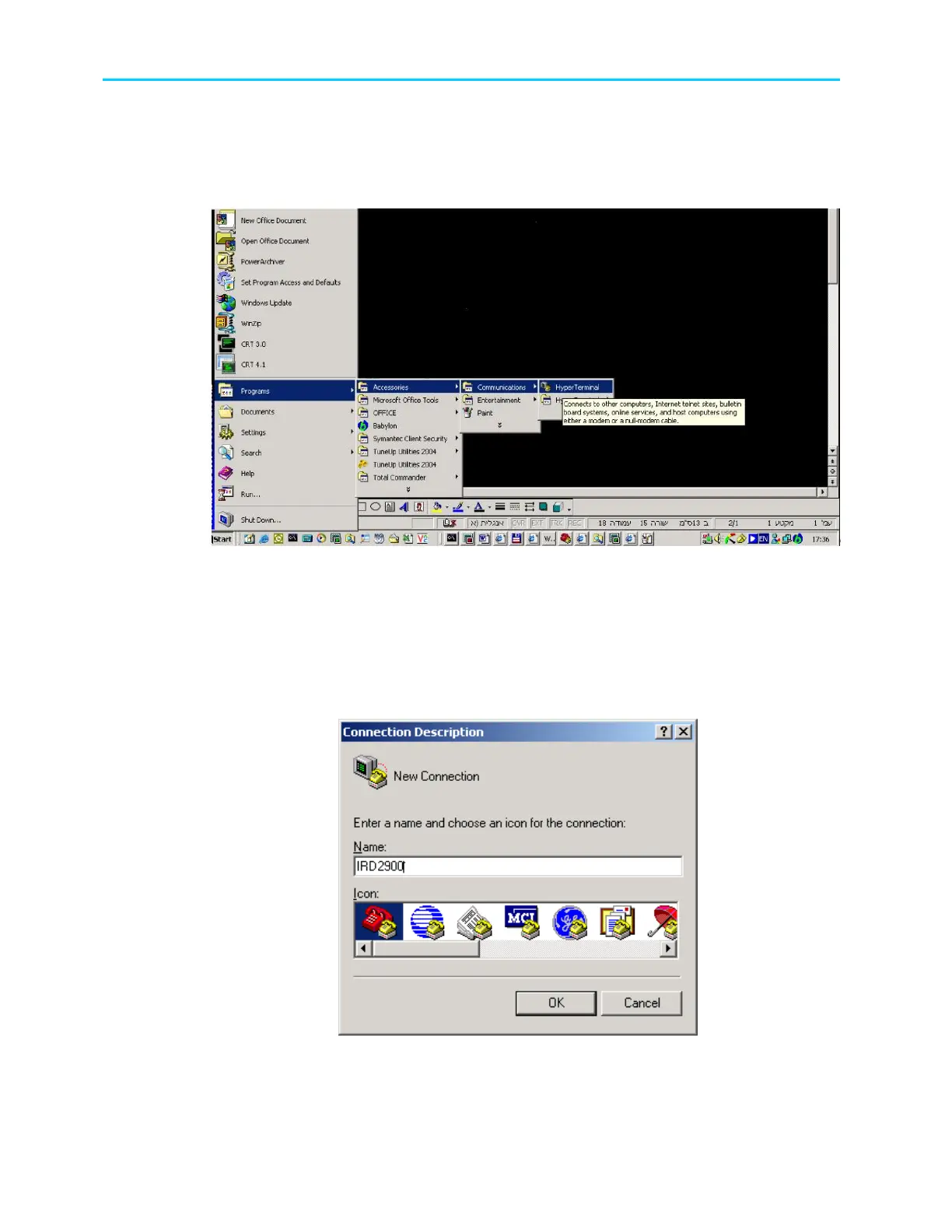
1. Access HyperTerminal application, by selecting
Start
Program
Accessories
Communication
HyperTerminal
Figure A-7: Start Menu – Open HyperTerminal
A.2.2 Defining the Communication
When the HyperTerminal starts, the following window is displayed.
1. Enter a connection, for example ProView 29000 and lick OK.
2. Select a connection (Icon).
Figure A-8: HyperTerminal – Enter Connection



 To Next Page