Appendix A: Software Download
© Harmonic Inc. Manual p/n 101543/Ver 1.0 A-7 ProView 2900 Series/SW Version 1.94
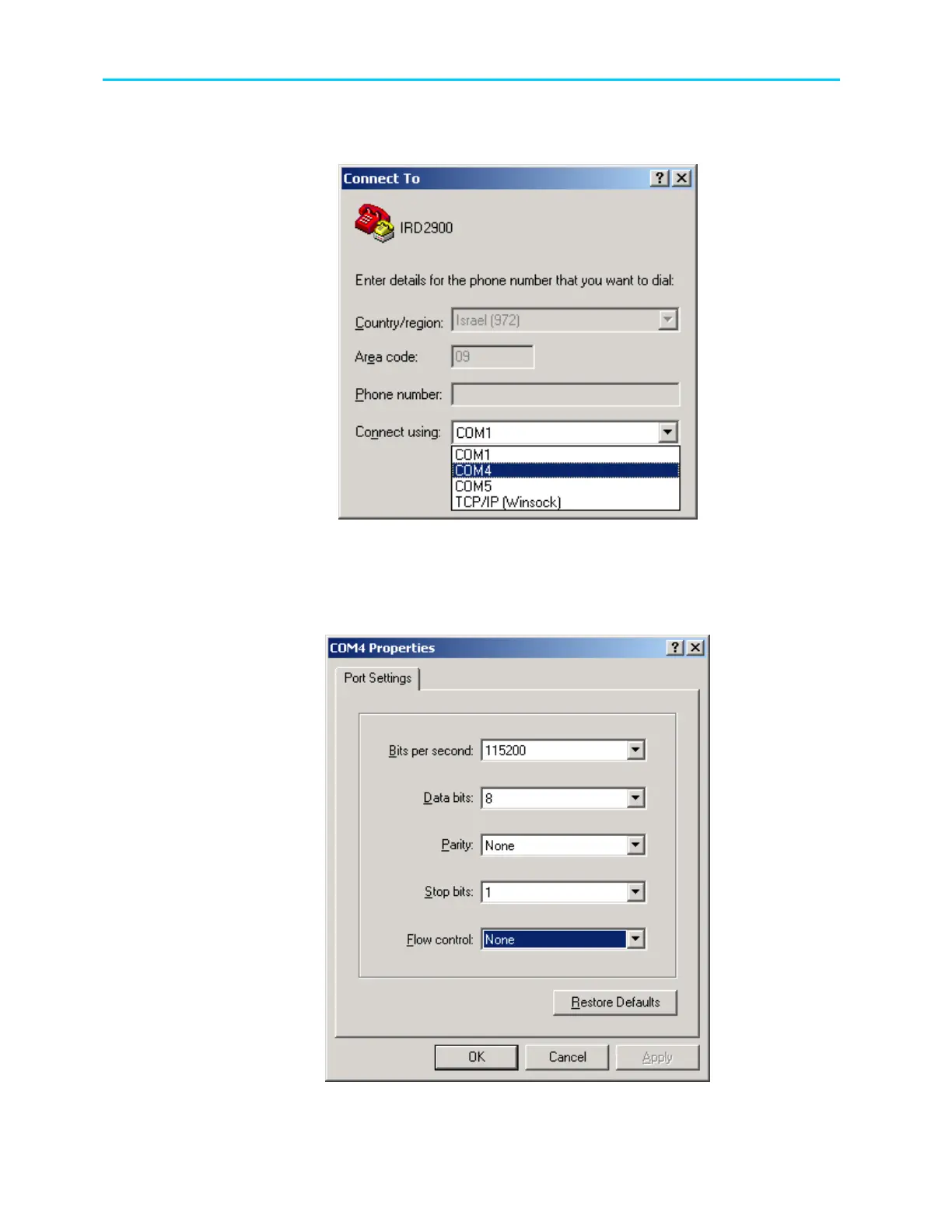
3. Select a PC COM port that is the specific PC COM to which the ProView 2900 is
connected.
Figure A-9: Select PC COM Port
4. Select the Baud Rate. This must be identical to the ProView 2900 baud rate
parameter. See Configuration
Unit
Serial Control Port
Baud Rate.
5. Select Flow Control – None.
Figure A-10: Port Settings Tab



 To Next Page