Appendix A: Software Download
© Harmonic Inc. Manual p/n 101543/Ver 1.0 A-10 ProView 2900 Series/SW Version 1.94
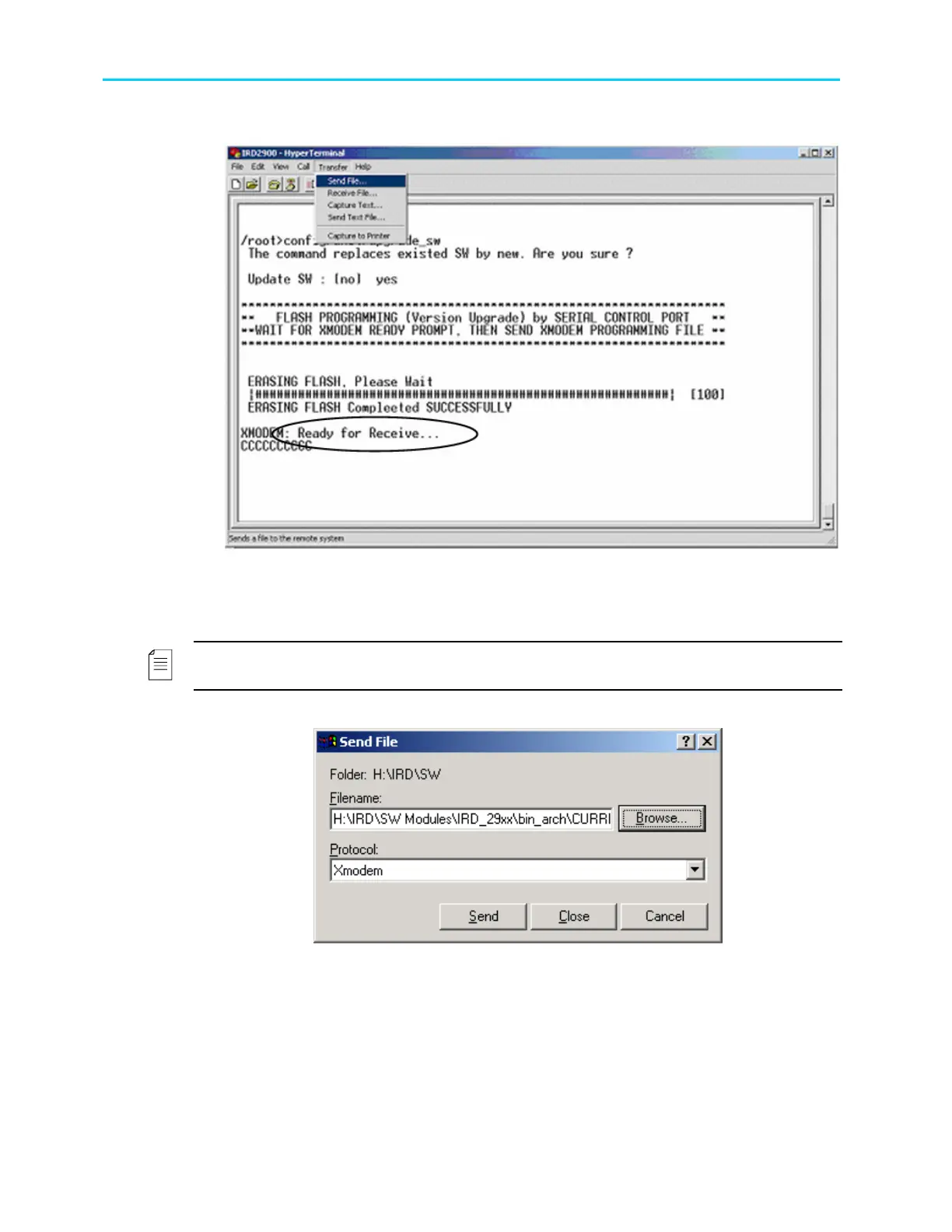
2. In the HyperTerminal, select Transfer
send file.
Figure A-14: Ready to Receive New Software
3. Specify to which used protocol to send the software file. It can be “Xmodem” or
“1K Xmodem” protocol.
NOTE
“1K Xmodem” is faster than “XModem”.
4. Specify the path of the software file on your PC, for example:
Figure A-15: Send File Dialog Box
5. Click Send. The loading starts. This may take a few minutes.
The status is displayed in the following window below or on the ProView 2900
front panel main menu.



 To Next Page