AL TERNATORISTARTER CLUTCH
LEFT CRANKCASE COVER
REMOVAL
Be
C8ffJful
not
to
damsge the
ma
ting
surface.
The
/eft
crankcase
cover is
magflfltica/fy
attracted
to
the
flywheel, b8 careful
during installation.
11-4
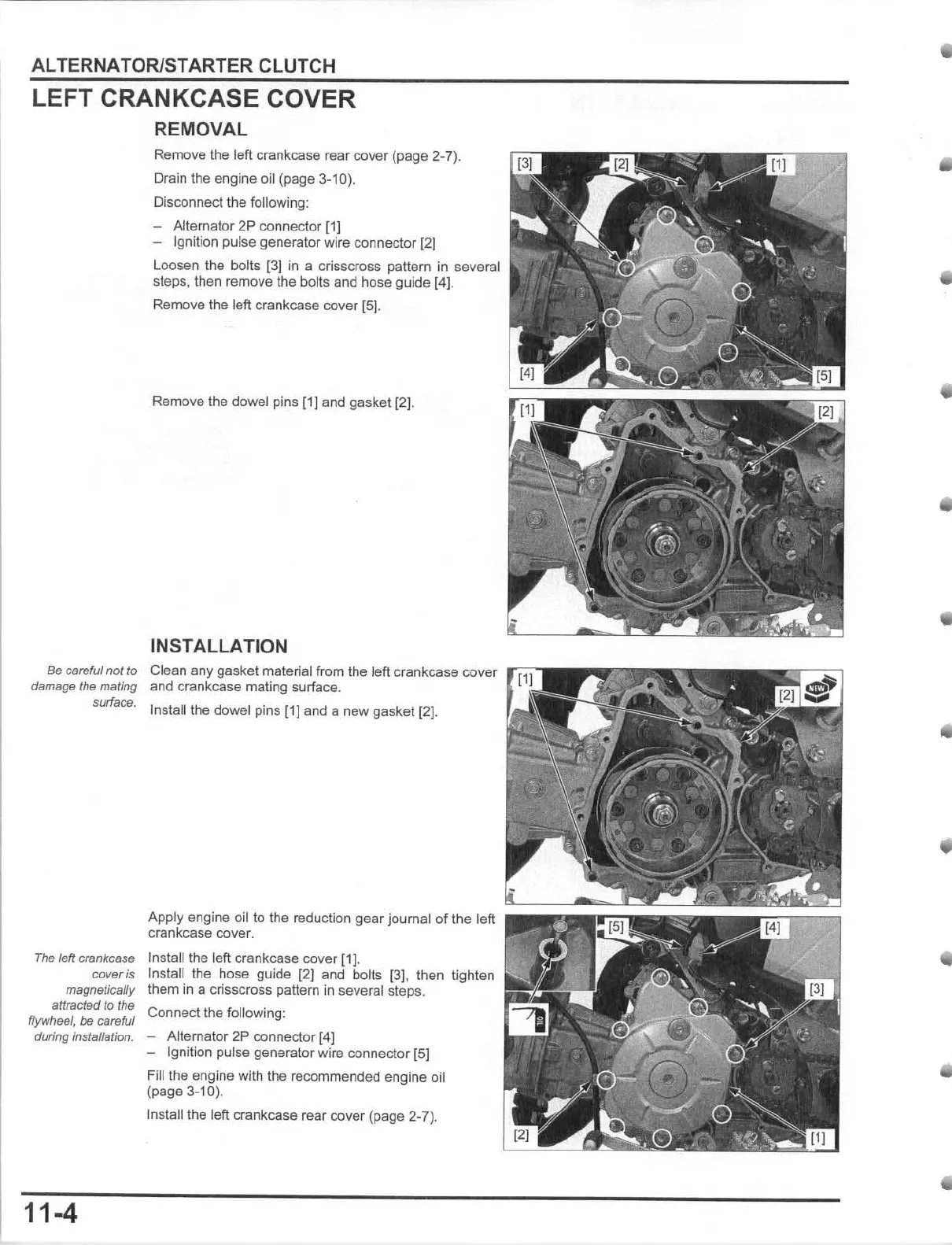
Remove the left crankcase rear
cover
(page 2-7).
Drain the
engine
oil (page 3-10).
Disconnect
the
following:
- Alternator 2P connector (1]
- Ignilion pulse generator wire connector [2)
Loosen the bolls
[3]
in
a crisscross pattern
in
several
steps, then remove the bolls and hose guide [4].
Remove the left crankcase cover [5].
Remove the dowel pins
(1)
and gasket [2).
INSTALLATION
Clean
any
gasket material
from
the
left crankcase cover
and crankcase mating surface.
Install the dowel pins [1] and a
new
gasket
(2].
Apply
engine oil to the reduction
gear
journal
of
the
left
crankcase cover.
InsleUthe left crankcase cover
[1J
.
Install the hose guide (2) and bolts [3), then tighten
them In a crisscross pattern
in
several steps.
Connect the following:
- Alternator
2P
connector
[4]
- Ignition pulse generator wire connector
(51
Fill the engine with the recommended
engine
oil
(pa
ge
3-10).
Inslalilhe
left crankcase rear cover (page 2-7).











 To Next Page