FlexLine plus, Programs
101
Define the element
step-by-step
Chainage and
method
Enter the chainage values and press:
• Stake: to select the point and offset (center, left or right), to stake out and start
the measurement. The correction from actual point to stake out point is shown on
the display.
• Check: to measure, or select points from memory, to calculate the chainage, line
and offset from the defined element.
Enter stakeout
values
Next step
• If in stakeout mode, press Cont to begin staking out.
• Or, if in measurement mode, press Meas to measure and record.
1. Enter, measure or select from memory the start and end points.
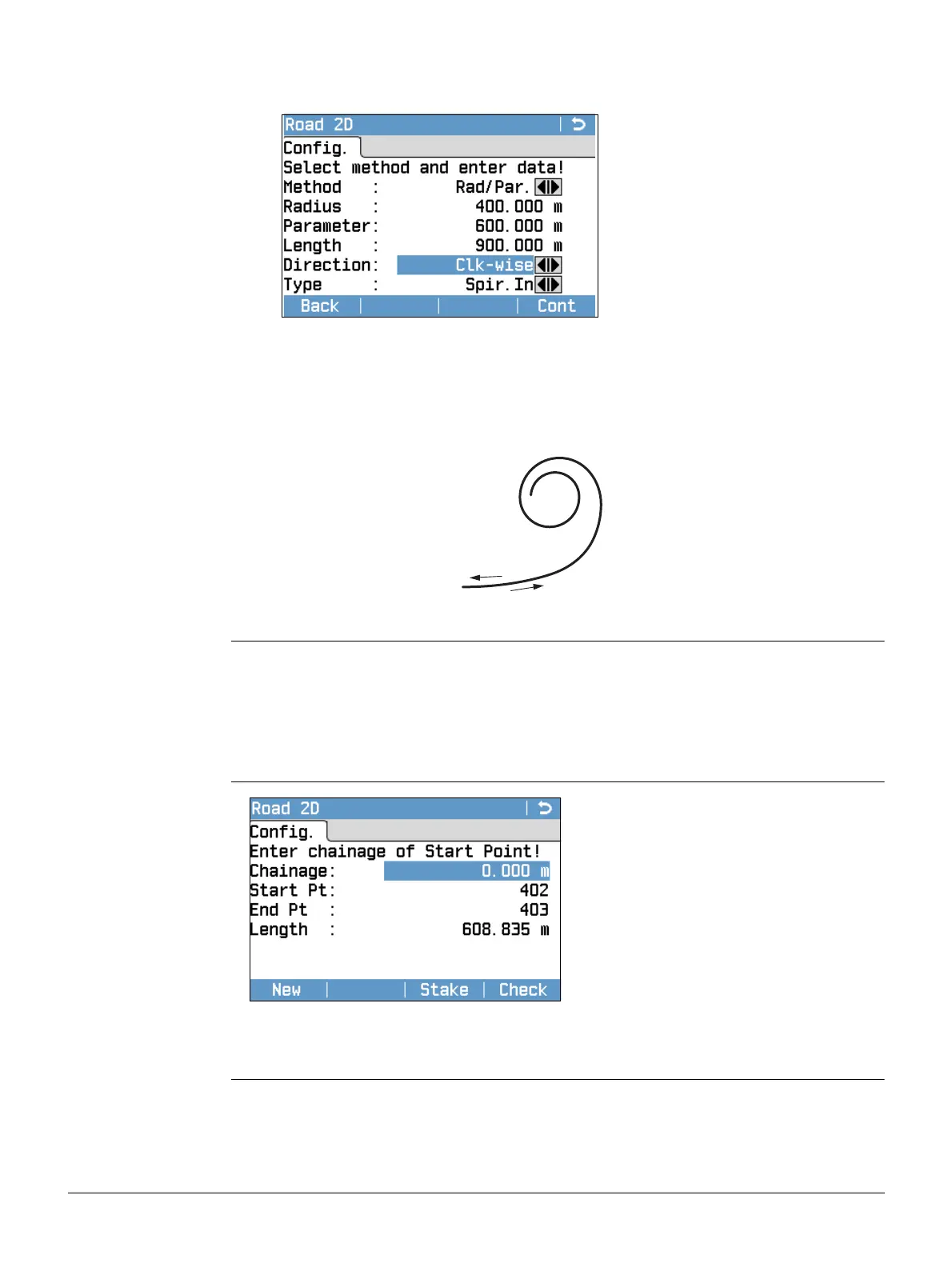
2. For curve and spiral elements the Road 2D screen for defining the element
appears.
3. For a curve element: • Enter the radius and curve direction.
• Press Cont.
For a spiral element: • Select the method to be used, Rad/Par. or Rad/Len..
• Enter the radius and parameter, or radius and length,
depending on the method chosen.
• Select the type and direction of the spiral.
• Press Cont.
Spiral type
ASpiral in
BSpiral out
4. When the element has been defined the Road 2D - Config. appears.
TSOX_112
A
B



 To Next Page