FlexLine plus, Programs
77
7.5.7 Line Segmentation
Description The line segmentation subprogram calculates and displays the stake out elements for
the points along the line, orthogonal (∆L, ∆O, ∆H) and polar (∆Hz, , ). Line
Segmentation is limited to the reference line, between the defined start and end
points of the line.
Example Line Segmentation Stakeout
Access Press Segment from the Reference Line - Info screen.
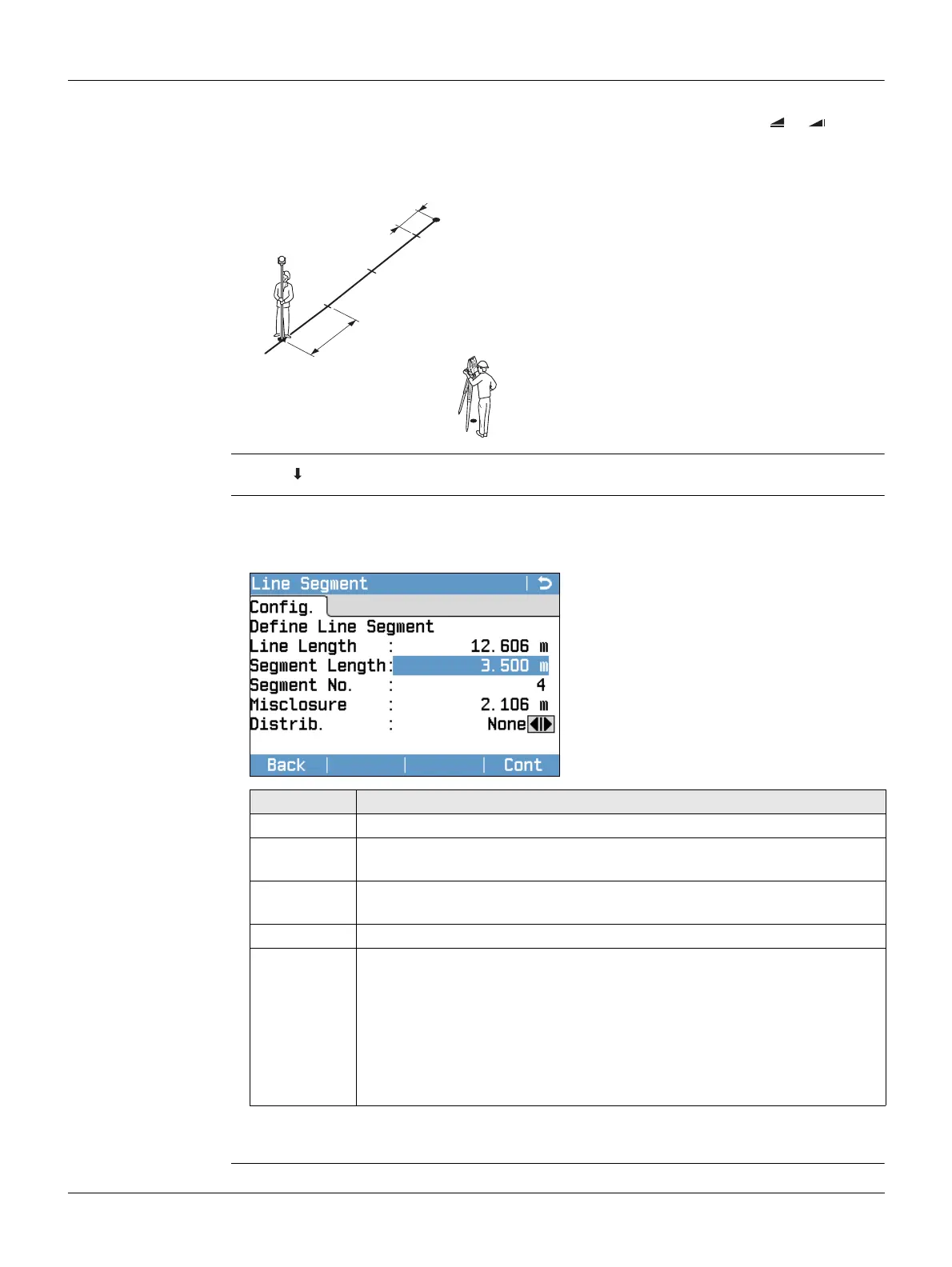
Segment Definition Enter either the number of segments, or the length of segments and define how the
remaining line length is treated. This misclosure can be placed at the start, at the end,
at the start and the end or distributed evenly along the line.
Next step
Press Cont to proceed to the Line Segment - Stakeout screen.
P0 Instrument station
P1 First reference point
P2 Second reference point
a Reference line
d1 Segment length
d2 Misclosure
TSOX_040
P1
P2
a
d1
d2
P0
Field Description
Line Length Calculated length of the defined reference line.
Segment
Length
Length of each segment. Updated automatically if the number of
segments is entered.
Segment No. Number of segments. Updated automatically if the segment length is
entered.
Misclosure Any remaining line length after segment length has been entered.
Distrib. Method of misclosure distribution.
None All of the misclosure will be placed after the last segment.
At start
All of the misclosure will be placed before the first segment.
Equal
The misclosure will be equally distributed between all
segments.
StartEnd The misclosure is equally distributed at the start and at the
end of the segment line.



 To Next Page