FlexLine plus, User Interface
26
3User Interface
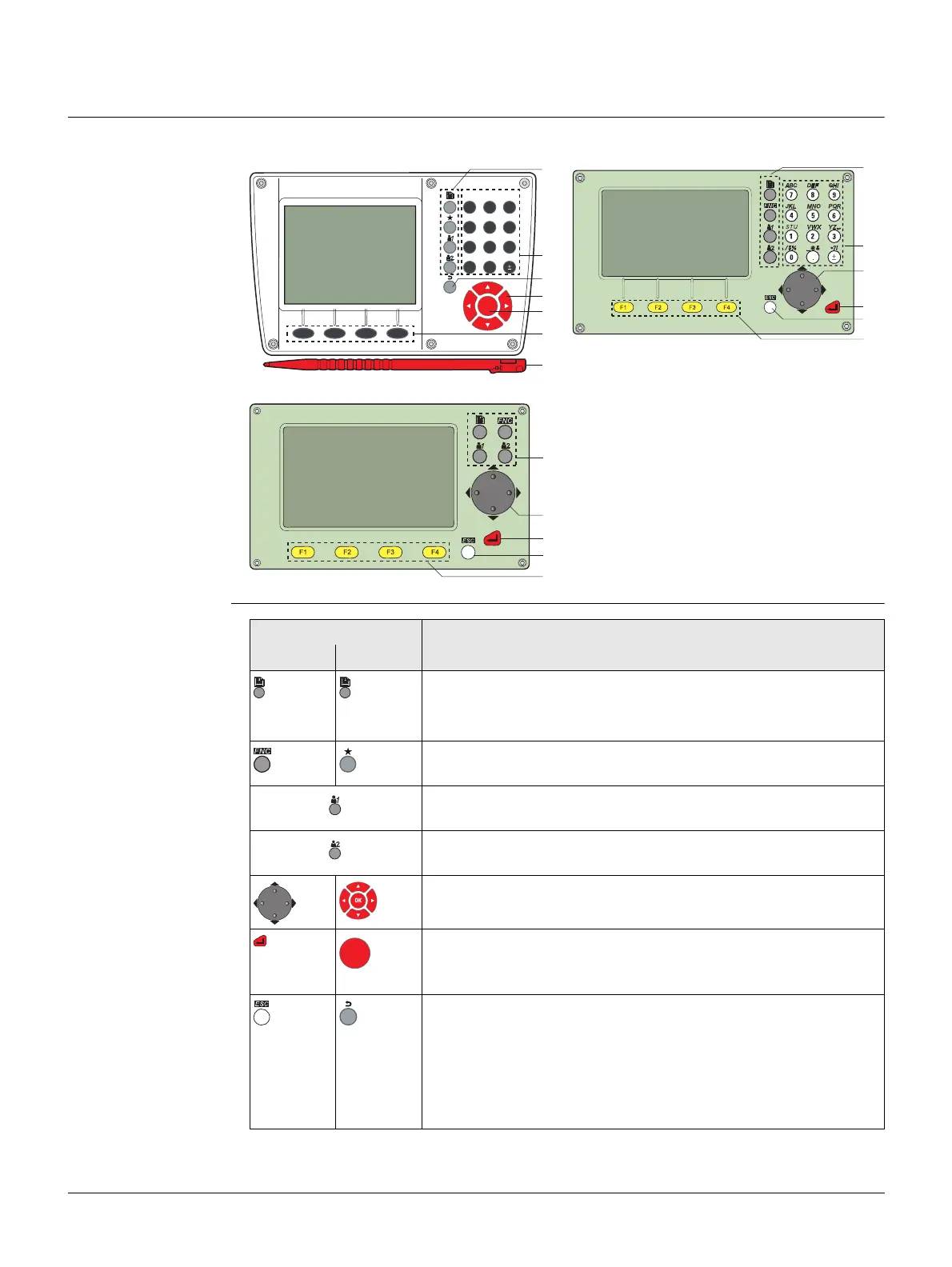
3.1 Keyboard
Keyboard
Keys
Color&Touch keyboard Alphanumeric keyboard
Standard keyboard
a) Fixed keys
b) Navigation key
c) ENTER key
d) ESC key
e) Function keys F1 to F4
f) Alphanumeric keypad
g) Stylus
TSOX_139
a
f
d
b
c
e
g
ABC DEF GHI
JKL MNO PQR
STU VWX YZ
/$% _@& *?!
789
456
12
OK
F1 F2 F3 F4
3
0.
TSOX_010
a
f
b
c
d
e
TSOX_011
a
b
c
d
e
Key Description
B&W C&T
Tab on
screen
Page key. Displays the next screen when several screens are
available.
FNC/Favourites key. Quick-access to measurement
supporting functions.
User key 1. Programmable with a function from the Favour-
ites menu.
User key 2. Programmable with a function from the Favour-
ites menu.
Navigation key. Controls the focus bar within the screen and
the entry bar within a field.
ENTER key. Confirms an entry and continues to the next field.
When this key is pressed for three seconds, the instrument
turns off.
ESC key. Quits a screen or edit mode without saving changes.
Returns to next higher level.
Pressing ESC short: Returns to next higher level. Quits a
screen or edit mode without saving changes.
Pressing ESC long: Returns to the Main Menu. Quits a screen
or edit mode without saving changes.



 To Next Page