FlexLine plus, Coding
130
9Coding
9.1 Coding
Description Codes contain information about recorded points. With the help of coding, points can
be assigned to a particular group simplifying later processing.
Codes are stored in codelists, with each codelist supporting a maximum of 200 codes.
Creating a codelist A codelist can be created:
•on the instrument: Select Manage from the Main Menu. Select from
the Manage Menu.
• in Instrument Tools.
Codelists can be imported and exported via USB memory stick and via Instrument
Tools. Refer to "13.3 Importing Data" and "13.2 Exporting Data".
Number of codes supported in codelists:
• Up to 500, when created using FlexField.
• Up to 200, when created using Instrument Tools.
GSI coding Codes are always stored as free codes (WI41-49), that means that codes are not
directly linked to a point. They are stored before or after the measurement depending
on the setting made.
A code is always recorded for each measurement as long as the code is displayed in
the Code: field. For a code not to be recorded, the Code: field must be cleared. This
can be set to occur automatically. Refer to "5.3 Data Settings".
Access •To select a code: On Work Settings, Screen page, configure the survey display so
that a Code field is shown. In the survey display, Highlight the Code field.
• Use the right/left navigation key to scroll through the codes.
• Type in a code. After entry, the firmware searches for a matching code name,
and displays these in the code field. If a matching code name does not exist,
then a new code name is created.
• Press ENTER to open the codelist.
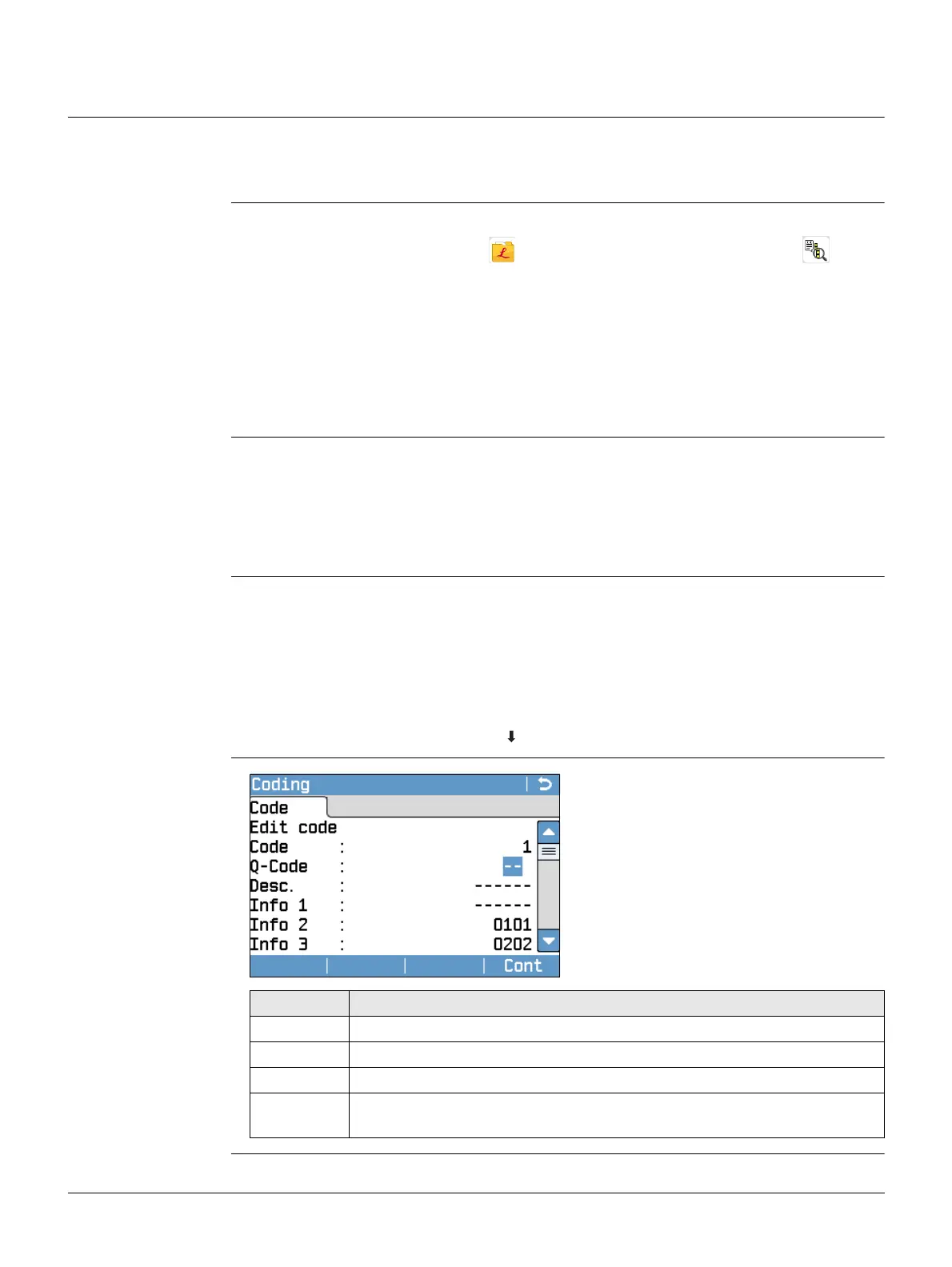
• To access a list of codes: Press Code in Q-Survey/Programs.
Coding
Cont
To save the changes.
Field Description
Code Code name.
Q-Code Two digit quick code assigned to the code. Refer to "9.2 Quick Coding".
Desc. Additional remarks.
Info 1 to
Info 8
More information lines, freely editable. Used to describe attributes of
the code.



 To Next Page