FlexLine plus, Data Management
152
13.4 Working with a USB Memory Stick
Insert a USB
memory stick step-
by-step
Always return to the Main Menu before removing the USB memory stick.
Whilst other USB memory sticks may be used, Leica Geosystems recommends Leica
industrial grade USB memory sticks and cannot be held responsible for data loss or
any other error that may occur when using a non-Leica USB memory stick.
• Keep the USB memory stick dry.
• Use it only within the specified temperature range, -40°C to +85°C (-40°F to
+185°F).
• Protect the USB memory stick from direct impacts.
Failure to follow these instructions could result in data loss and/or permanent damage
to the USB memory stick.
Format a USB
memory stick
step-by-step
Formatting the USB memory stick before starting to store data is required if a
completely new USB memory stick is used, or if all existing data needs to be deleted.
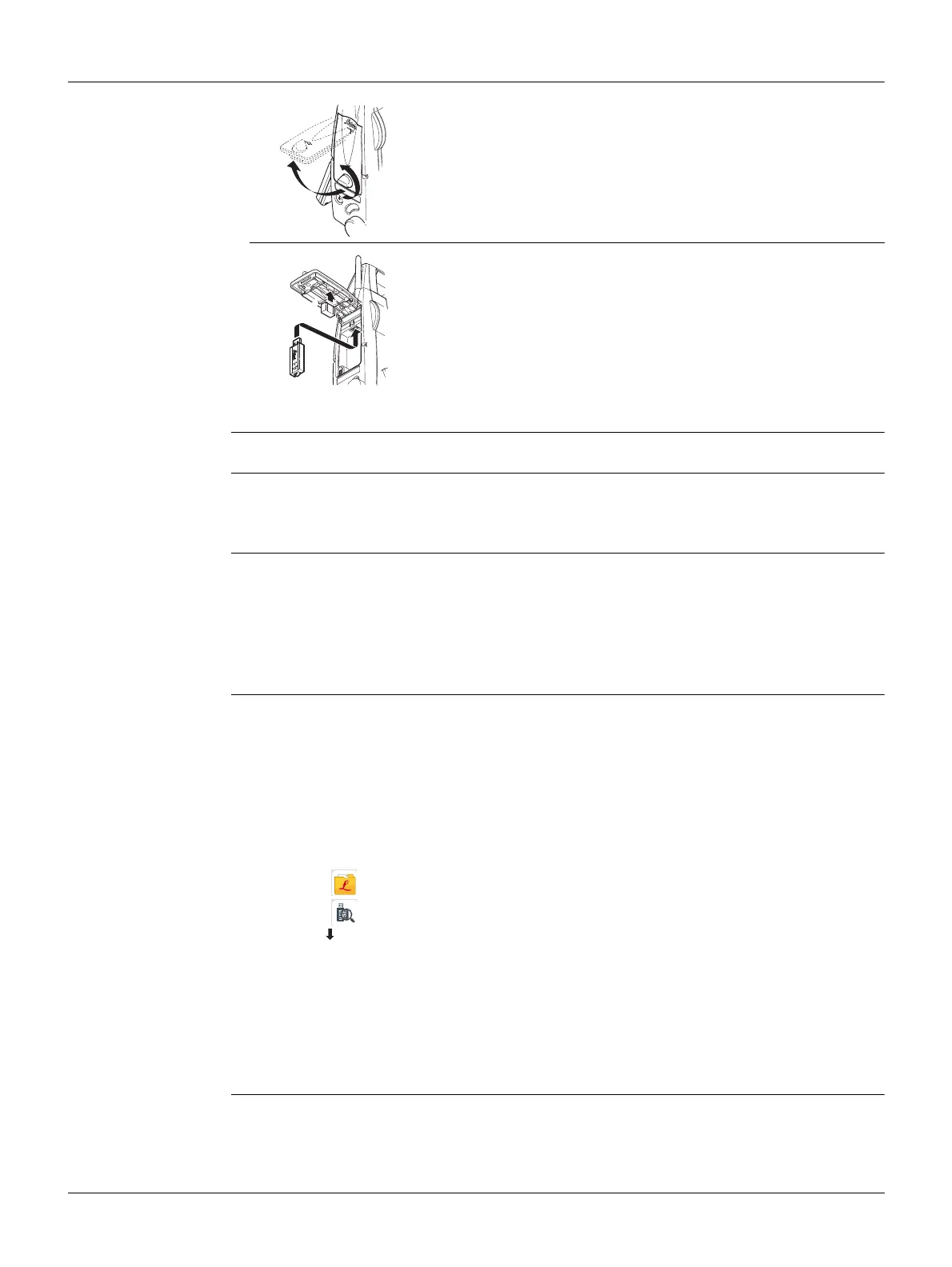
Open the compartment lid on the Communication side
cover.
The USB host port is located underneath the top edge of
the compartment.
Insert the USB memory stick into the USB host port.
The cap of a Leica industrial grade USB memory stick can
be stored on the underside of the compartment lid.
Close the compartment lid and turn the knob to lock the
compartment closed.
1
2
TSOX_017a
3
TSOX_017b
4
The formatting function on the instrument only works for Leica USB
memory sticks. All other USB memory sticks should be formatted on a
computer.
Despite an automatic defragmentation, the USB memory stick gets frag-
mented after a while. Please format the USB memory stick periodically to
maintain the instrument performance.
1. Select Manage from the Main Menu.
2. Select USB-Stick from the Manage Menu.
3. Press Format in the USB-File Manager screen.
4. A warning message will appear.
By activating the format command all data will be lost. Make sure that all
important data on the USB memory stick has been backed up before
formatting the USB memory stick.
5. Press Yes to format the USB memory stick.
6. A message will display once the formatting of the USB memory stick is completed.
Press Cont to return to the USB-File Manager screen.



 To Next Page